


Getting traffic is great.
Watching that traffic leave without doing anything?
Not so great.
That’s where WordPress lead generation plugins earn their keep.

They can help you turn anonymous visitors into email subscribers, customers, booked calls, quiz leads, CRM contacts, or people you can actually follow up with later.
But here’s the thing:
Not every lead generation plugin works the same way.
Some focus on popups and exit intent.
Others are better for forms, email list building, quizzes, live chat, CRM capture, or more advanced targeting.
So instead of stuffing this roundup with seven versions of the same popup tool, I narrowed it down to WordPress lead generation plugins that each solve a different part of the conversion process.
Less noise.
More useful options.
Don’t forget to check our tutorial on how to install a WordPress plugin hassle-free.
This post covers:
- Quick Picks: Best WordPress Lead Generation Plugins
- Best WordPress Lead Generation Plugins
- Popups Vs Embedded Forms
- Should You Use Exit-Intent Popups?
- Lead Capture Vs Lead Management
- Are Quizzes Good For Lead Generation?
- How Many Fields Should A Lead Form Have?
- Conclusion: Which WordPress Lead Generation Plugin Should You Choose?
- FAQs About WordPress Lead Generation Plugins
Quick Picks: Best WordPress Lead Generation Plugins
Not sure which one fits your setup? Start here.
- OptinMonster – Best Overall: Best for advanced popups, targeting, exit intent, A/B testing, and serious conversion-focused campaigns.
- Brave – Best Visual Popup Builder: Great if you want a more WordPress-native popup builder with a clean drag-and-drop editor and solid targeting options.
- HubSpot – Best For CRM + Lead Capture: A strong all-in-one choice for forms, popups, live chat, contact tracking, and CRM management.
- MailOptin – Best For Email List Building: Ideal for growing an email list with opt-in forms, notification bars, popups, and newsletter integrations.
- Icegram Engage – Best Free Unlimited Campaigns Option: A good pick if you want unlimited campaigns and impressions without paying right away.
- Hustle – Best For Simple Popups + Opt-Ins: Easy to use, flexible, and perfect if you want popups, slide-ins, embedded forms, and basic targeting without overcomplicating things.
- Quiz and Survey Master – Best For Quiz-Based Lead Generation: Best for collecting and qualifying leads through quizzes, assessments, surveys, and interactive funnels.
Best WordPress Lead Generation Plugins
1. OptinMonster

OptinMonster is the heavy hitter here.
You can build popups, floating bars, slide-ins, fullscreen campaigns, inline forms, countdowns, spin-to-win offers, and content lockers, then show them to the right visitor at the right moment.
That targeting is where it really earns the #1 spot.
You can trigger campaigns by page, device, referral source, visitor behavior, returning status, cookies, geolocation, WooCommerce cart value, and more.
Add A/B testing and conversion analytics, and you’ve got much more than a popup builder.
One catch: OptinMonster is a SaaS service, so the WordPress plugin connects your site to an OptinMonster account rather than running everything locally.
- Best for: Businesses that want advanced lead targeting and conversion campaigns
- Free version includes: 3 campaigns and 500 lifetime campaign impressions, plus basic campaign building
- Paid plans add: Exit Intent, scheduling, countdown timers, A/B testing, deeper targeting, WooCommerce rules, and more
- Why we like it: The targeting options go far beyond simply showing the same popup to everyone
- What I’d improve: The free allowance is tiny, and serious use means paying for the hosted service
2. Brave

Brave is the one I’d pick if you want to actually design your lead-gen campaigns instead of wrestling with rigid templates.
Its drag-and-drop editor lets you build popups, sticky bars, slide-ins, sidebars, modals, newsletter forms, contact forms, and WooCommerce offers visually.
You can start from 15 free presets or build from scratch with text, images, buttons, forms, products, posts, and custom code.
The targeting is solid too.
You can control who sees a campaign, where it appears, how often it shows, and whether desktop and mobile versions should differ.
Built-in analytics track views, clicks, and form submissions.
Useful.
- Best for: Users who want a flexible visual popup builder inside WordPress
- Free version includes: Unlimited popups, drag-and-drop builder, 10 design elements, forms, WooCommerce products, sticky bars, slide-ins, mobile layouts, targeting, display frequency controls, analytics, 15 presets, and 20+ newsletter integrations
- Pro adds: Multi-step popups, exit intent, advanced targeting, unlimited form fields, surveys, polls, extra elements, 100 presets, Zapier, automated replies, file downloads, and deeper analytics
- Why we like it: You get far more design freedom than with most basic popup tools
- What I’d improve: The feature set is deep enough that beginners may need some time to learn the editor
3. HubSpot
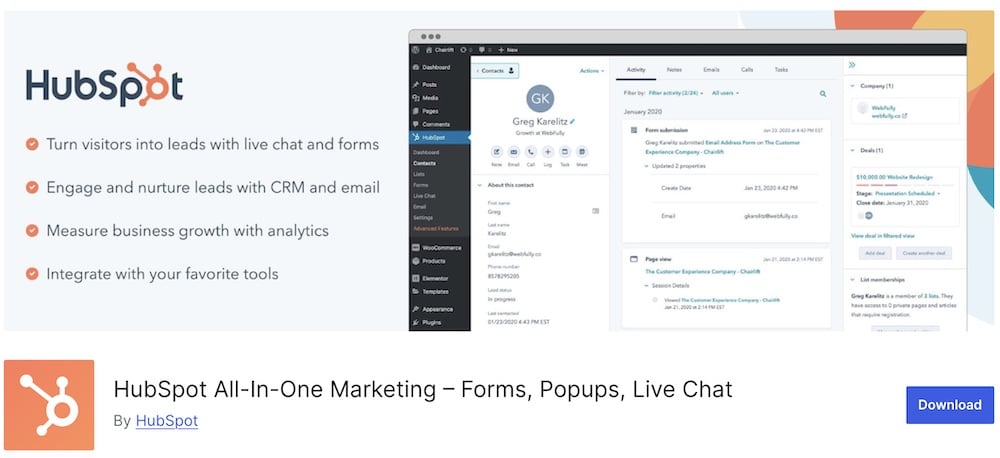
Choose HubSpot if you don’t want leads disappearing into a spreadsheet after someone fills out a form.
The plugin connects WordPress to HubSpot’s CRM, so you can capture leads with forms, popups, live chat, and chatbots, then track those contacts, conversations, page views, and follow-up activity in one place.
That makes it much more than a form plugin.
You also get email marketing, automation, analytics, pipeline management, and contact tracking, which is handy if your sales process goes beyond “collect email, hope for the best.”
- Best for: Businesses that want lead capture and CRM management in one system
- Free version includes: CRM, forms, popups, live chat, chatbots, email marketing, contact management, pipeline tools, analytics, and prospect tracking
- Paid plans add: Deeper automation, advanced sales and marketing tools, more reporting, and larger-scale CRM features
- Why we like it: Leads don’t stop at the form — they move straight into a system built for follow-up
- What I’d improve: It’s a full platform, so setup can feel heavy if all you need is one simple opt-in form
4. MailOptin

MailOptin is built for turning visitors into subscribers — then actually doing something with those subscribers.
You can create popups, notification bars, slide-ins, in-post forms, sidebar forms, and registration forms, then connect them to services like Mailchimp, AWeber, Kit, ActiveCampaign, Brevo, HubSpot, Klaviyo, and plenty more.
The nice twist?
MailOptin also handles email newsletters.
You can send new-post notifications, one-off broadcasts, and scheduled emails directly from WordPress, so it sits somewhere between a lead-capture plugin and a lightweight email automation tool.
- Best for: Blogs, creators, and businesses focused on growing an email list
- Free version includes: Popups, in-post forms, sidebar forms, CTAs, page-level targeting, registration forms, new-post notifications, broadcasts, scheduling, email templates, and major email/CRM integrations
- Premium adds: A/B testing, advanced targeting, custom fields, autoresponders, email digests, deeper analytics, referrer/device targeting, more integrations, and WooCommerce/LMS/member syncing
- Why we like it: It connects lead capture and email follow-up instead of stopping at the form
- What I’d improve: The feature set gets broad quickly, so users who only want a simple signup form may find it more than they need
5. Icegram Engage
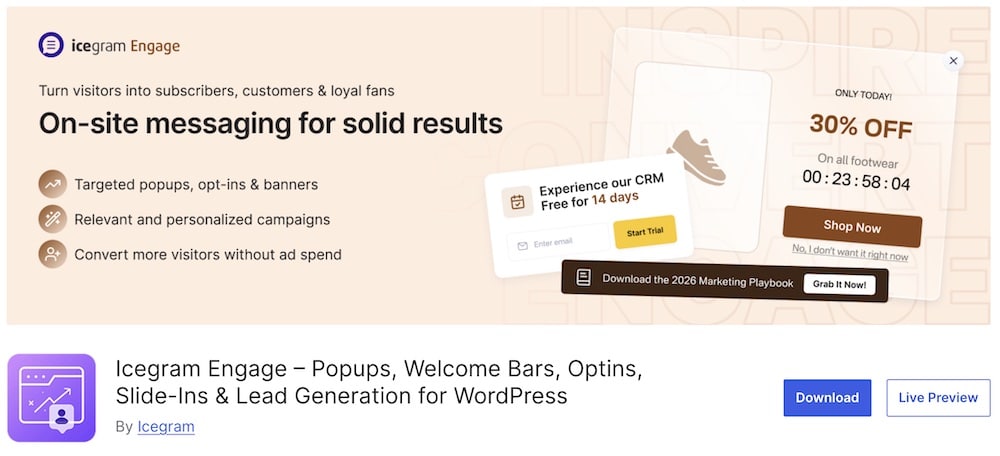
Icegram Engage is a great pick if you want to run lots of lead-gen campaigns without watching an impression counter.
The free version gives you unlimited campaigns and unlimited impressions, with popups, action bars, slide-ins, and toast notifications all included.
No forced “Powered by” branding either. Nice.
You also get page, user, and device targeting, time-delay and click triggers, cookie/session retargeting, 50+ responsive templates, and support for pretty much any form or email service through shortcodes or embedded HTML.
- Best for: Sites that want lots of free lead-gen campaigns without SaaS limits
- Free version includes: Unlimited campaigns/impressions, popups, action bars, slide-ins, toast notifications, 50+ templates, targeting, retargeting, time-delay/click triggers, lazy loading, and broad form/email integrations
- Max adds: Exit intent, scroll/inactivity triggers, A/B testing, analytics, countdown timers, geolocation, content locking, inline blocks, and more message types
- Why we like it: The free version is unusually generous and keeps everything inside WordPress
- What I’d improve: The interface has a lot going on once you start stacking multiple message types and targeting rules
6. Hustle

Hustle is a solid choice if you want lead capture that stays easy to manage.
You can create popups, slide-ins, embedded opt-in forms, widgets, and social sharing bars, then control where and when they appear with display conditions.
The templates are mobile responsive, and you can fine-tune colors, spacing, borders, animations, and layouts without touching code.
Simple.
Hustle also works well if you want email signups without moving into a full CRM platform.
It gives you the core conversion tools without adding a giant marketing stack on top.
- Best for: Blogs and small business sites that want straightforward popups and opt-ins
- Free version includes: Popups, slide-ins, embeds, widgets, shortcodes, templates, display conditions, responsive design controls, and social sharing
- Pro adds: Unlimited opt-ins, custom content modules, social sharing, and broader WPMU DEV suite access
- Why we like it: It covers the main lead-gen formats without making the workflow feel heavy
- What I’d improve: The free version is capped by module limits, so active sites can outgrow it fairly quickly
7. Quiz and Survey Master
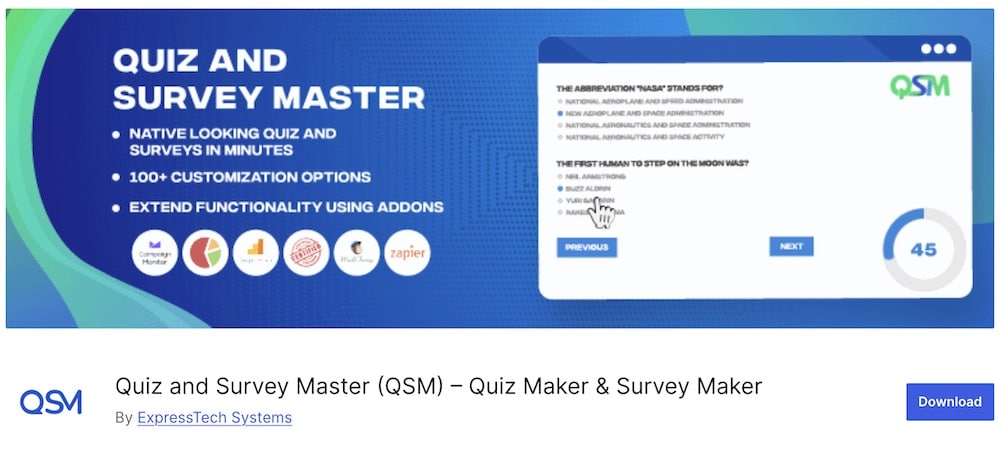
Quiz and Survey Master turns lead generation into something people actually want to interact with.
Instead of showing another popup, you can build quizzes, surveys, assessments, personality tests, polls, and exams, then capture contact details before or after the result.
That makes it great for lead qualification, product matching, consultations, and segmentation. (wordpress.org)
The free version is already generous.
You get unlimited quizzes and questions, 12+ question types, score-based results, a drag-and-drop builder, custom email templates, and built-in lead capture.
- Best for: Interactive lead generation, qualification, surveys, and assessments
- Free version includes: Unlimited quizzes/questions, 12+ question types, lead capture, score-based results, surveys, polls, drag-and-drop building, custom emails, analytics, and Block Editor support
- Pro adds: Conditional logic, advanced reports, premium question types, certificates, Mailchimp/ActiveCampaign integrations, and premium themes
- Why we like it: It gives visitors a reason to engage before asking for their details
- What I’d improve: Building more complex quiz funnels takes more setup than a simple form or popup
Popups Vs Embedded Forms
Both can generate leads.
They just do it in very different ways.
Popups
Popups interrupt the browsing experience on purpose.
Used well, that’s not a bad thing.
They work especially well for:
- Limited-time offers
- Exit-intent campaigns
- Lead magnets
- Newsletter signups
- Discounts
- Product promotions
The big advantage is visibility.
People notice them.
The downside?
If they appear too early, too often, or on every page, they get annoying.
If popups are a big part of your strategy, these WordPress popup plugins give you more options for targeting, design, and campaign types.
Embedded Forms
Embedded forms sit naturally inside the page.
No interruption. No surprise.
They work well for:
- Contact pages
- Blog posts
- Landing pages
- Service pages
- Downloads
- Quote requests
They’re usually better when the visitor already has some intent and just needs a clear next step.
For bigger campaigns, pairing the form with one of these WordPress landing page plugins can give the lead offer a much stronger home.
Should You Use Exit-Intent Popups?
Sometimes, yes.
Exit-intent popups appear when a visitor looks like they’re about to leave the page.
That makes them useful because you’re not interrupting someone the second they arrive.
You’re catching them on the way out.
They work especially well for:
- Discount offers
- Newsletter signups
- Lead magnets
- Free downloads
- Abandoned cart offers
- Demo or consultation prompts
The key is relevance.
A random popup saying “Join our newsletter!” usually isn’t enough.
A better offer gives the visitor a clear reason to stop.
For example:
- 10% off before checkout
- A free checklist related to the article
- A useful comparison guide
- A quick consultation
- A bonus download
Don’t overdo it, though.
If every page throws the same exit popup at every visitor, it gets old fast.
Lead Capture Vs Lead Management
These two sound similar.
They’re not.
Lead Capture
Lead capture is about getting the visitor’s details.
That might happen through:
- A popup
- An embedded form
- A quiz
- Live chat
- A lead magnet
- A newsletter signup
- A consultation form
The goal is simple:
Turn an anonymous visitor into someone you can contact.
Plugins like OptinMonster, Brave, MailOptin, Hustle, and Quiz and Survey Master focus heavily on this stage.
Lead Management
Lead management starts after you collect the details.
Now you need to organize, track, segment, and follow up with those contacts.
That can include:
- CRM records
- Lead status
- Sales pipelines
- Email follow-ups
- Notes
- Contact history
- Automation
- Lead scoring
This is where something like HubSpot becomes much more useful.
It doesn’t just collect the lead.
It helps you manage what happens next.
Are Quizzes Good For Lead Generation?
Yes.
And in the right niche, they can work really well.
The reason is simple:
A quiz gives people something before asking for their details.
Instead of “Enter your email,” you’re offering a result, score, recommendation, or answer they actually want.
That can work well for:
- Product recommendations
- Assessments
- Personality-style quizzes
- Service matching
- Consultation funnels
- Fitness or health goals
- Business audits
- Course recommendations
Quizzes are also useful for lead qualification.
Note: If you want to explore that route further, these WordPress quiz plugins cover quizzes, surveys, assessments, product recommendations, and more.
Someone’s answers can tell you what they need, how serious they are, and which offer fits them best.
That’s much more useful than collecting 100 generic email addresses with zero context.
The catch?
The quiz needs a clear payoff.
If visitors answer 14 questions and get a weak “Thanks, we’ll be in touch,” that’s not exactly thrilling.
Keep it focused.
Ask only what you need, make the result useful, and place the lead form where people are most invested.
How Many Fields Should A Lead Form Have?
Usually fewer than you think.
Every extra field adds friction.
For a simple lead magnet or newsletter signup, you may only need:
- Email address
- First name
That’s it.
For a consultation, quote request, or higher-value service, asking for more details can make sense.
You might add:
- Company name
- Phone number
- Budget
- Project type
- Timeline
- A short message
The key is matching the form length to the value of the offer.
Someone downloading a free checklist probably won’t want to fill in eight fields.
Someone requesting a $10,000 project quote probably expects to provide more information.
Conclusion: Which WordPress Lead Generation Plugin Should You Choose?
For the most advanced all-round setup, OptinMonster is my top pick. Its targeting, campaign types, exit intent, and testing tools give you a lot of control.
Want something more visual and WordPress-native?
Go with Brave.
If you need lead capture and CRM in one place, HubSpot makes more sense because it helps you manage what happens after the form is submitted too.
For email list growth, MailOptin is the specialist choice.
Need a generous free option?
Icegram Engage gives you unlimited campaigns and impressions without forcing you into a paid plan right away.
If you want something simpler, Hustle keeps popups, slide-ins, and embedded opt-ins easy to manage.
And if you want to qualify leads instead of just collecting them, Quiz and Survey Master gives you a much more interactive route.
FAQs About WordPress Lead Generation Plugins
What are WordPress lead generation plugins?
WordPress lead generation plugins help you capture and manage leads on your website. They facilitate the collection of visitor information through forms, pop-ups, landing pages, and other interactive elements to convert visitors into potential customers or subscribers.
Can these plugins integrate with email marketing services?
Yes, most WordPress lead generation plugins offer integration with popular email marketing services like Mailchimp, Constant Contact, and HubSpot.
Do lead generation plugins offer A/B testing?
Many advanced WordPress lead generation plugins include A/B testing or split testing features. This allows you to test different versions of your lead capture forms or pages to determine which variations perform better in terms of conversion rates.
Are these plugins capable of creating pop-ups & opt-in forms?
WordPress lead generation plugins often come with the ability to create various types of opt-in forms, including pop-ups, slide-ins, floating bars, and inline forms.
Can I track & analyze lead generation performance?
Most lead generation plugins for WordPress include analytics and tracking functionalities. You can monitor the performance of your lead generation efforts, track conversion rates, and gain insights into user behavior.
Will lead generation plugins slow down my website, and how can I prevent this?
Some lead generation plugins can affect website performance due to additional scripts and features. To minimize this impact, choose plugins that are optimized for speed and regularly updated.
Can I customize the design of WordPress lead generation plugins?
Yes. You can usually change fonts, colors, layouts, and even add custom images, code, etc.
::
Note: This article was originally published on April 28, 2022. But our team regularly reviews it and updates it with necessary improvements for accuracy.