

Once a website grows beyond a handful of pages, basic dropdown navigation can become messy.
Large stores, magazines, directories, corporate websites, and content-heavy projects often need room for dozens of categories, services, products, or resources without overwhelming visitors.
That is where a good mega menu comes in handy.
Instead of stacking links into narrow dropdowns, mega menus can organize navigation into columns, add images and icons, highlight important categories, display products, and make larger websites much easier to explore.

But the theme still matters.
The best mega menu WordPress themes give you strong navigation controls without forcing you to build everything from scratch.
I looked for options with flexible menu layouts, multiple menu locations, mobile-friendly navigation, WooCommerce support where relevant, and enough customization to handle complex site structures.
Below are the themes I would consider first if navigation is a major part of your website.
Note: If you already have a website, we also have a guide on how to create a mega menu in WordPress.
This post covers:
- Quick pick: Best WordPress themes with mega menu
- Best mega menu WordPress themes
- What To Look For In A Mega Menu WordPress Theme
- Conclusion: Pick The Right WordPress Theme With Mega Menu
- FAQs about mega menu WordPress themes
Quick Pick: Best WordPress Themes With Mega Menu
Quick selection if you’re in a hurry:
- Best for maximum menu flexibility: Essentials
- Best for WooCommerce stores: Goya
- Best for large WooCommerce catalogs: Molla
- Best for beauty & fashion stores: Luchiana
- Best for events & conferences: Evenex
- Best multipurpose option: Qwery
- Best minimalist option: Alma
- Best for pet stores: Frizty
- Best for mobile-first eCommerce: Lusion
- Best for business & consulting websites: Nifty
Best Mega Menu WordPress Themes
| Theme | Best For | Mega Menu Approach | Main Strength | Standout Feature |
|---|---|---|---|---|
| Goya | WooCommerce stores | Built-in mega menu | Smooth product navigation | Ajax product search with instant suggestions |
| Essentials | Maximum menu flexibility | Built-in native mega menu | Deep header and navigation control | 40+ premade header layouts |
| Lusion | Mobile-first eCommerce | Built-in mega menu styling | Responsive shopping experience | Strong mobile-focused store navigation |
| Nifty | Business & consulting websites | Built-in mega menu | Organizing services and corporate content | Multiple header and menu styles |
| Qwery | Multipurpose business sites | Flexible menu + Elementor headers | Adaptable navigation across many site types | Elementor header and footer builder |
| Luchiana | Beauty & fashion stores | Full-width multi-column mega menu | Visual category and brand navigation | Ajax product search |
| Evenex | Event & conference websites | Built-in mega menu builder | Organizing speakers, schedules, and events | Five menu styles |
| Frizty | Pet stores | Max Mega Menu integration | Managing category-heavy product catalogs | Live search, compare, and Quick View |
| Alma | Minimalist websites | Built-in mega menu | Deep navigation without visual clutter | Multiple header and sticky menu options |
| Molla | Large wooCommerce catalogs | Built-in mega menu + 3-level dropdowns | Handling large multi-category stores | 20+ headers with header builder |
1. Goya
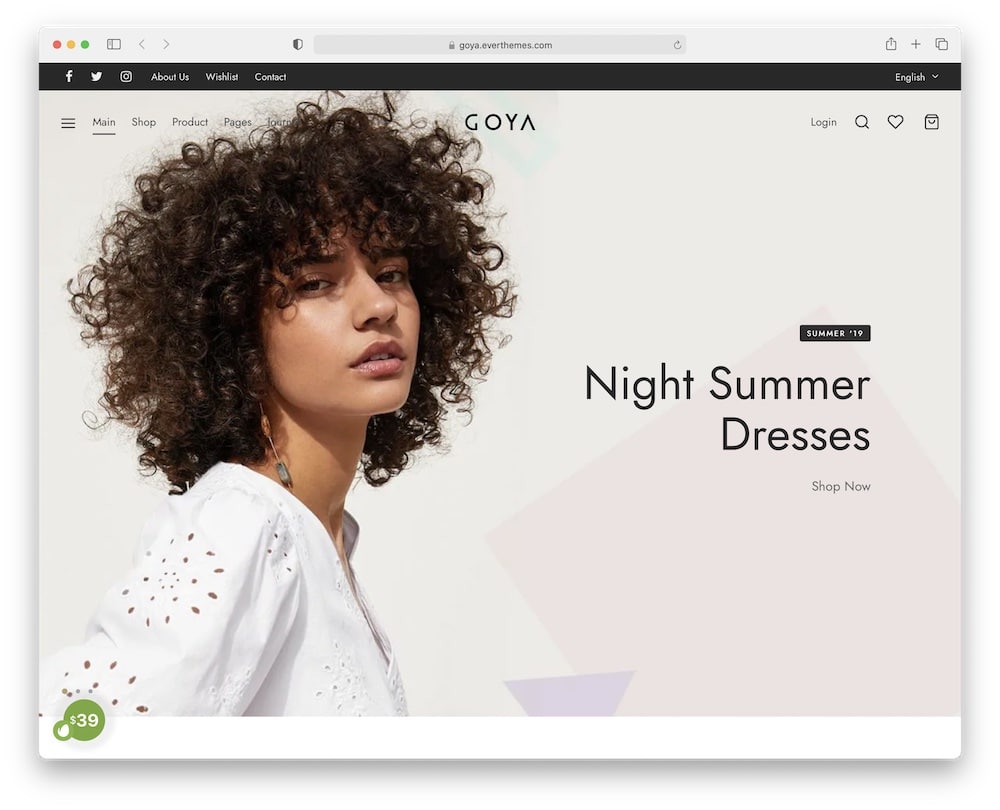
Goya turns a large product catalog into something much easier to explore.
Its built-in mega menu works without an extra plugin and pairs nicely with multiple header layouts, a sticky header, full-screen navigation, a top bar, and an Ajax product search with instant suggestions.
That combination makes it especially strong for stores with lots of categories, collections, and products competing for attention.
The shop side is just as polished.
You get Quick View, instant add-to-cart, multiple catalog layouts, color swatches, product filters, several gallery styles, sticky product bars, and infinite loading.
Why I Like It
Goya keeps complex eCommerce navigation surprisingly CLEAN.
The mega menu is not treated as an isolated feature.
It works alongside strong search, flexible headers, product filtering, and a streamlined cart experience, which makes the whole store easier to browse.
I would especially consider it for fashion, furniture, beauty, lifestyle, or other product-heavy stores where visual presentation matters as much as navigation.
Good For
- Large WooCommerce stores
- Fashion and lifestyle shops
- Multi-category retailers
- Visual product catalogs
Goya theme features:
- 10,000+ sales
- 4.6+ star rating
- Built-in mega menu without an extra plugin
- WP Ajax functionality
- Price: $29 (may vary)
2. Essentials
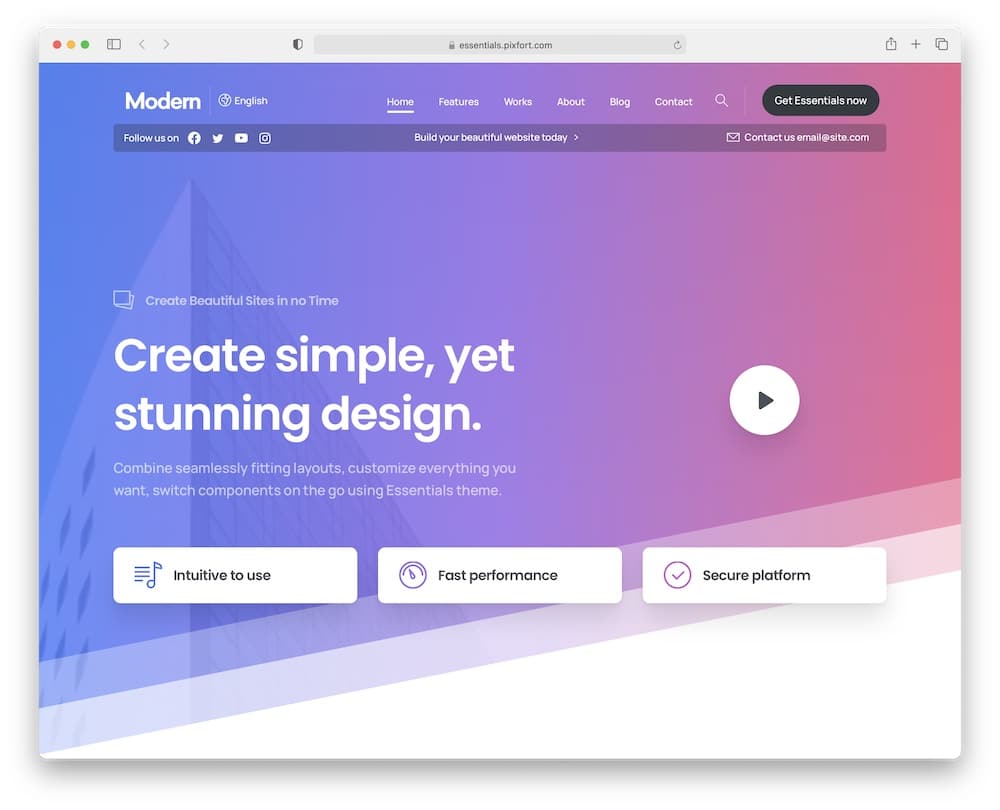
Few themes give you this much control over navigation without making you rely on a separate mega menu plugin.
Essentials includes its own built-in mega menu system based on native WordPress menus, plus a powerful header builder with over forty premade header layouts.
You can combine that with sticky mobile headers, live search suggestions, custom intros, popups, and flexible global design controls to create navigation that fits everything from a SaaS site to a large business portal.
The scale is HUGE.
You get a whopping 44 full demos, 1,000+ templates, 80+ premium elements, and support for both Elementor and WPBakery.
WooCommerce, WPML, Polylang, and RTL layouts are supported too.
Why I Like It
Essentials is the theme I would pick when the navigation itself needs serious customization.
You are not locked into one header style or a basic multi-column dropdown.
The header builder, native mega menus, live search, and huge template library give you much more freedom to structure a complex website around different content areas.
There is a lot here, so it may be overkill for a tiny site.
But for larger projects where multiple menus, headers, and navigation patterns matter, that depth is exactly the attraction.
Good For
- Large business websites
- SaaS and technology sites
- Multi-section corporate websites
- Content-heavy projects
Essentials theme features:
- 21,200+ sales
- 4.9+ star rating
- Gallery plugin with lightbox feature
- 40+ premade header templates
- Price: $69 (may vary)
3. Lusion
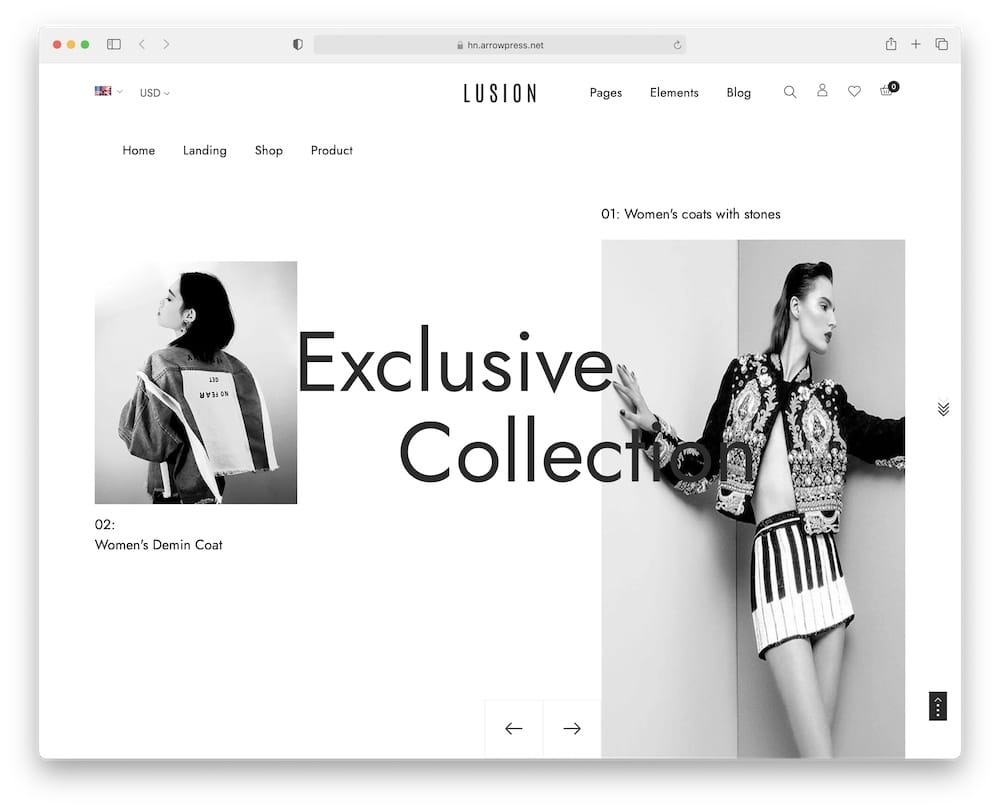
Lusion puts mobile shopping at the center of the experience, which is a big advantage for product-heavy stores.
The theme is built with Elementor and includes a dedicated mega menu style for organizing larger catalogs without turning the header into a mess.
It works especially well for fashion, electronics, furniture, accessories, and other stores where shoppers need to move quickly between categories.
Its WooCommerce setup also includes product filtering, a wishlist, a compare feature, Quick View, modern cart and checkout layouts, and a responsive design that adapts smoothly across devices.
Why I Like It
Lusion is a good pick if a large share of your customers shop from their phones.
The mega menu helps structure a busy catalog, while the surrounding eCommerce tools keep browsing fast and practical.
I also like that it stays visually LIGHT rather than cramming too much into every section.
It is less about extreme menu customization than Essentials.
Instead, it focuses on making navigation and shopping work together smoothly.
Good For
- Fashion stores
- Electronics shops
- Furniture retailers
- Mobile-focused WooCommerce stores
Lusion theme features:
- 2,300+ sales
- 4.1+ star rating
- Mobile-first responsive design
- Quick View, wishlist, and compare
- Price: $39 (may vary)
4. Nifty

When your navigation needs to support services, case studies, team pages, resources, and company information, Nifty gives you plenty of room to organize it properly.
Its built-in mega menu is designed to handle larger groups of links, while multiple header styles — including sticky options — give you more control over how visitors move through the site.
That makes it a natural match for consulting firms, agencies, financial businesses, and corporate websites with deeper page structures.
Nifty also includes Bold Builder, a cost calculator, timeline tools, WooCommerce support, one-page layouts, and multilingual compatibility.
Why I Like It
Nifty treats the mega menu as part of a broader BUSINESS navigation system.
You can combine it with different headers, service-focused layouts, sticky navigation, sidebars, and custom footers to make a larger company website easier to understand.
I also like the included cost calculator.
For consultants or service businesses, that can add real practical value instead of being another visual extra.
Good For
- Consulting firms
- Financial companies
- Agencies
- Corporate websites
Nifty theme features:
- 3,200+ sales
- 4.3+ star rating
- Multiple header and menu styles
- Bold Builder and cost calculator included
- Price: $69 (may vary)
5. Qwery
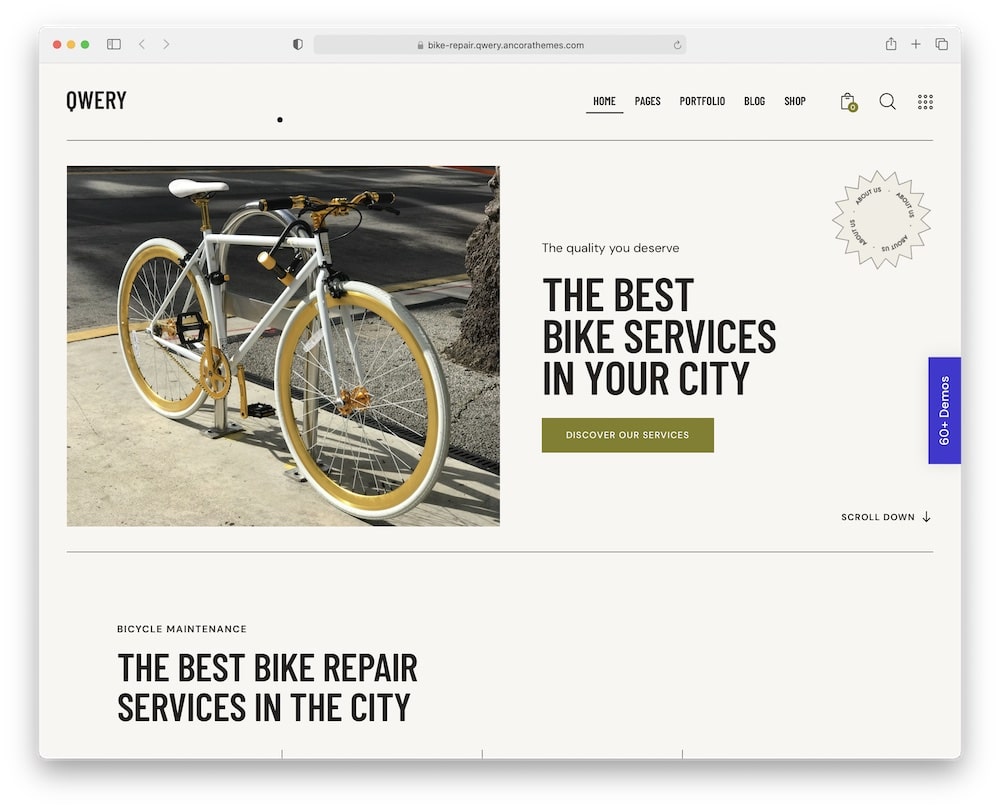
Qwery is built for websites that may need completely different navigation structures from one section to the next.
Its main and user menu support works alongside customizable Elementor headers and footers, interactive live search, and a flexible theme framework with 750+ Customizer options.
That makes it especially practical when your site has several content areas, services, products, or audiences to organize.
You also get a huge collection of business-focused skins, WooCommerce support, advanced blog layouts, events compatibility, popups, appointment tools, and plenty of custom widgets.
Recent updates even improved mobile menu behavior and submenu customization.
Why I Like It
Qwery gives you room to GROW.
A smaller site can start with a simple header, while a more complex project can add richer navigation, custom layouts, search, shop sections, events, and other content without switching themes.
I also like how much of the header and footer structure can be edited directly with Elementor.
That gives you more freedom to shape navigation across the site rather than forcing it into a single rigid menu layout.
Good For
- Multipurpose business websites
- Corporate sites
- Service companies
- Content-heavy brands
Qwery theme features:
- 9,000+ sales
- 4.8+ star rating
- Online booking plugin included for free
- Flexible submenu customization
- Price: $59 (may vary)
6. Luchiana
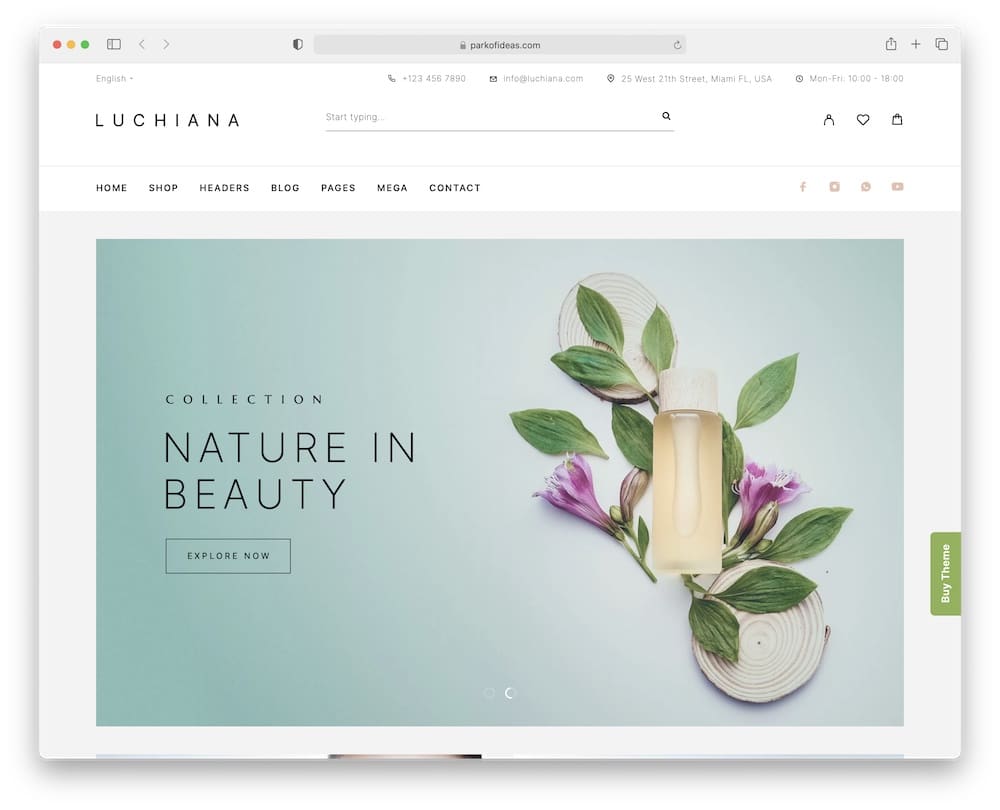
Luchiana makes large visual catalogs easier to browse.
And it does it without sacrificing the clean, elegant look beauty and fashion stores usually want.
Its multi-column mega menu can stretch full width, giving you plenty of room for product categories, brands, collections, and other important links.
That pairs especially well with five header layouts, live search, and category-aware product search. This way, shoppers have several fast ways to reach the right products.
The WooCommerce side is equally strong, with Quick View, wishlist support, product video, bi-color swatches, recently viewed products, and custom product sections.
Moreover, Elementor handles the page building, while the theme also supports WPML, TranslatePress, Polylang, and RTL layouts.
Why I Like It
Luchiana is a great example of a mega menu serving the DESIGN rather than dominating it.
The navigation can hold a lot, but the storefront still stays refined and easy to scan.
I especially like the full-width mega menu option for stores with many brands or collections, where a basic dropdown would quickly become cramped.
It is a more niche choice than Essentials or Qwery.
But for beauty, cosmetics, fashion, and lifestyle shops, that specialization is a real advantage.
Good For
- Cosmetics stores
- Beauty shops
- Fashion retailers
- Multi-brand lifestyle stores
Luchiana theme features:
- 2,800+ sales
- 4.9+ star rating
- Full-width multi-column mega menu
- Product video and color swatches
- Price: $59 (may vary)
7. Evenex
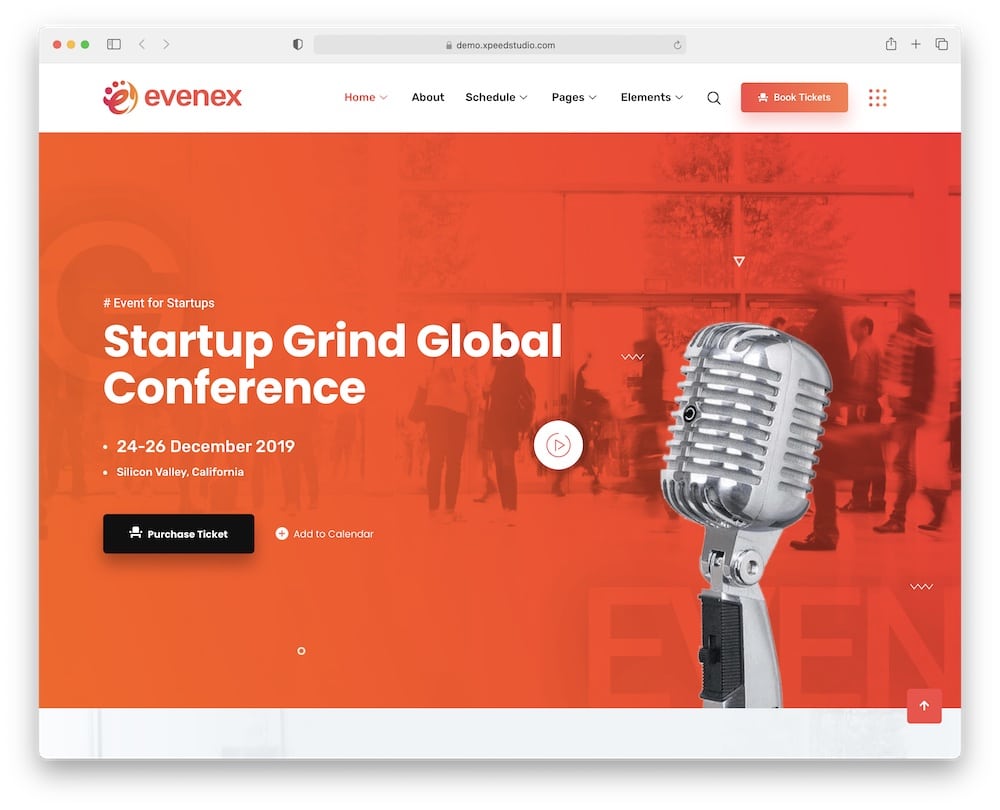
Events create naturally complex navigation: schedules, speakers, venues, tickets, sponsors, sessions, and sometimes multiple events all need somewhere to live.
Evenex handles that structure with a built-in mega menu builder, five menu styles, and customizable headers and footers.
You can create multi-column navigation with Elementor and ElementsKit, then use it to separate event information without cramming everything into one dropdown.
The theme also includes five home demos, event search, schedule tools, speaker layouts, Ajax search, MetForm, social features, and WooCommerce compatibility.
That makes it epic for everything from conferences and festivals to seminars and virtual events.
Why I Like It
Evenex gives the mega menu a very specific JOB.
Instead of simply organizing products or business services, it can guide visitors directly to speakers, agendas, registration, venues, sponsors, and different event tracks.
That is particularly useful for conferences where visitors often arrive looking for one specific piece of information.
The styling is clearly event-focused, so I would not choose it for a generic corporate site.
But for conferences and festivals with many moving parts, that specialization works to its advantage.
Good For
- Conferences
- Business events
- Festivals
- Seminars and meetups
Evenex theme features:
- 1,000+ sales
- 4.1+ star rating
- Five menu styles
- Event schedules, speakers, and search
- Price: $59 (may vary)
8. Frizty
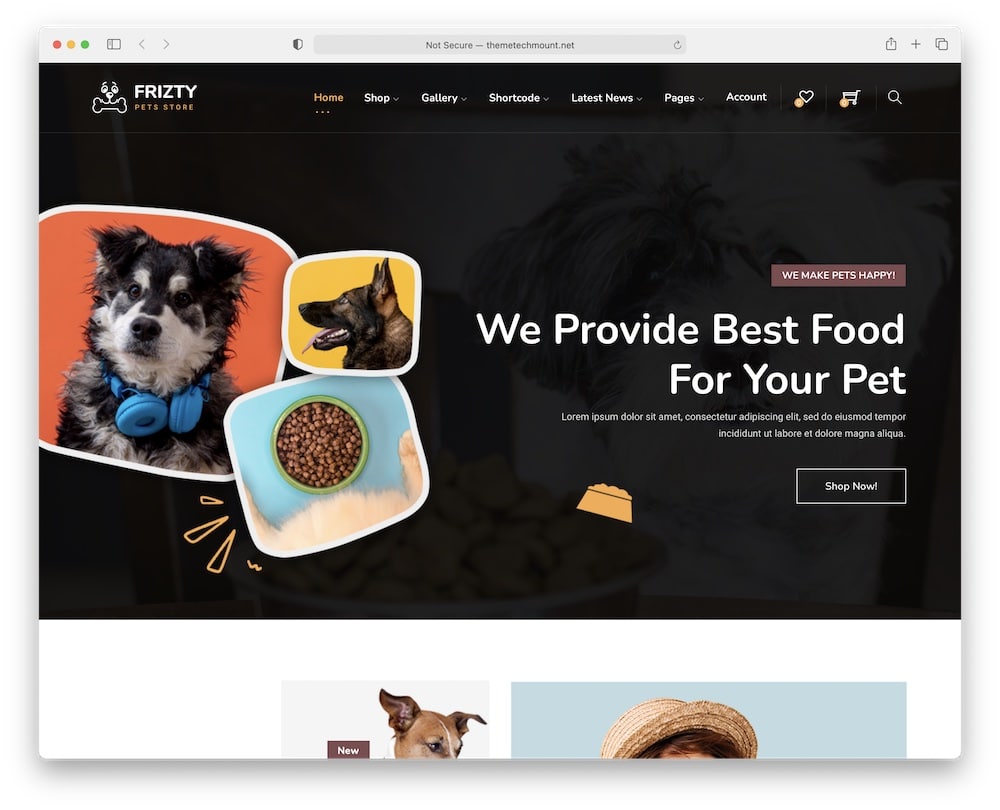
Pet stores often need navigation that handles a wide range of products, and Frizty is built for exactly that.
Its mega menu support is provided by the Max Mega Menu plugin.
It gives you more room to organize food, toys, accessories, grooming products, and other categories without forcing shoppers to navigate long dropdowns.
On top of that, Frizty includes Ajax search, wishlist, compare, product Quick View, and live cart features, so navigation and shopping stay closely connected.
You can build pages with either Elementor or WPBakery, and the theme also includes three demos, Slider Revolution, multilingual support, RTL compatibility, and compatibility with multi-vendor marketplaces.
Why I Like It
Frizty is a good example of a niche theme where the mega menu solves a REAL catalog problem.
A pet store can quickly grow into dozens of categories split by animal type, brand, food type, age, or product purpose.
The combination of mega navigation, live search, and product comparison helps keep that catalog under control.
One thing to note is that the mega menu relies on Max Mega Menu rather than a completely native theme system.
That adds a dependency, but it also gives you more dedicated menu controls than a basic built-in dropdown.
Note: Check out more dog store WordPress themes.
Good For
- Pet stores
- Pet food shops
- Animal supply retailers
- Large WooCommerce catalogs
Frizty theme features:
- 340+ sales
- 4.4+ star rating
- Testimonials/reviews widget for building trust
- Max Mega Menu integration
- Price: $59 (may vary)
9. Alma
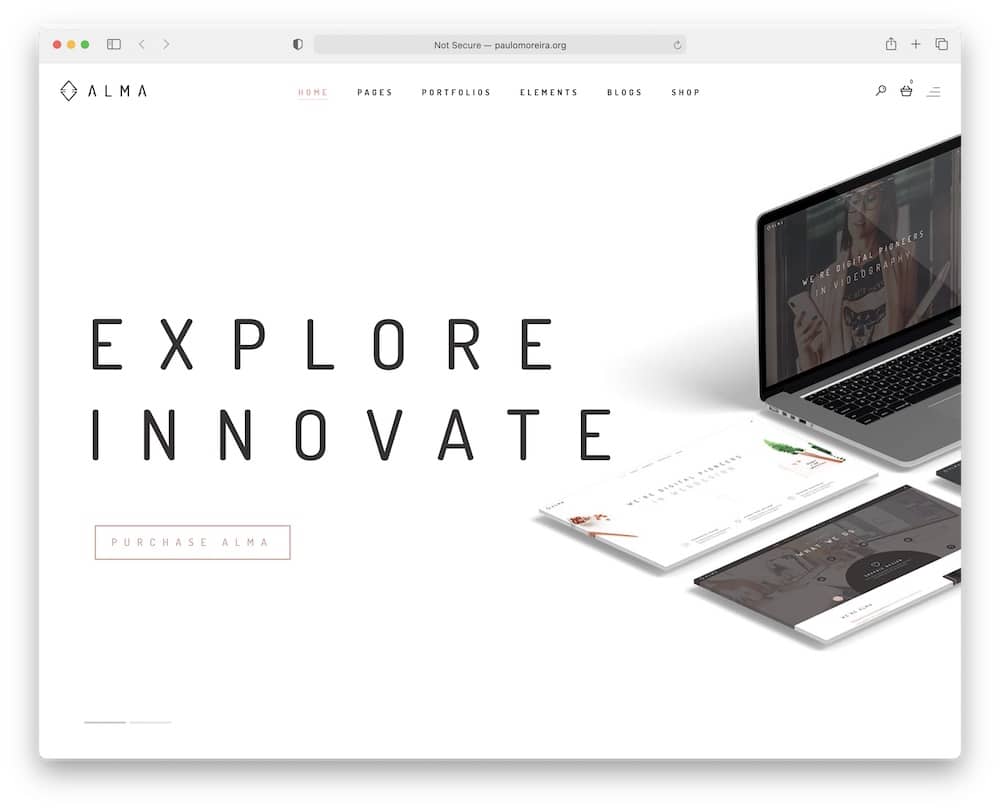
Alma proves that a mega menu does not have to make a website look busy.
Its built-in mega menu works alongside various header and menu options, sticky navigation, advanced search, and flexible page settings.
That gives you enough space to organize a deeper site while keeping the overall design clean and understated.
The theme also includes WPBakery, Slider Revolution, WooCommerce integration, multiple portfolio and blog layouts, 10 custom widgets, multilingual support, and advanced typography controls.
Why I Like It
Alma is a strong pick when you want navigation depth without visual NOISE.
The mega menu, sticky navigation, advanced search, and multiple header styles offer plenty of structural flexibility, yet the theme still maintains a restrained, minimal presentation.
I also like that it works for portfolios, agencies, shops, and business sites, rather than locking you into a single niche.
The main limitation is that it relies on WPBakery rather than Elementor, which may matter if you prefer a more modern editing workflow.
Good For
- Minimal business websites
- Creative agencies
- Portfolio sites
- Boutique online stores
Alma theme features:
- 570+ sales
- 4.8+ star rating
- Sticky navigation
- WooCommerce and WPML support
- Price: $89 (may vary)
10. Molla
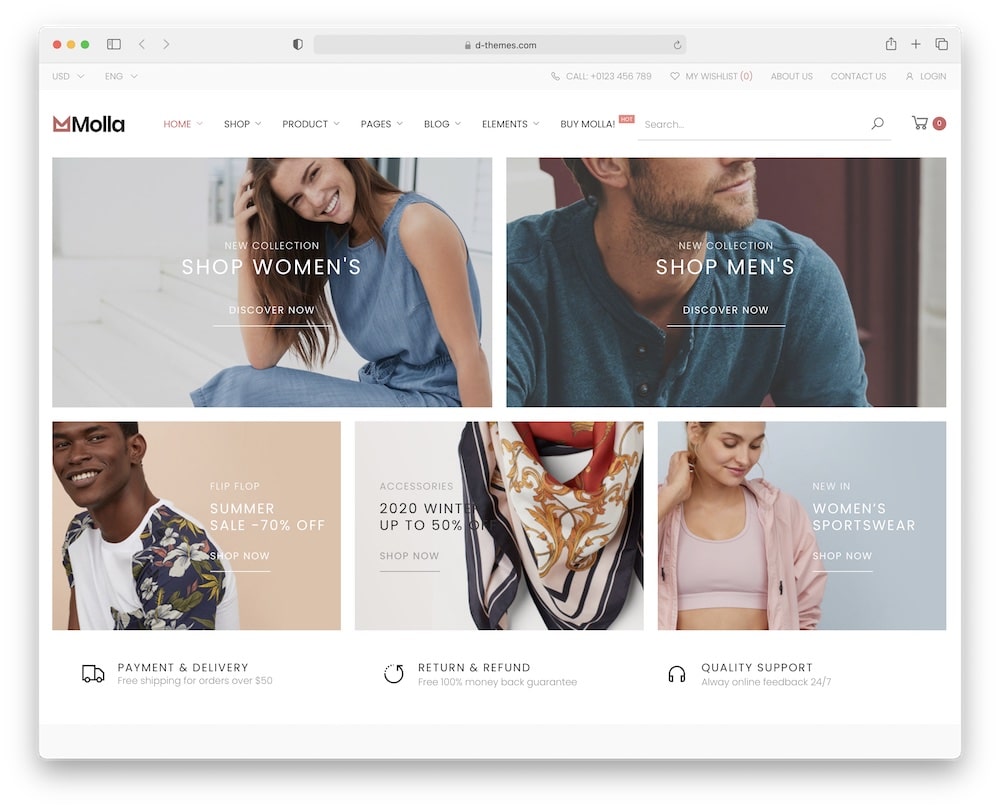
Molla is built for stores where navigation can get complicated FAST.
It includes a built-in mega menu, three-level dropdowns, 20+ header layouts, and a dedicated header builder, giving you plenty of options for organizing large product catalogs.
Add handy search, filtering, sorting, and grid/list views, and shoppers have several routes to reach the products they want.
The WooCommerce side goes deep too. It includes wishlist support, catalog mode, filtering on shop and archive pages, endless homepage layouts, and plenty of custom elements for building category-heavy stores.
Why I Like It
Molla is strongest when your store has LOTS of departments.
The combination of mega menus, multi-level dropdowns, header flexibility, search, and filtering makes it well suited to catalogs that would quickly overwhelm a simpler theme.
Remember, it is clearly more feature-heavy than a minimalist theme like Alma, but that is exactly the point here.
Good For
- Large WooCommerce stores
- Multi-category retailers
- Electronics and department stores
- Product-heavy catalogs
Molla theme features:
- 1,600+ sales
- 4.7+ star rating
- 20+ headers with header builder
- You can also use a drop-down menu
- Price: $59 (may vary)
What To Look For In A Mega Menu WordPress Theme
- Built-in mega menu support: Native support is usually easier to manage and keeps the menu styling consistent with the rest of the theme.
- Multi-column layouts: This is essential for stores, magazines, and large business sites with many categories or pages.
- Flexible header options: Look for sticky headers, transparent headers, top bars, mobile headers, and different menu positions.
- Images and icons: Visual elements can make large menus easier to scan, especially for product categories, services, or content sections.
- WooCommerce integration: If you run an online store, the menu should work well with product categories, collections, brands, and featured products.
- Mobile navigation: A beautiful desktop mega menu means little if it becomes confusing on a phone. Check how submenus, columns, and large category structures collapse on smaller screens.
- Fast search: AJAX or live search gives visitors another way to find products, pages, or articles without navigating through multiple menu levels.
- Easy customization: Changing columns, spacing, backgrounds, typography, icons, and hover styles should not require custom code.
- Good page builder compatibility: Elementor, WPBakery, or another visual builder can make custom headers and menu content much easier to create.
- Performance: Avoid a setup that loads unnecessary scripts, oversized images, or complicated effects every time someone opens the menu.
Conclusion: Pick The Right WordPress Theme With Mega Menu
A good mega menu should make a complex website easier to use, not give visitors even more to think about.
For WooCommerce stores, Goya is one of my favorite choices because its navigation, Ajax search, filters, and shopping tools work together really well.
If you want maximum control over headers and navigation, Essentials gives you far more flexibility.
Molla is a strong fit for large product catalogs, while Luchiana works especially well for visual stores in niches like beauty and fashion.
For business websites, Nifty and Qwery are better suited to organizing services, company pages, resources, and other deeper content.
And if your priority is a cleaner presentation, Alma keeps things much more restrained.
The main thing is to match the theme to your site’s size and structure.
A mega menu is most useful when it helps visitors reach important pages faster.
If it adds clutter, too many columns, or unnecessary choices, it is working against you.
FAQs About Mega Menu WordPress Themes
What is a mega menu in WordPress?
A mega menu is an expanded navigation menu that displays links in multiple columns rather than a standard vertical dropdown.
What is the difference between a mega menu and a dropdown menu?
A normal dropdown usually displays a simple vertical list of links. A mega menu can spread navigation across several columns and group related pages, categories, or products together.
Can a WordPress theme have multiple menus?
Yes. Many themes let you create separate menus for the main header, mobile navigation, top bar, footer, sidebar, or account area.
Are mega menus good for WooCommerce stores?
They can be extremely useful for larger stores. A mega menu can organize departments, product categories, brands, collections, and promotions in one place instead of forcing shoppers through several levels of dropdowns.
Do mega menus work on mobile?
Good ones do. The desktop layout typically switches to a more compact mobile menu with expandable categories and submenus.
Can I add images and products to a mega menu?
It depends on the theme or plugin. More advanced mega menu systems can include category images, icons, banners, widgets, featured products, and promotional content.
Do mega menus slow down WordPress?
The menu itself does not have to make a site noticeably slower. Problems can appear if it loads large images, too many scripts, animations, or complex widgets.
Do I need a mega menu plugin?
Not necessarily. Themes such as Goya, Essentials, Alma, and Molla include their own mega menu functionality.
Can I use Max Mega Menu with any WordPress theme?
Max Mega Menu works with many WordPress themes, but compatibility and styling can vary.
Are mega menus good for SEO?
A well-structured mega menu can help visitors and search engines discover important sections of your site, but more links are not automatically better.
When should I avoid using a mega menu?
Skip it if your website only has a handful of important pages. For a small business site with five or six navigation links, a standard menu is usually easier to understand and maintain.
::
Note: This article was originally published on September 7, 2021. But our team regularly reviews it and updates it with necessary improvements for accuracy.