
A CCTV website has one job before anything else: make people trust you with their security.
That changes how you should choose a WordPress theme.
A flashy homepage means very little if visitors can’t quickly understand what you install, whether you cover homes or businesses, how monitoring works, or how to request a quote.
For this roundup, I focused on the best CCTV and video surveillance WordPress themes that actually suit real security businesses.

I looked at service layouts, project and case-study pages, lead generation, quote forms, Elementor flexibility, WooCommerce potential, mobile usability, and how well each theme can handle broader services like alarms, access control, smart security, and monitoring.
Some themes suit CCTV installers and contractors better. Others make more sense for companies selling cameras, security equipment, or complete surveillance systems.
And that distinction matters.
A good CCTV theme should help you explain technical services without making the site look technical, cold, or confusing.
It should make the business look capable, established, and easy to contact.
These six do that better than most.
This post covers:
- Quick Picks: Best CCTV WordPress Themes By Use Case
- Best CCTV & Video Surveillance WordPress Themes Compared
- What A CCTV Business Website Needs
- How To Build Trust On A Security & Surveillance Website
- Conclusion: Pick The Right CCTV WordPress Theme
- FAQs About CCTV WordPress Themes
Quick Picks: Best CCTV WordPress Themes By Use Case
- Best overall: Vigil — the strongest all-around option for CCTV, alarms, automation, fire protection, and broader security services.
- Best modern option: Ultracam — a cleaner, more current-looking choice for CCTV installers, monitoring companies, and surveillance firms.
- Best for installers & contractors: Digicop — especially useful if CCTV is only one part of a wider security or fire-safety service business.
- Best dedicated CCTV theme: Ucam — the most focused choice for camera installation, surveillance, maintenance, and monitoring.
- Best for home security systems: Lockey — a strong fit if you combine CCTV with alarms, automation, access control, fire protection, or equipment sales.
- Best all-in-one business setup: Camtora — ideal if you want service pages, case studies, lead generation, pricing, and WooCommerce in one package.
Best CCTV & Video Surveillance WordPress Themes Compared
| Theme | Best For | Builder | Business Focus | Standout Strength | Price |
|---|---|---|---|---|---|
| Vigil | Multi-service security companies | Elementor / WPBakery | CCTV, alarms, automation, fire protection & equipment | Broadest all-around security setup | $59 |
| Ultracam | CCTV installers & surveillance firms | Elementor | CCTV installation, monitoring, alarms & security services | Clean service-first structure with strong project presentation | $59 |
| Digicop | CCTV installers & security contractors | Elementor | CCTV, private security, fire safety & commercial protection | Strong fit for businesses offering several security services | $59 |
| Ucam | Dedicated CCTV & camera specialists | Elementor | CCTV installation, maintenance, monitoring & surveillance | Most tightly focused on camera-based security businesses | $59 |
| Lockey | Home security & broader security-system companies | Elementor | CCTV, alarms, automation, fire protection & equipment sales | Excellent mix of services and ecommerce | $59 |
| Camtora | Growing CCTV businesses needing an all-in-one setup | Elementor | CCTV, access control, monitoring, case studies & equipment sales | Deep business structure with strong lead-gen and WooCommerce support | $29 |
1. Vigil – Best Overall CCTV WordPress Theme
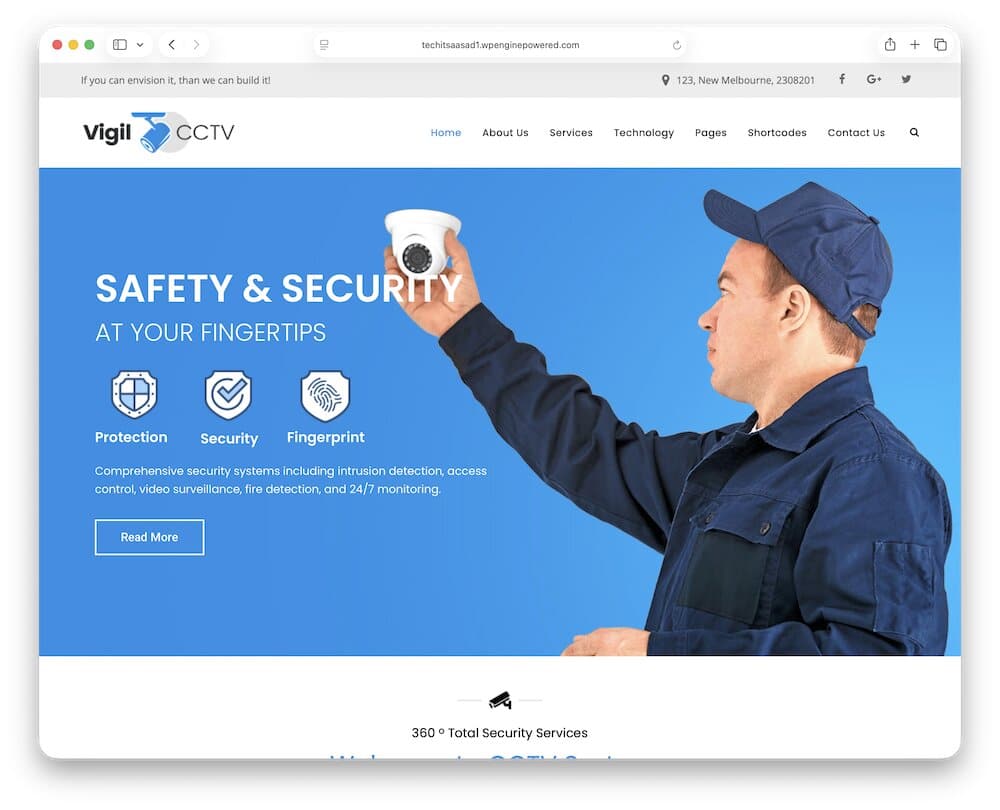
Vigil works so well for this niche because it understands that a modern security company rarely offers just one thing.
You may install CCTV systems, handle alarms, set up access control, work with home automation, sell security equipment, and provide ongoing monitoring or maintenance.
Vigil gives you enough structure to present all of that without making the site look overloaded.
The service layouts are one of the biggest strengths.
You can create dedicated pages for residential security, commercial surveillance, fire protection, smart-home systems, monitoring, or camera installation, making the site much easier for potential customers to navigate.
That also helps with SEO.
Instead of squeezing everything onto one generic “Services” page, you can build focused landing pages around the exact solutions people are searching for.
The theme also gives you space for projects, company information, contact forms, testimonials, and other trust-building sections that matter in the security industry.
Moreover, WooCommerce support is useful if you want to sell cameras, alarms, accessories, or complete surveillance kits directly from the website.
Customization is handled through Elementor and WPBakery, depending on the setup you choose, so you’re not locked into one editing workflow.
Vigil handles a small local installer just as well as a broader security company covering surveillance, automation, alarms, fire safety, and equipment sales.
1.1. Vigil WordPress theme overview:
- Best for: CCTV installers, surveillance companies, home-security providers, and multi-service security businesses
- Page builder: Elementor / WPBakery
- Business focus: CCTV, surveillance, alarms, home automation, fire protection, and security equipment
- Why I like it: It gives you enough depth to present a complete security business without making the website difficult to understand.
- Price: $59
2. Ultracam – Best Modern CCTV & Surveillance Theme
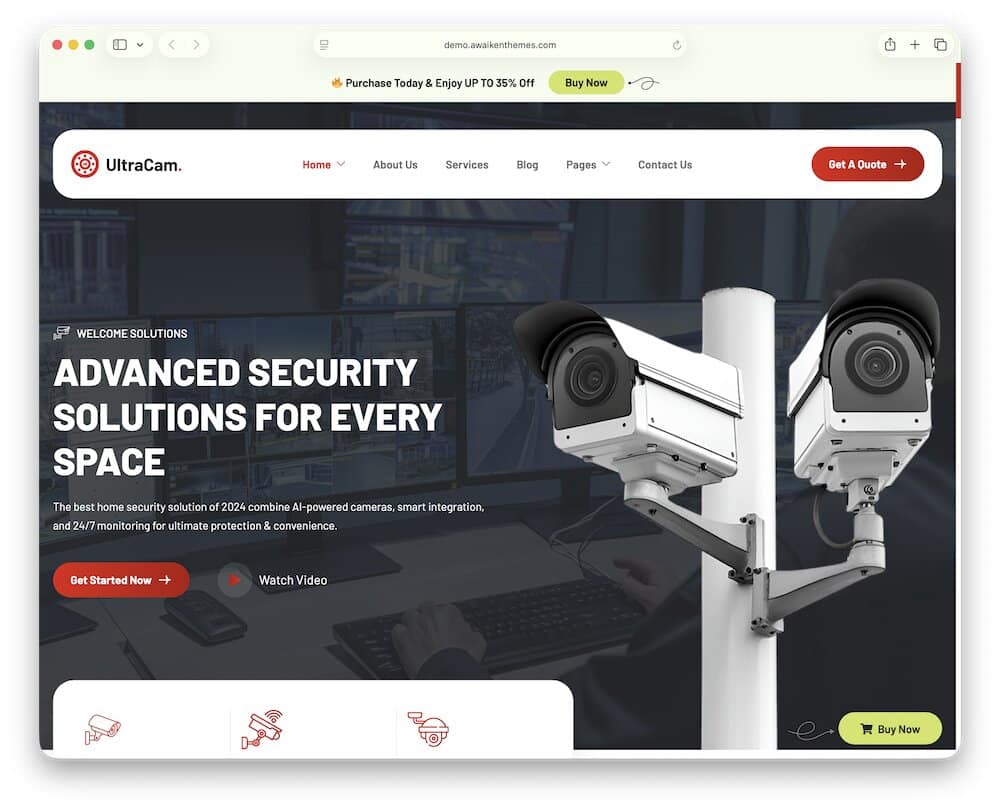
Ultracam looks like it was built for a security company that wants to appear current, capable, and easy to trust from the first scroll.
The structure is much more service-driven than ecommerce-driven, which suits CCTV installers, alarm companies, monitoring providers, and surveillance specialists particularly well.
You get dedicated pages for services, projects, team members, testimonials, blog content, and contact information, so the theme already covers the sections most real security businesses need.
I especially like the project layouts here.
For CCTV companies, showing completed installations can be far more convincing than another paragraph saying how professional you are.
Ultracam gives you a clear place to showcase those jobs, while separate service pages let you explain camera installation, alarm systems, monitoring, or smart-home security in more detail.
Customization happens with Elementor, and global font and color controls make it easier to keep branding consistent without editing every section individually.
And then there’s the one-click demo import, which gives you a much faster starting point.
Compared with Vigil, Ultracam is narrower in scope.
And that can actually be a strength.
If your main business is CCTV installation, surveillance, monitoring, or related security services, you get a cleaner starting point.
2.1. Ultracam WordPress theme overview:
- Best for: CCTV installers, surveillance companies, alarm providers, and monitoring businesses
- Page builder: Elementor
- Business focus: CCTV installation, surveillance, alarms, monitoring, and security services
- Why I like it: The service, project, team, and testimonial layouts line up very closely with what a real CCTV company website needs to turn visitors into enquiries.
- Price: $59
3. Digicop – Best For CCTV Installers & Security Contractors
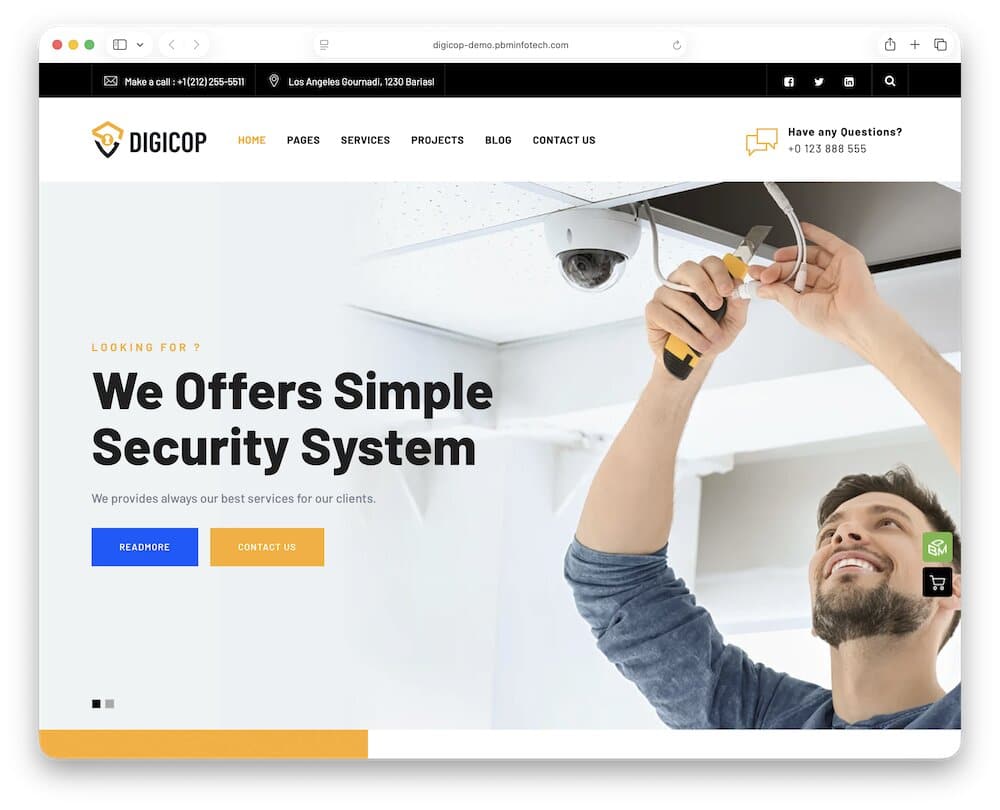
Digicop makes the most sense for businesses that sit somewhere between CCTV installation and broader physical security services.
It isn’t locked into a camera-only presentation.
Instead, you can cover CCTV setup, private security, fire-safety work, commercial protection, home and office security, consulting, transport security, and other contractor-style services under one brand.
That broader structure is exactly why I’d choose it for installers and contractors.
You can build separate service pages for different jobs, explain what each solution includes, and then guide visitors toward a quote or contact form instead of forcing every service into one crowded page.
Digicop also includes three demos, responsive design, custom typography and color controls, extra widgets, a setup wizard, and one-click-style demo installation.
Everything is built to be customized without digging into code. Perfect!
What stands out to me most, though, is the service flexibility.
Digicop can support a CCTV company that mainly installs surveillance systems, but it also gives you room to expand into fire protection, guarding, consulting, or other security work later.
That makes it a particularly practical choice for companies that don’t want their website boxed into one narrow service.
3.1. Digicop WordPress theme overview:
- Best for: CCTV installers, security contractors, fire-safety companies, and multi-service protection businesses
- Page builder: Elementor
- Business focus: CCTV setup, private security, fire safety, commercial protection, and security consulting
- Why I like it: It gives security contractors enough structure to present several services clearly without making the site look scattered or overcomplicated.
- Price: $59
4. Ucam – Best Dedicated Security Camera WordPress Theme
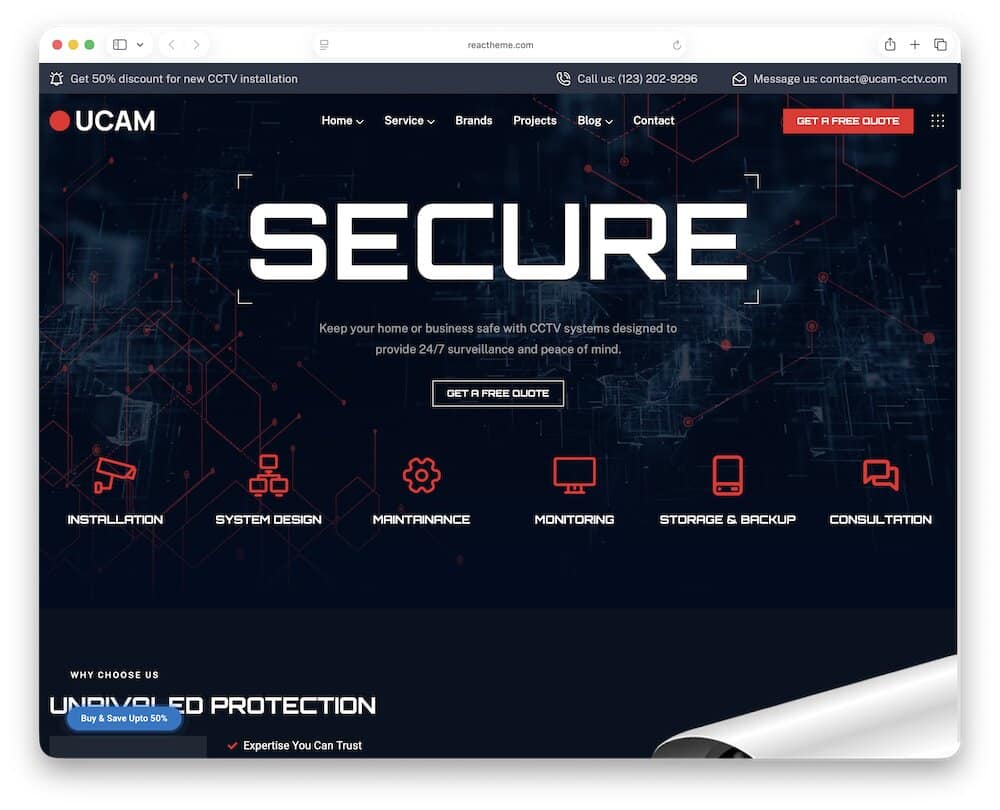
Ucam is the most camera-focused theme in this roundup.
Instead of trying to cover every corner of the security industry, it stays close to CCTV installation, maintenance, monitoring, and surveillance services.
You get six home demos, and they’re varied enough to give the site a different personality without changing the underlying business focus.
Some use video backgrounds, others lean on hero sliders or cleaner light layouts, so there’s room to make the site more corporate, more technical, or more approachable.
The inner-page setup is practical, too.
Ucam includes dedicated layouts for services, projects, brands, blog content, and contact pages.
For a CCTV company, that gives you a solid path from “here’s what we install” to “here’s work we’ve completed” to “here’s how to contact us.”
Forms are handled with MetForm, which is useful for quote requests, consultations, or installation enquiries.
I also like the dedicated Brands page.
That’s a small but useful touch for this industry because installers often work with specific camera, recorder, alarm, or access-control manufacturers.
Showing those partnerships can make the business look more credible and help visitors understand what kind of hardware you work with.
Compared with broader themes like Vigil or Digicop, Ucam is easier to keep focused.
4.1. Ucam WordPress theme overview:
- Best for: CCTV installers, camera specialists, surveillance providers, and maintenance companies
- Page builder: Elementor
- Business focus: CCTV installation, camera systems, surveillance, maintenance, and monitoring
- Why I like it: It keeps the entire website centered on CCTV services, with useful project, service, brand, and enquiry layouts already built in.
- Price: $59
5. Lockey – Best For CCTV & Home Security Systems
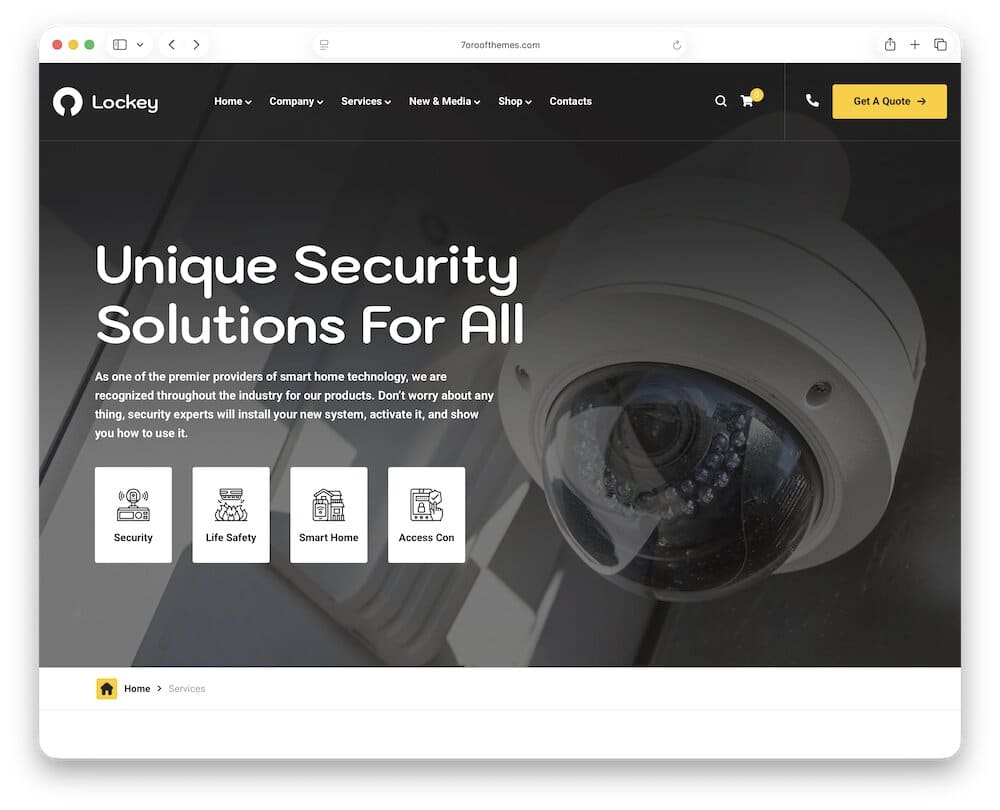
Lockey is the theme I’d pick when the business goes beyond cameras and into complete security systems.
It’s built for CCTV companies, home-security providers, alarm specialists, surveillance services, fire protection, home automation, locksmiths, and even security-product shops.
Note: If locks and access security are also part of your business, our WordPress locksmith themes offer more options built specifically around local security services and lead generation.
That wider scope makes it useful if you want one site to explain several connected services.
The amount of layout flexibility is a big plus here.
You get 6+ homepage layouts, 110+ UI blocks, 12+ header layouts, project templates, team pages, and plenty of reusable content sections.
Yes, it’s easy to build dedicated pages for residential security, commercial systems, alarms, smart-home protection, or access-control services.
Furthermore, security customers often want proof before they make contact, and Lockey gives you space to show real installations, completed jobs, system upgrades, or larger commercial projects instead of relying only on service descriptions.
I also like that Lockey works well for businesses that mix service and product sales.
You can use the front end to generate enquiries for installations, then add a proper shop for customers who already know what equipment they need.
5.1. Lockey WordPress theme overview:
- Best for: CCTV companies, home-security providers, alarm specialists, and multi-service security firms
- Page builder: Elementor
- Business focus: CCTV, home security, alarms, automation, fire protection, surveillance, and security equipment
- Why I like it: It handles both service-based security work and equipment sales without forcing you into a narrow CCTV-only setup.
- Price: $59
6. Camtora – Best All-In-One CCTV Business Theme
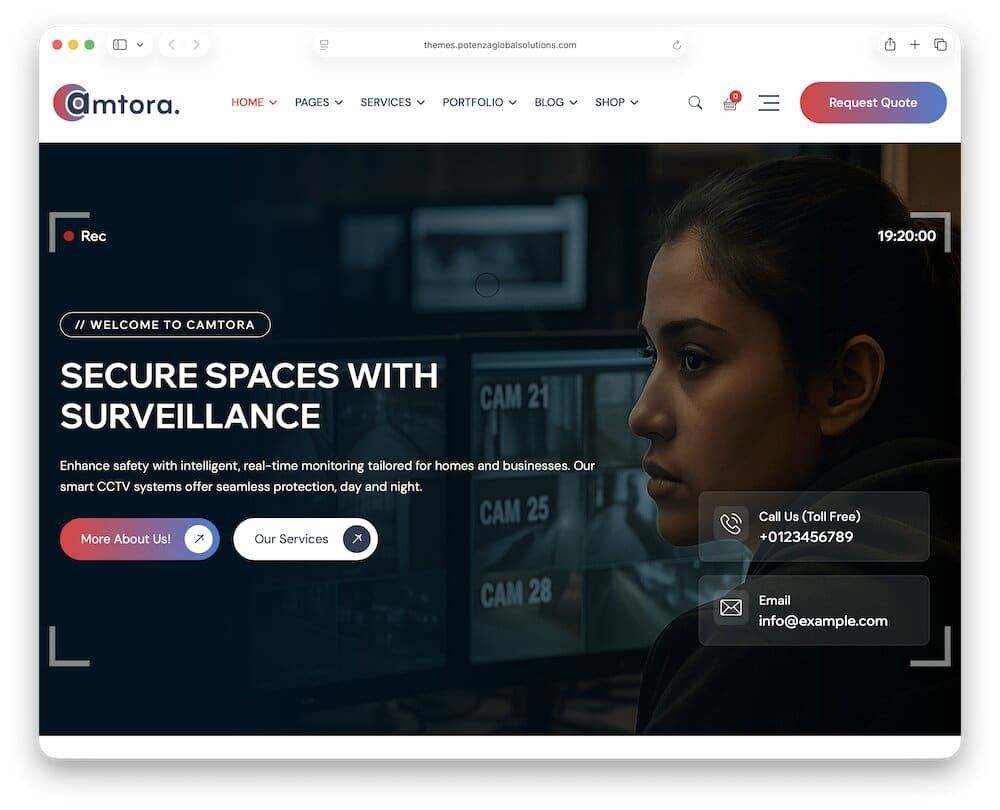
Camtora is the theme if you want a lot of business functionality already mapped out.
It’s built specifically for CCTV, surveillance, and security service providers, with ready-made layouts for camera installation, access control, monitoring, pricing, FAQs, portfolios, case studies, team members, careers, and contact pages.
You also get dedicated portfolio and case-study templates, plus before-and-after and panorama views that can help you show installation work, coverage areas, equipment upgrades, or larger commercial projects in a more visual way.
Camtora also works well if you want to combine services and equipment sales.
WooCommerce is fully integrated, with styled product archives, single-product pages, cart, checkout, and account screens.
Elementor handles customization, and Camtora adds over sixty custom widgets on top of that.
You also get multiple header and footer layouts, global colors and typography, sticky navigation, off-canvas panels, one-click demo import, and plenty of reusable sections.
What makes Camtora stand out is how complete the structure already is.
If you need service pages, pricing, proof of work, a team section, careers, a blog, contact forms, and an online shop, you don’t have to bolt all of that together from scratch.
6.1. Camtora WordPress theme overview:
- Best for: CCTV companies, surveillance providers, installers, and growing security businesses
- Page builder: Elementor
- Business focus: CCTV installation, access control, monitoring, case studies, service plans, and equipment sales
- Why I like it: It gives you one of the most complete business setups in this roundup, with strong project presentation, lead-generation pages, and a proper WooCommerce shop.
- Price: $29
What A CCTV Business Website Needs
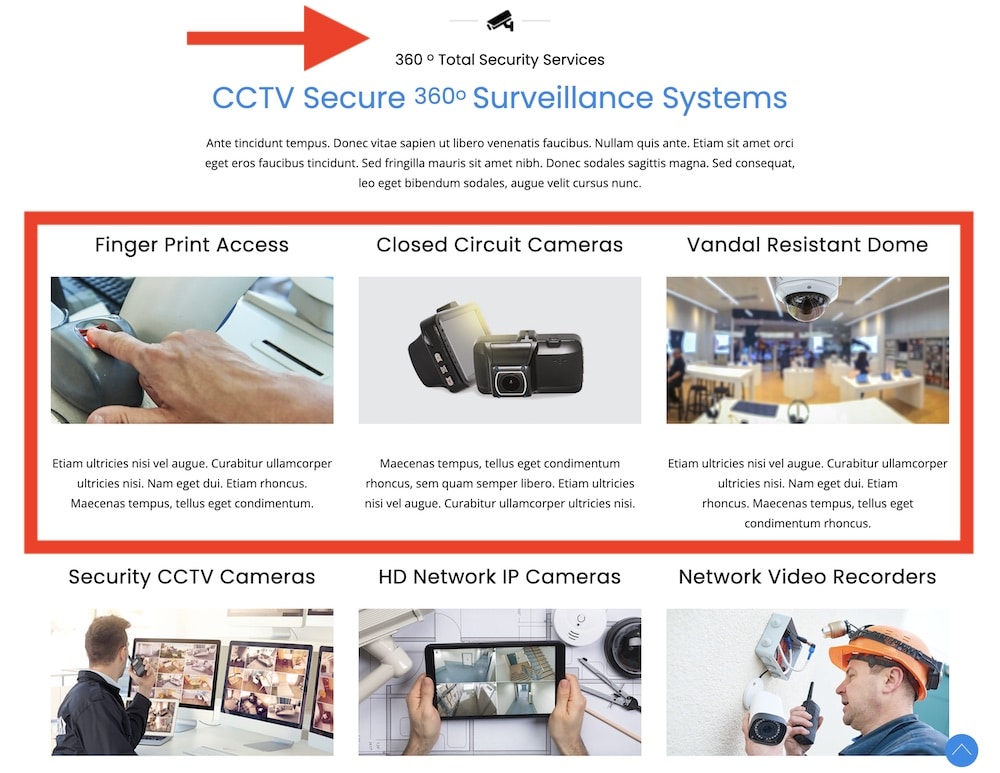
Here’s what I’d make sure is included:
- Clear service pages: Separate CCTV installation, maintenance, monitoring, access control, alarms, and other services instead of hiding everything on one generic page.
- Residential and commercial sections: Homeowners and business clients usually have very different needs. Giving each audience its own path makes the site much easier to use.
- A strong quote request: Make it obvious how someone can request an estimate, site survey, or consultation. Don’t bury the main lead-generation button in the footer. (If your theme’s built-in forms are too basic, one of these WordPress contact form plugins can help you create a more detailed quote form.)
- Real project examples: Show completed CCTV installations, camera placements, control rooms, upgrades, or larger commercial jobs. Real work builds much more trust than endless stock photos.
- Equipment and brand information: If you install specific camera, NVR, alarm, or access-control brands, show them. It helps visitors understand what type of hardware you work with.
- Monitoring and remote-access details: Explain whether customers can view cameras from phones, access recordings remotely, or use cloud-based monitoring.
- Maintenance and support information: Installation is only one part of the relationship. Mention servicing, repairs, upgrades, warranties, and ongoing maintenance if you provide them.
- Coverage areas: If you operate locally or regionally, clearly list the towns, cities, or regions you serve. This is useful for visitors and can support your local SEO strategy. (You can also use one of these WordPress map plugins to show your service area, office locations, or multiple branches more clearly.)
- Trust signals: Certifications, licenses, insurance details, industry memberships, client logos, warranties, and testimonials all deserve a visible place on a security website.
- Easy contact options: Phone, email, forms, and your business location should be easy to find. On mobile, I’d make calling the company especially simple.
- Useful FAQs: Answer the questions customers repeatedly ask about installation time, recording, storage, night vision, maintenance, costs, and remote viewing.
- A proper About page: Security is personal. Showing who runs the company, how long you’ve been operating, and what experience your team has can remove a lot of hesitation.
How To Build Trust On A Security & Surveillance Website
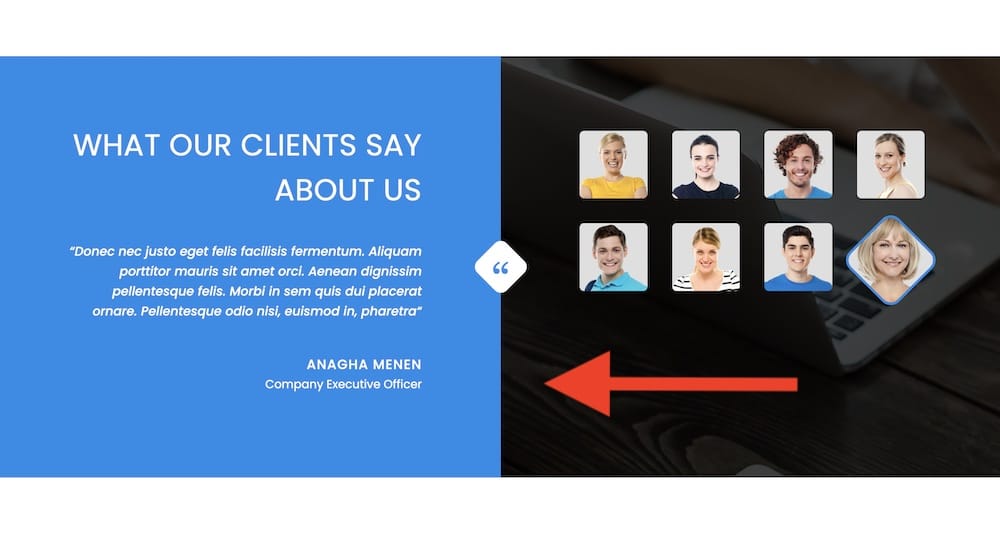
- Use real installation photos: Show cameras, control panels, wiring, access systems, and completed jobs. Real work builds more trust than stock images.
- Show certifications: Display relevant licenses, certifications, accreditations, or industry memberships.
- Add client logos: If you work with businesses, builders, property managers, or organizations, show who you’ve worked with.
- Explain warranties: Make product warranties, installation guarantees, and support clear.
- Use testimonials: Reviews are stronger when customers explain what was installed and how the job went.
- Show your team: Add real photos of technicians, installers, or project managers.
- Explain your experience: Mention the types of systems you install, properties you work on, and industries you serve.
- Display equipment brands: Show the CCTV, alarm, recorder, or access-control brands you work with.
- Add case studies: Show the problem, the solution, and the finished result.
- Make contact details easy to find: Include your phone number, email, address, and service area.
- Explain your process: Show what happens from the first enquiry to installation and support.
- Avoid scare tactics: A calm, professional approach usually builds more trust than aggressive fear-based messaging.
- Keep the site updated: Broken forms, old information, and outdated pages can quickly make the business look inactive.
Conclusion: Pick The Right CCTV WordPress Theme
The best CCTV WordPress theme depends on how your security business actually works.
If you want the strongest all-around option, Vigil is the easiest place to start. It covers CCTV, alarms, automation, fire protection, and equipment sales without forcing you into one narrow setup.
Choose Ultracam if you want a cleaner, more modern service-first website.
Digicop works especially well for installers and security contractors that offer several related services, while Ucam is better if you want the whole site to stay tightly focused on CCTV and camera systems.
For broader home-security businesses, Lockey gives you more room for alarms, automation, fire protection, and product sales.
And if you want a feature-packed setup with strong service pages, case studies, lead generation, and WooCommerce already built in, Camtora is the most complete newer option.
Before you buy, I’d check three things:
- How well the service pages match what you actually offer
- Whether projects and case studies are easy to present
- How quickly visitors can request a quote or contact you
That matters more than picking the theme with the flashiest homepage.
The right theme should help your business look credible, explain your services clearly, and turn visitors into real enquiries.
FAQs About CCTV WordPress Themes
What is the best WordPress theme for a CCTV company?
For most CCTV and surveillance businesses, Vigil is the strongest all-around choice. It works well for camera installation, alarms, automation, fire protection, and broader security services.
Can I sell CCTV cameras with WordPress?
Yes. With WooCommerce, you can sell CCTV cameras, NVRs, DVRs, alarms, sensors, accessories, and complete security kits directly from your website.
Can I use WooCommerce for security equipment?
Yes. WooCommerce is a solid option for security equipment stores because it supports product variations, stock management, shipping, payments, coupons, and customer accounts.
Can I create quote request forms for CCTV installation?
Yes. You can use the forms included with your theme or add a form plugin to collect details such as property type, number of cameras, location, and required services.
Can I show completed CCTV projects on my website?
Yes, and I highly recommend it. Project galleries and case studies help you show real installations, camera setups, commercial jobs, and the type of work your company handles.
Are CCTV WordPress themes good for local security companies?
Yes. They work especially well for local installers because you can create service-area pages, show contact details clearly, and build separate pages for services such as home CCTV, commercial surveillance, or alarm installation.
Can I use these themes for alarms and access control too?
Yes. Several themes in this roundup support broader security businesses, so you can also promote alarms, access control, monitoring, fire protection, home automation, and related services.
Do CCTV WordPress themes work with Elementor?
Most of the themes in this roundup use Elementor, which makes it easier to customize layouts, service pages, forms, colors, and sections without coding.
What pages should a CCTV company website have?
At minimum, I’d include:
- Home
- About
- Services
- Individual service pages
- Projects or case studies
- Testimonials
- FAQs
- Contact
- Quote request
You can also add separate pages for residential and commercial security if both are important parts of your business.