
The best WordPress locksmith themes don’t just make your website look professional.
They help worried visitors trust you fast, call you quickly, and request help without digging through five different pages.
And that matters a lot in this niche. So that’s what your website’s goal should be.
Locksmith websites are very local, and many searches are urgent.

Someone may be locked out of their home, stuck next to their car, dealing with a broken lock, replacing keys, improving office security, or changing locks after moving into a new place.
They don’t want to “explore.” They want a clear next step.
That could be a phone call, a quote request, a service page, or a quick contact form.
Or maybe even a helpful blog or a YouTube video on how they can do it themselves.
But whatever it is, your website needs to make it obvious within seconds.
For this roundup, I checked these themes with real locksmith businesses in mind, including emergency locksmiths, residential locksmith services, commercial locksmith companies, car locksmiths, and local security service providers.
Let’s check them out!
This post covers:
- WordPress Locksmith Themes Overview
- Best WordPress Locksmith Themes
- Key Features Of A Great WordPress Locksmith Theme
- Conclusion: Choose The Ideal WordPress Locksmith Theme
- FAQs About WordPress Locksmith Themes
WordPress Locksmith Themes Overview
| Theme | Best For | Builder | Booking / Key Function | Key Feature | My Take |
|---|---|---|---|---|---|
| HotLock | Locksmiths that also offer security systems & products | Elementor / WPBakery | Booked Appointments compatibility, WooCommerce, service CTAs | Locksmith, access control, safes, alarms, & surveillance sections | Best overall pick for a complete locksmith + security website |
| Locksmith | Local locksmiths with many service types | WPBakery | WooCommerce, Google Maps, service-focused pages | Covers residential, commercial, auto, mobile, emergency, & key services | Great for broad locksmith service coverage, but I’d modernize the lead flow |
| Keyman | Modern locksmiths who want a block-based website | WordPress Block Editor / Gutenverse | Appointment form, service selection, emergency call CTA | Full Site Editing with locksmith service layouts | Best modern FSE option with a clean setup & easy native editing |
Best WordPress Locksmith Themes
1. HotLock
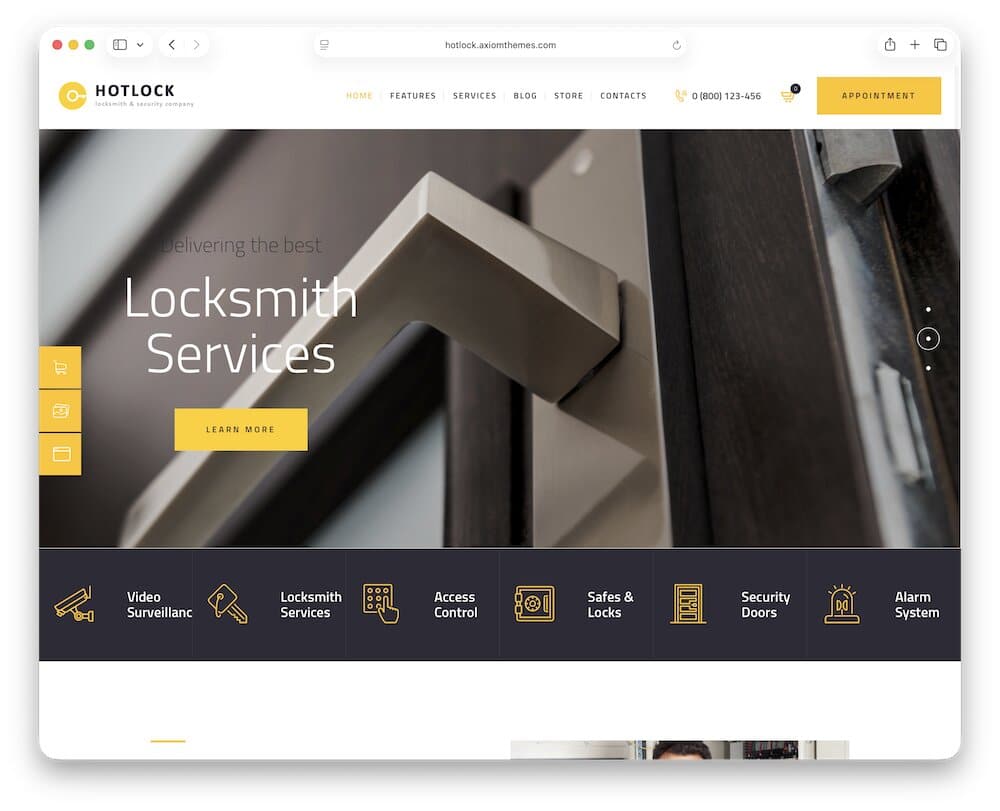
HotLock is a strong niche pick because it was built specifically for locksmith services, security firms, guard companies, and online stores that sell locks or security systems.
That makes it much easier to shape into a lead-focused locksmith website than a generic service theme.
I like that it doesn’t stop at basic locksmith services.
The live demo also covers access control, safes and locks, security doors, alarm systems, video surveillance, and electronic security.
That gives you room to grow if your business handles more than lockouts and key repairs.
But feel free to alter it accordingly.
1.1. Why I Like The HotLock Theme
HotLock feels very relevant for this niche out of the box.
The homepage includes clear service areas such as Car Locksmith, Residential Locksmith, and Electronic Security, making it easy for visitors to quickly find the help they need.
It also includes a strong phone number section with “Fast Response Time Guaranteed,” which is exactly the kind of thing a local locksmith website should highlight.
Another thing I like is the 24/7 messaging in the demo. The locksmithing services section says technicians are equipped with modern technology and available 24/7 on request.
That’s useful because many locksmith searches happen when something has already gone wrong. People want fast help, not a fancy design maze.
HotLock also gives you room to build trust with team sections, testimonials, counters, service pages, and appointment CTAs.
The demo includes technicians like locksmiths and safe technicians, plus testimonials and a “make an appointment” CTA. These are small details, but they help make the business feel more real.
Note: If you’re building a service website with appointments in mind, you may also like my roundup of WordPress themes with appointment booking.
The WooCommerce side is a nice bonus.
The demo includes a security products section with items like a digital safety door lock, a home security camera, a webcam, and a digital safe.
So if you also sell hardware or security products, HotLock can support that without needing to set up a separate shop from scratch.
Something I’d improve: I’d make the emergency phone number even more aggressive on mobile. For instance, a sticky call button would be a must for me.
1.2. HotLock Is Good For
HotLock is a good fit for:
- Emergency locksmiths
- Residential locksmith services
- Commercial locksmith companies
- Car locksmiths
- Lock repair and replacement
- Safes and locks businesses
- Access control installers
- Security door companies
- Alarm system providers
- Locksmith shops selling security products online
1.3. HotLock WordPress theme features:
- 1,200+ sales
- 4.8+ star ratings
- Appointment functionality
- Service sections
- Price: $69 (may vary)
2. Locksmith
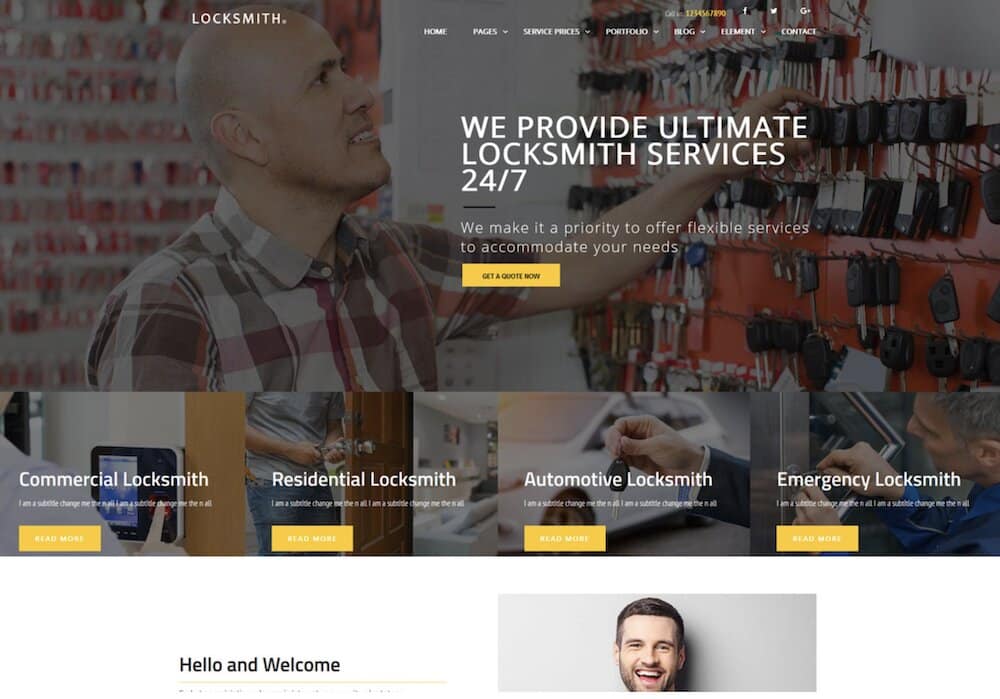
Locksmith is another strong fit for this roundup because it’s built specifically for locksmith and security-system websites.
It covers a wide range of locksmith services, including residential locksmith, commercial locksmith, auto locksmith, car locksmith, key duplication, key cutting, lock repair, lock installation, electronic door locks, mobile locksmith, and 24/7 emergency locksmith services.
But remember, you can tailor any WordPress theme to your specific needs, regardless of how niche.
2.1. Why I Like The Locksmith Theme
Locksmith feels like a practical niche theme, not a generic business design with “locksmith” text added later.
The service coverage is wide, which is great if you don’t want to limit your website to only one type of locksmith job.
You can easily build pages around car lockouts, residential lockouts, commercial lockouts, rekeying, lock changes, and many more in between.
That matters because locksmith visitors usually know the exact problem they have.
They may search for “keys locked in car,” “broken key extraction,” “lock repair,” or “24 hour locksmith.”
A theme that already supports these service angles gives you a better base for local lead pages.
And it ensures you build the website much quicker.
I also like that it includes WooCommerce.
This can be useful if your locksmith business wants to sell locks, security products, key-related items, or digital security accessories from the same website.
Something I’d improve: I’d make the design feel more modern and conversion-focused. I’d add a sticky mobile call button, stronger emergency CTA, service area blocks, and more visible “24/7 Locksmith” messaging above the fold.
The theme has the niche foundation, but I’d polish the lead-generation flow.
2.2. Locksmith Is Good For
Locksmith is a good fit for:
- Emergency locksmiths
- Residential locksmith services
- Commercial locksmith companies
- Auto locksmiths
- Mobile locksmith services
- Key duplication and key cutting businesses
- Lock repair and installation
- Electronic door lock services
- Home security businesses
- Security system companies
2.3. Locksmith WordPress theme features:
- 380+ sales
- 4.3+ star ratings
- WooCommerce support
- Google Maps
- Price: $55 (may vary)
3. Keyman
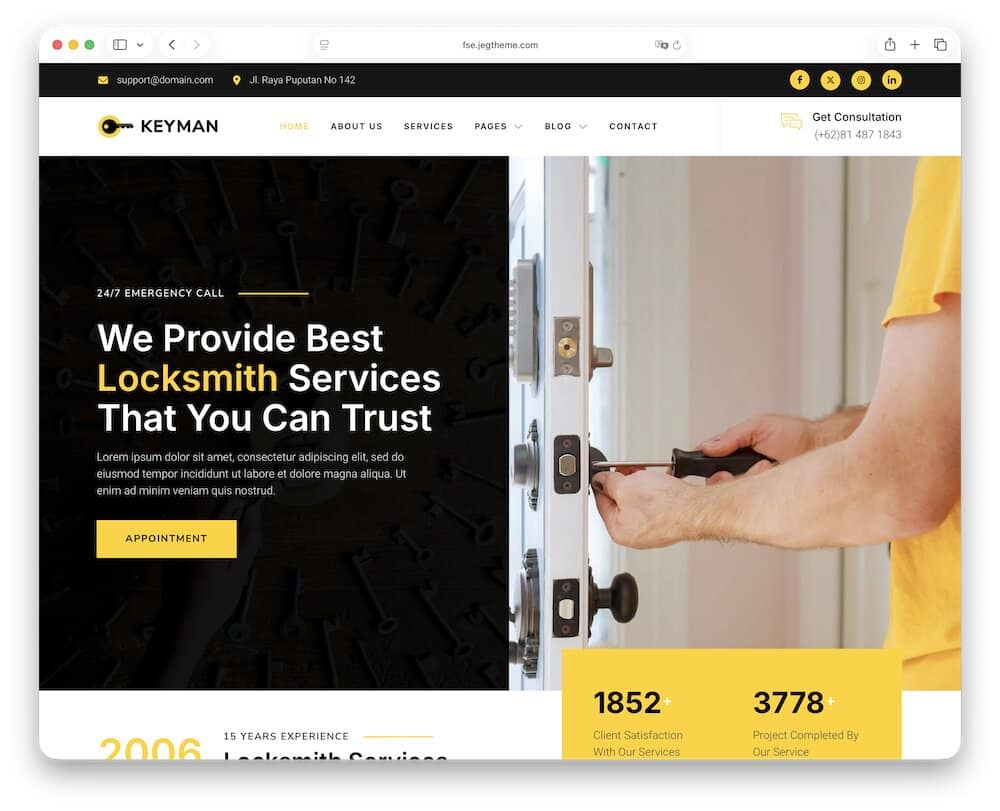
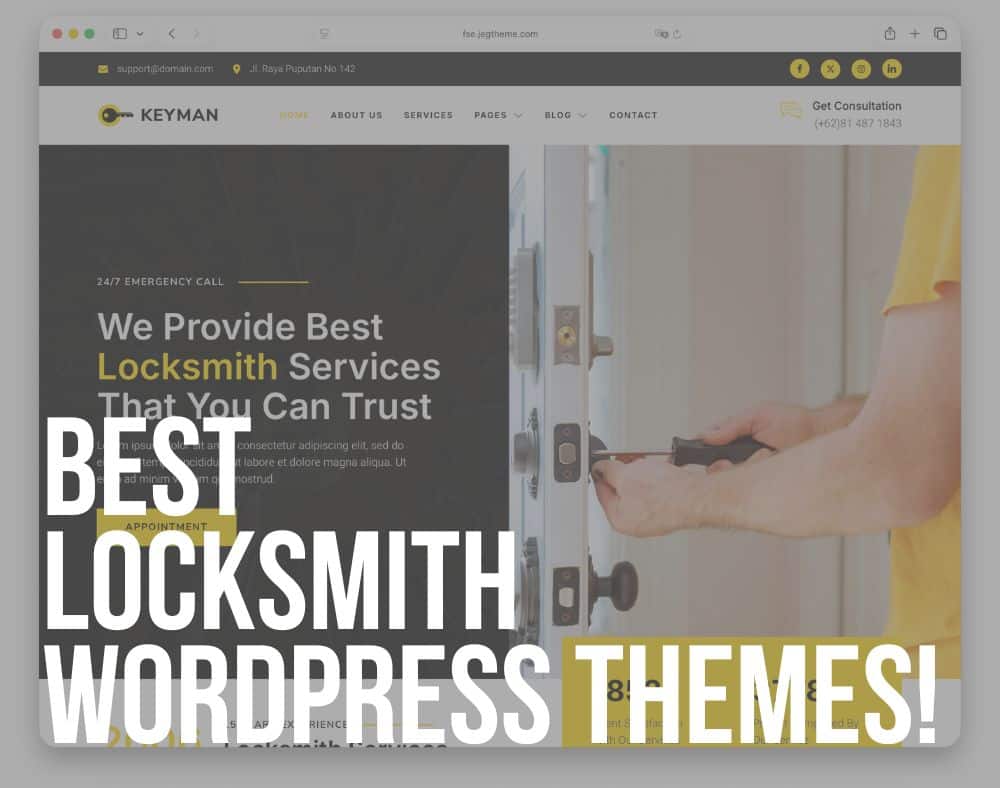
Keyman is a modern locksmith and key maker WordPress theme built around Full Site Editing (FSE), the WordPress Block Editor, and Gutenverse.
Super. Convenient.
It covers a lot, making it a good option if you want a newer block-based theme instead of the more traditional WPBakery/Elementor-style setup.
3.1. Why I Like The Keyman Theme
Keyman feels fresh because it’s built around FSE.
That means you can customize headers, footers, templates, global styles, front page layouts, single posts, archives, etc., from within the block editor.
Note: Read how to customize a WordPress theme.
For users who prefer native WordPress editing, this is a nice win.
The demo has the right locksmith website basics, too.
It includes a 24/7 emergency call message, consultation phone number, appointment CTA, service sections, testimonials, business details, and contact information.
That’s exactly the kind of structure your local locksmith website needs.
I also like the service layout.
The homepage highlights services like Deadbolt Lock, Car Lockouts, Smart Lockouts, Emergency Lockouts, and Safe Lock.
These are practical service categories because visitors often arrive with a very specific problem. They don’t want to browse forever.
They want to find the right help fast.
The appointment form is another useful part.
It includes fields for name, email, telephone, date, service selection, and message. But if you need more or less fields, adjust the form accordingly.
Something I’d improve: For locksmith leads, that phone number needs to scream a little. In a classy way, of course.
3.2. Keyman Is Good For
Keyman is a good fit for:
- Locksmith services
- Key makers
- Lock repair businesses
- Key duplication services
- Smart lock installers
- Door repair services
- Home security providers
- Emergency lockout services
- Local locksmith businesses that want a clean, modern website
3.3. Keyman WordPress theme features:
- 30+ sales
- 4.5+ star ratings
- Powered by Gutenverse
- Optimized for fast performance
- Price: $69 (may vary)
Key Features Of A Great WordPress Locksmith Theme
A great WordPress locksmith theme must do one thing really well: help visitors take action fast.
So the theme should make everything clear from the first few seconds.
1. Clear Emergency CTA
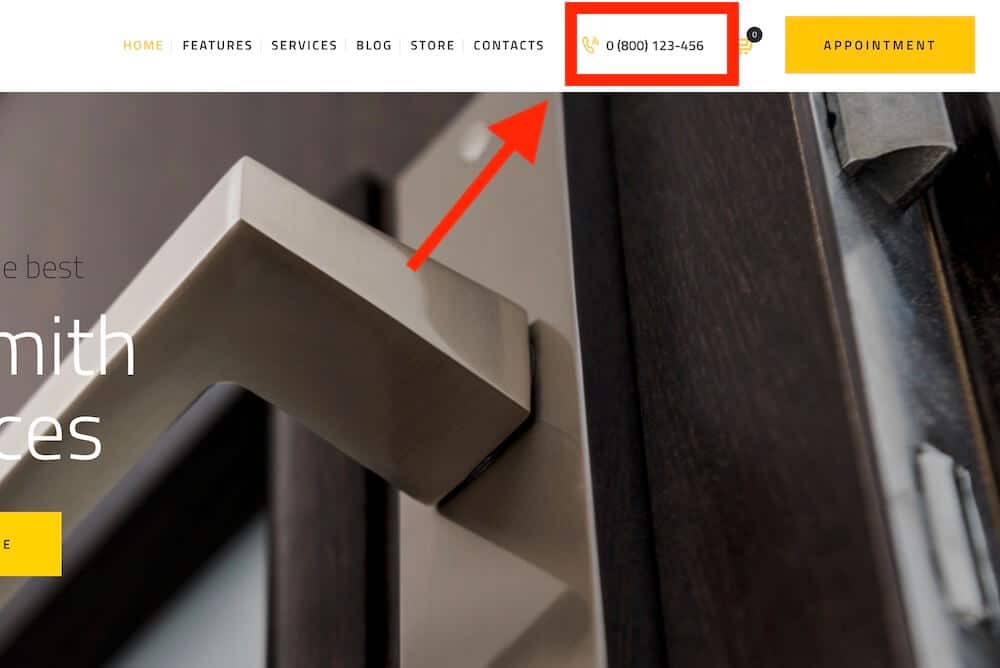
Many locksmith visitors need help NOW.
Your phone number, emergency button, or request form should be visible right away.
Ideally, the main CTA should appear above the fold, in the header, and on mobile.
Think “Call Now,” “Emergency Locksmith,” or “Request Fast Help.”
Don’t make people hunt for your number. That’s how you lose leads to the next local locksmith.
2. Mobile-First Layout
A lot of locksmith searches happen from a phone.
Someone might be standing outside their home, next to their car, in front of an office, or in a parking lot with a broken key.
Fun times? Absolutely not.
That’s why the mobile version matters more than the desktop version.
The theme should make calling easy with tap-friendly buttons, short forms, fast loading, and clear service links.
3. Local Service Area Sections
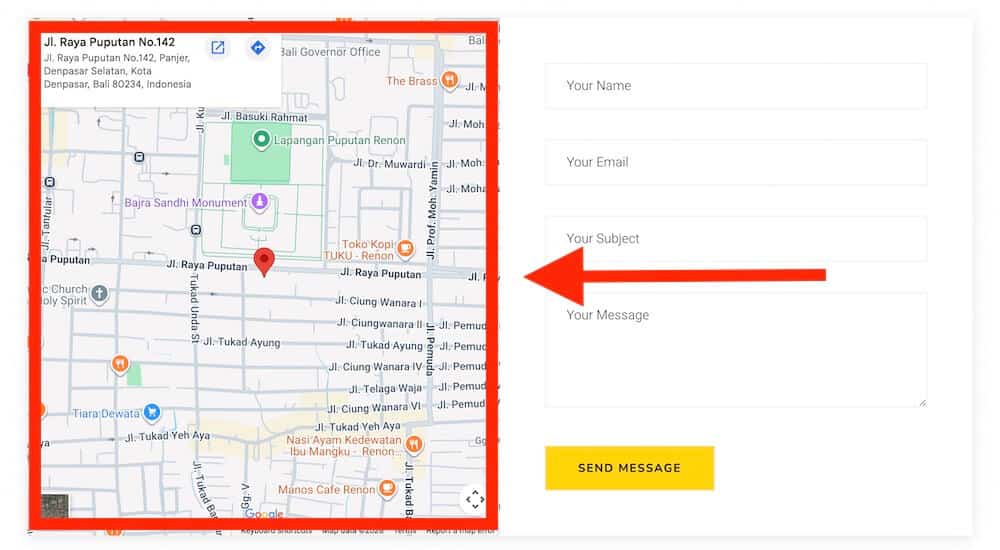
Locksmith businesses depend heavily on location.
Your theme should make it easy to show where you work, including cities, neighborhoods, service radius, and nearby areas.
This helps visitors know you can reach them. It also supports local SEO when your pages are clear and location-focused.
Google Maps, address blocks, city sections, and local contact details are all useful here.
If you want more control over service zones, markers, or local coverage, check these WordPress Google Maps plugins.
4. Trust Elements
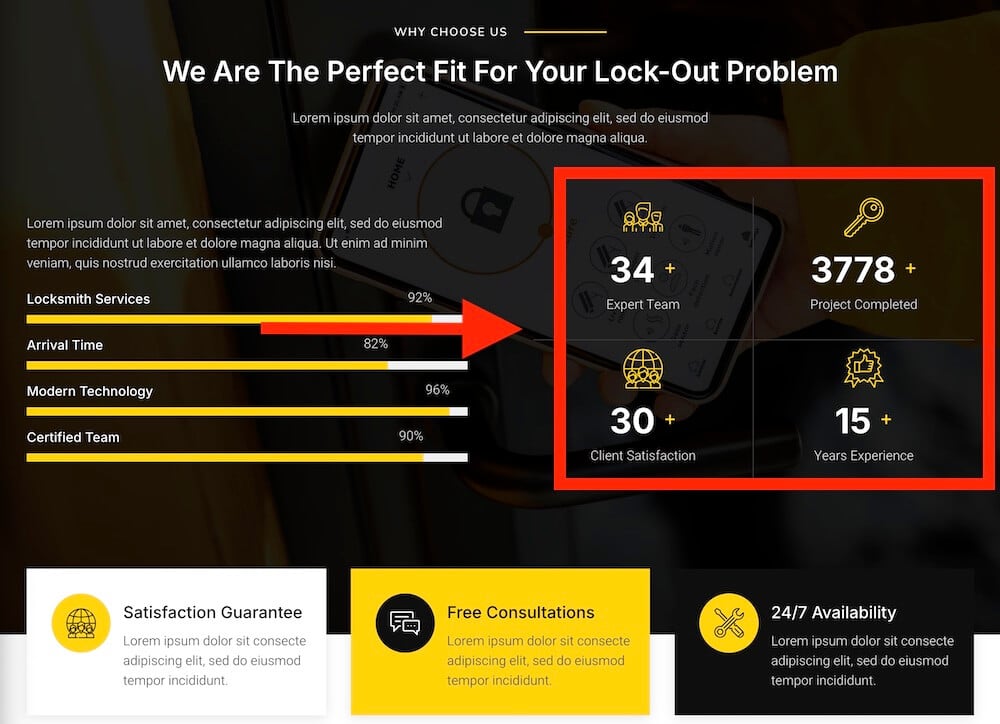
People need to trust a locksmith before calling.
You’re dealing with homes, cars, offices, safes, and security systems.
That’s personal.
So your website should show why visitors can feel safe choosing you.
Useful trust elements include:
- Reviews
- Licenses
- Insured status
- Years of experience
- Security badges
- Real team photos
- Before/after work examples
- Clear business details
These small things can make a big difference, especially when someone is quickly comparing multiple local locksmiths.
5. Service Pages
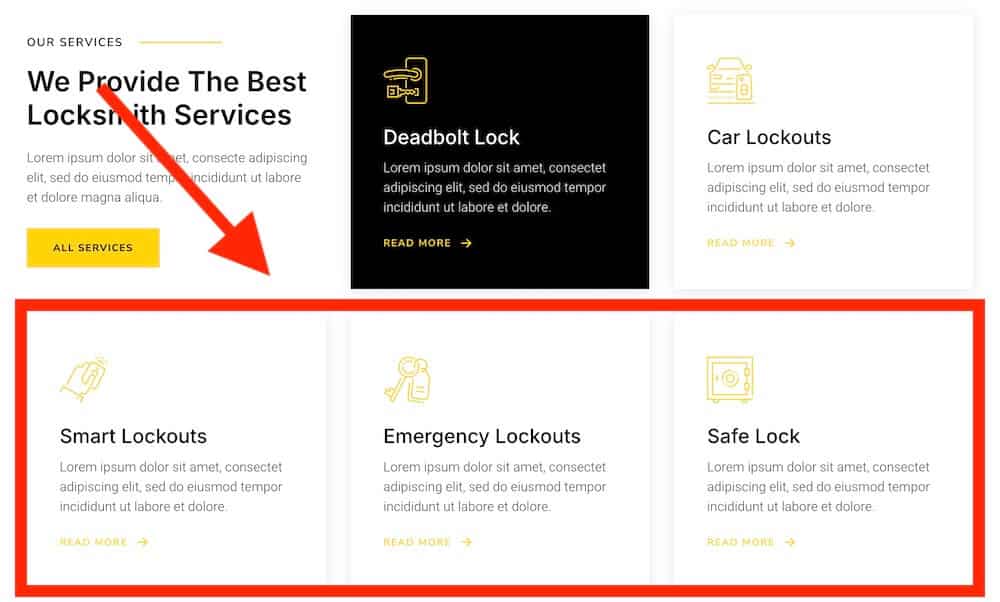
A good locksmith theme should support separate pages for your main services.
Don’t cram everything onto one page.
Quick service overview on the home page? Yes!
Detailed explanation of what you do on the home page? No!
Create pages for emergency locksmith help, residential locks, commercial locks, automotive locksmith services, or whatever else you offer.
This helps visitors find the right service faster.
It also gives you more chances to rank for specific local keywords.
And that’s a nice little SEO bonus.
6. Fast Loading Speed
Urgent visitors won’t wait. Period.
If your locksmith website loads slowly, they’ll probably hit back and call someone else.
Brutal, but true.
Pick a theme that feels lightweight, responsive, and simple to navigate.
Avoid heavy sliders, oversized images, and unnecessary effects unless they actually help the user.
In this niche, speed can directly affect calls. You don’t need something super fancy.
You can also speed up your website with these best WordPress caching plugins.
7. Quote Or Contact Forms
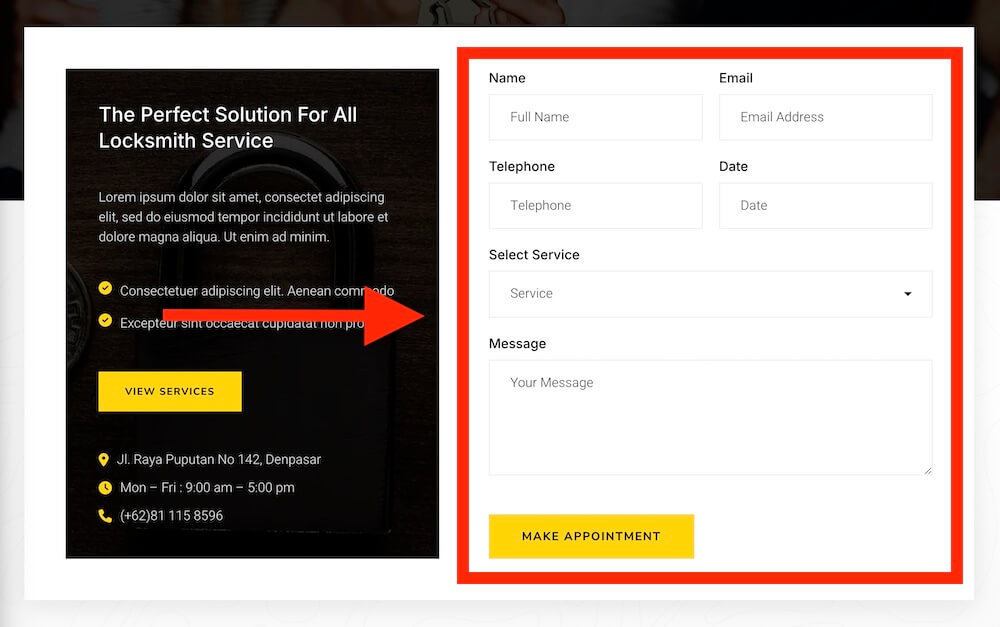
Not every visitor wants to call right away.
Some need a price estimate.
Others want to schedule a lock replacement, request commercial service, ask about smart locks, or explain a non-urgent issue.
That’s why quote and contact forms matter.
A good theme should make it easy to collect basic details like name, phone number, service type, location, and message.
Keep the form short. The longer it gets, the fewer people will finish it.
Pro tip: Share prices on your website directly – don’t let potential clients question how much it costs.
Conclusion: Choose The Ideal WordPress Locksmith Theme
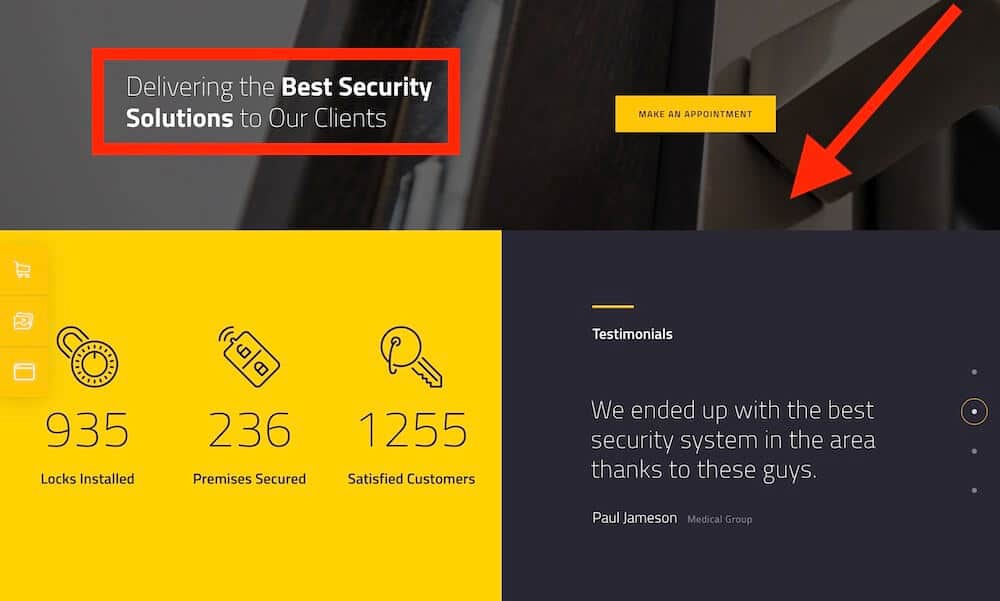
The best WordPress locksmith theme depends on the type of locksmith business you run.
But really, any of the above themes can be fine-tuned to your needs specifically.
But here’s what I recommend:
- An emergency locksmith needs a fast call button and urgent CTAs.
- A residential locksmith needs trust, reviews, and clear service pages.
- A commercial locksmith may need stronger quote forms and security-focused sections.
- Automotive locksmiths should make car lockouts, key replacement, and mobile service easy to find.
- And if you run a locksmith + security company, you’ll want space for access control, safes, alarms, smart locks, and security products.
My favorite theme for this niche is HotLock.
It is my top pick because it gives you the strongest mix of locksmith services, security sections, WooCommerce support, appointment features, and trust-building layouts.
On the other hand, Keyman is great if you want a cleaner Full Site Editing setup, while Locksmith works well if you need broad service coverage.
So if you want the safest overall pick, go with HotLock.
It gives you the best mix of trust sections, service pages, and lead-focused layouts for a locksmith website.
FAQs About WordPress Locksmith Themes
What is the best WordPress locksmith theme?
The best WordPress locksmith theme is HotLock. It gives you a strong foundation for getting more local calls and quote requests.
Can I use a general service theme for a locksmith website?
Yes, you can use a general service theme for a locksmith website. But a locksmith-specific theme is usually faster to set up because it already includes relevant service sections, emergency CTAs, contact areas, and layouts that fit local locksmith businesses.
What should a locksmith website include?
A locksmith website should include your phone number, emergency CTA, service areas, services, reviews, contact form, Google Maps, opening hours, and trust details. I’d also add click-to-call buttons, license or insured details, FAQs, and separate pages for your locksmith services.
Do locksmith websites need online booking?
Not always. Emergency locksmiths usually need phone calls first because visitors want fast help. But scheduled services can benefit from quote forms, appointment forms, or booking forms.
Note: For non-urgent jobs, you can also follow my guide on how to set up an online booking system in WordPress.
Are WordPress locksmith themes good for local SEO?
Yes, WordPress locksmith themes can be good for local SEO if they support fast pages, service sections, location areas, Google Maps, FAQs, and clean page layouts.
Should a locksmith website have a click-to-call button?
Yes. A click-to-call button is one of the most important features for a locksmith website. Many visitors search from mobile and need urgent help.