
A cybersecurity website has a tricky job.
It needs to look credible, explain technical services clearly, and earn potential clients’ trust with something they really don’t want to get wrong.
No pressure.
That’s why I picked these best cyber security WordPress themes based on more than dark backgrounds, glowing code, and dramatic lock icons.

I looked at service presentation, case studies, consultation CTAs, team pages, compliance content, pricing sections, mobile usability, customization, and how well each theme can handle real cybersecurity services. That’s penetration testing, threat detection, cloud security, data protection, incident response, and managed security.
Some are better for cybersecurity agencies and MSSPs. Others make more sense for privacy consultants, enterprise security firms, cloud-security companies, or training providers.
And the theme needs to make complex stuff easier to understand.
That part matters.
If a visitor lands on your site and still has no idea what your SOC service, vulnerability assessment, or zero-trust solution actually does for their business, the design isn’t doing its job.
The WordPress themes below give you a much stronger starting point.
This post covers:
- Fast Track: Which Cyber Security Theme Fits Your Business?
- Best Cyber Security WordPress Themes Compared
- What A Cybersecurity Company Website Actually Needs
- How To Explain Cybersecurity Services Without Losing The Visitor
- Case Studies: One Of The Most Important Pages On The Site
- Cybersecurity Website Design: Professional Without Looking Generic
- Conclusion: Which Cyber Security WordPress Theme Should You Choose?
- FAQs About Cyber Security WordPress Themes
Fast Track: Which Cyber Security Theme Fits Your Business?
- Best overall: Vaximo — the strongest all-round choice for cybersecurity companies, IT security firms, consultants, and training providers that need services, courses, ecommerce, and strong business pages in one setup.
- Best for cybersecurity agencies: Cyarb — a smart pick for managed security providers, IT consultancies, network-security firms, and agencies selling a broader mix of cyber and IT services.
- Best for larger corporate sites: CyberGuard — ideal if you need lots of inner pages, service sections, team content, pricing, and a more substantial company website.
- Best for privacy & compliance firms: Lockhive — the strongest fit for businesses focused on data protection, GDPR, risk management, privacy, compliance, and security consulting.
- Best for cloud & enterprise security: Cyberx — a great option for cloud protection, threat analysis, SaaS security, enterprise solutions, and more complex B2B cybersecurity services.
- Best FSE/block-based option: Cryptiva — the one to choose if you prefer native WordPress editing and want to avoid Elementor or other page builders.
1. Vaximo – Best Overall Cyber Security WordPress Theme
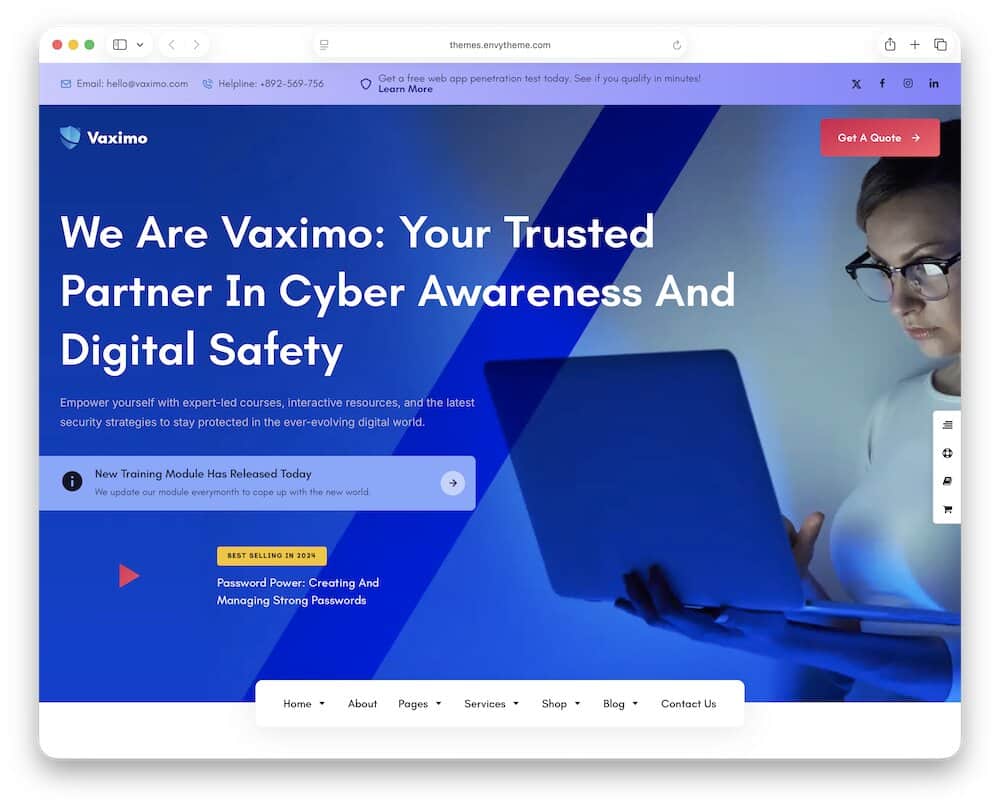
Vaximo is the most complete all-rounder in this list.
It’s built for cybersecurity companies, IT security firms, web-security training providers, crypto/blockchain businesses, and broader tech companies, so it gives you more room than a theme focused on one narrow service.
The big advantage is variety.
You get over eighteen demos, Elementor, WooCommerce, WPML, RTL support, GDPR-friendly features, and enough layout flexibility to cover service pages, consulting, training, pricing, and company content without rebuilding everything from scratch.
The training side is especially useful.
Vaximo supports Tutor LMS, which means you can go beyond standard service pages and offer cybersecurity courses, staff training, awareness programs, or web-security education from the same site.
That gives it a completely different angle from most themes here.
You can use one site for penetration testing, managed security, data protection, consulting, and training — without it looking like several unrelated businesses were glued together.
I also like that WooCommerce is already part of the setup.
That gives you room to sell courses, consulting packages, digital products, or other security-related services if you want more than a simple lead-generation site.
1.1. Vaximo WordPress theme overview:
- Best for: Cybersecurity companies, IT security firms, consultants, training providers, and broader tech businesses
- Page builder: Elementor
- Business focus: Cybersecurity services, web security, training, IT protection, crypto/blockchain, and consulting
- Why I like it: It combines serious service-business flexibility with training, ecommerce, multilingual support, and a huge demo library.
- Price: $69
2. Cyarb – Best For Cybersecurity Agencies & IT Security Firms
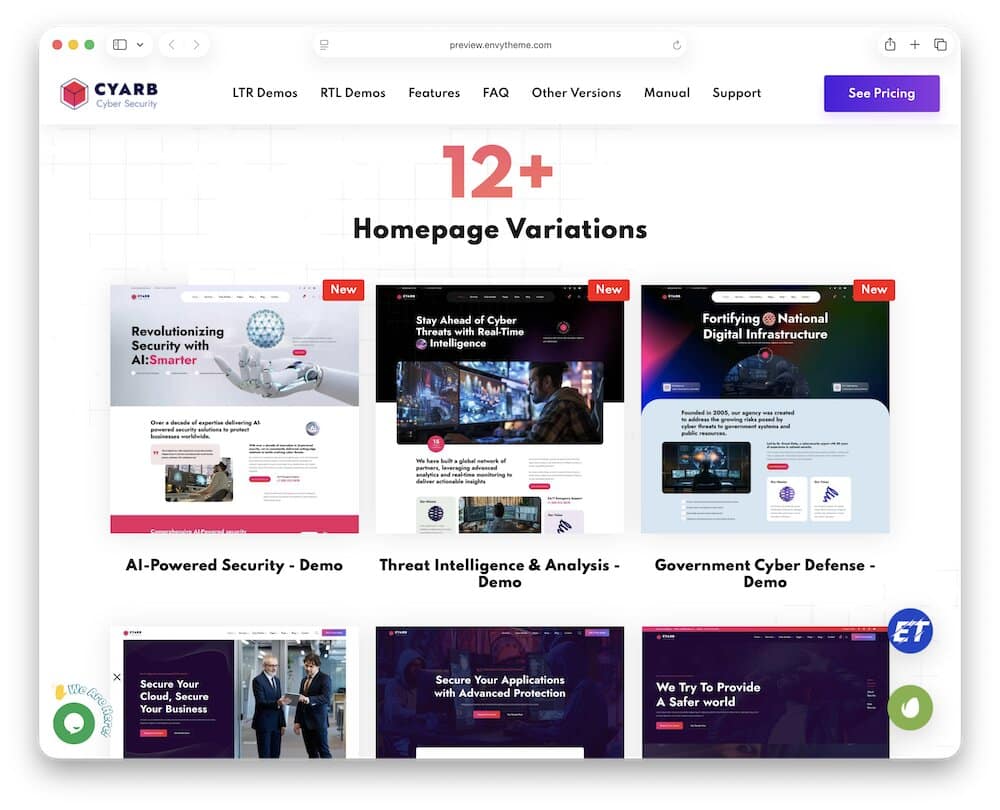
Cyarb is a better fit if your business mainly sells security expertise and services, not courses or training.
It’s built around cybersecurity companies, penetration testing, ethical hacking, IT security consulting, data protection, SaaS, and privacy-focused services.
Thus, it’s a strong choice for agencies and managed security providers that need to explain several technical services without turning the site into a wall of jargon.
There’s plenty of room to grow, too.
You get many epic demos and countless custom Elementor widgets, so it’s easy to build separate sections for vulnerability assessments, network protection, managed security, incident response, consulting, or compliance work.
I also like the multilingual support here.
Cyarb includes RTL layouts for Arabic and Hebrew, WPML readiness, and GDPR-focused features, which can help security firms working across regions or with international clients.
Customization runs through Elementor, while Redux and ACF Pro give you more control behind the scenes.
Overall, Cyarb is less “everything for everyone” than Vaximo.
That’s a good thing if your main goal is to present cybersecurity services clearly, build trust, and push visitors toward a consultation.
2.1. Cyarb WordPress theme overview:
- Best for: Cybersecurity agencies, MSSPs, penetration testing firms, IT security consultants, and data protection companies
- Page builder: Elementor
- Business focus: Penetration testing, ethical hacking, managed security, IT consulting, privacy, and data protection
- Why I like it: It gives service-based security firms a lot of flexibility without dragging in training or unrelated business features.
- Price: $59
Note: If you want a broader IT-focused alternative, my Techtlk theme review covers another option built for cybersecurity firms, SaaS companies, and digital service businesses.
3. CyberGuard – Best For Larger Cybersecurity Companies
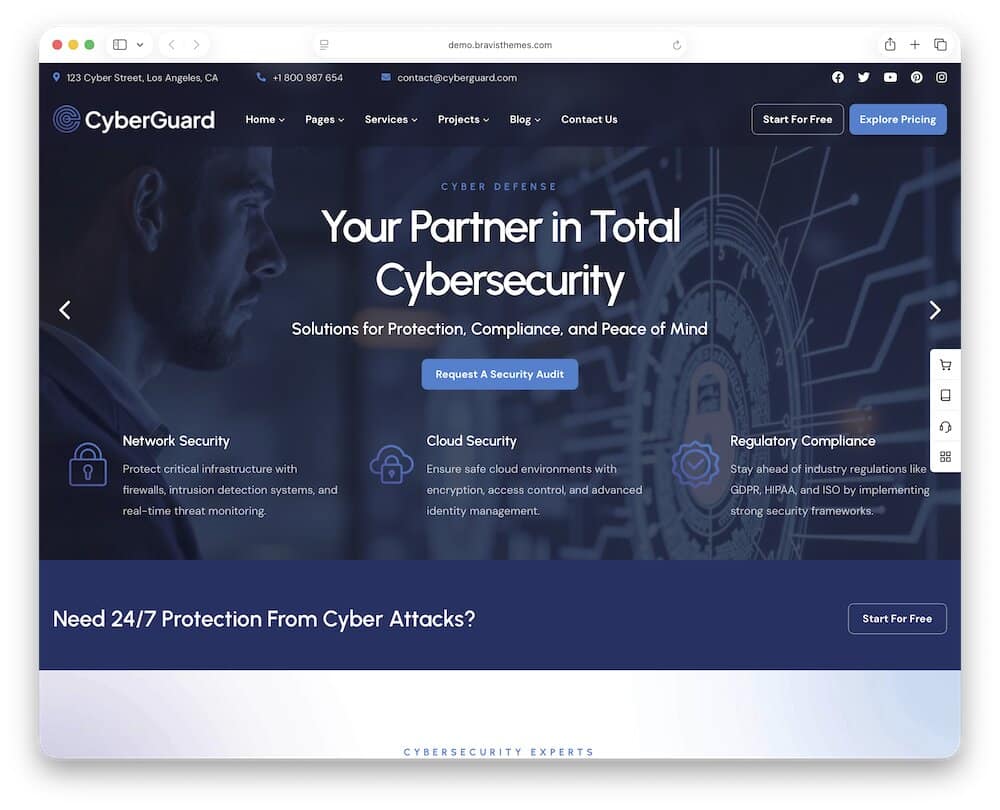
CyberGuard is the one I’d choose when a five-page brochure site simply isn’t enough.
The theme provides you with plenty of space for separate service areas, team pages, pricing, case studies, resources, and more complex company structures.
That depth matters for larger cybersecurity firms.
You can break out services like penetration testing, managed security, digital forensics, network monitoring, compliance, DDoS protection, and online privacy instead of squeezing everything into one generic “What We Do” page.
The theme also includes pricing, process, testimonial, team, chart, progress, gallery, and file-download elements, which are actually useful here.
Think security reports, whitepapers, audit PDFs, service packages, team credentials, or visual process breakdowns.
Beyond the Elementor page builder, you also get extra goodies like WooCommerce, Booked, WPML, Polylang, RTL, Contact Form 7, and Mailchimp.
I especially like the mega-menu and large-page structure.
For a cybersecurity company with multiple service lines, industries, resources, and regional pages, it can keep navigation usable instead of turning the header into a mess.
Note: CyberGuard is probably overkill for a tiny consultancy.
But for a larger firm that needs a deeper, more corporate website with room to grow, it makes a lot of sense.
3.1. CyberGuard WordPress theme overview:
- Best for: Larger cybersecurity companies, managed security providers, IT security firms, and multi-service agencies
- Page builder: Elementor
- Business focus: Managed cybersecurity, penetration testing, digital forensics, network monitoring, online privacy, and compliance
- Why I like it: It gives bigger security companies enough page depth, navigation flexibility, and reusable content blocks to build a serious corporate site.
- Price: $49
4. Lockhive – Best For Data Protection, Privacy & Compliance
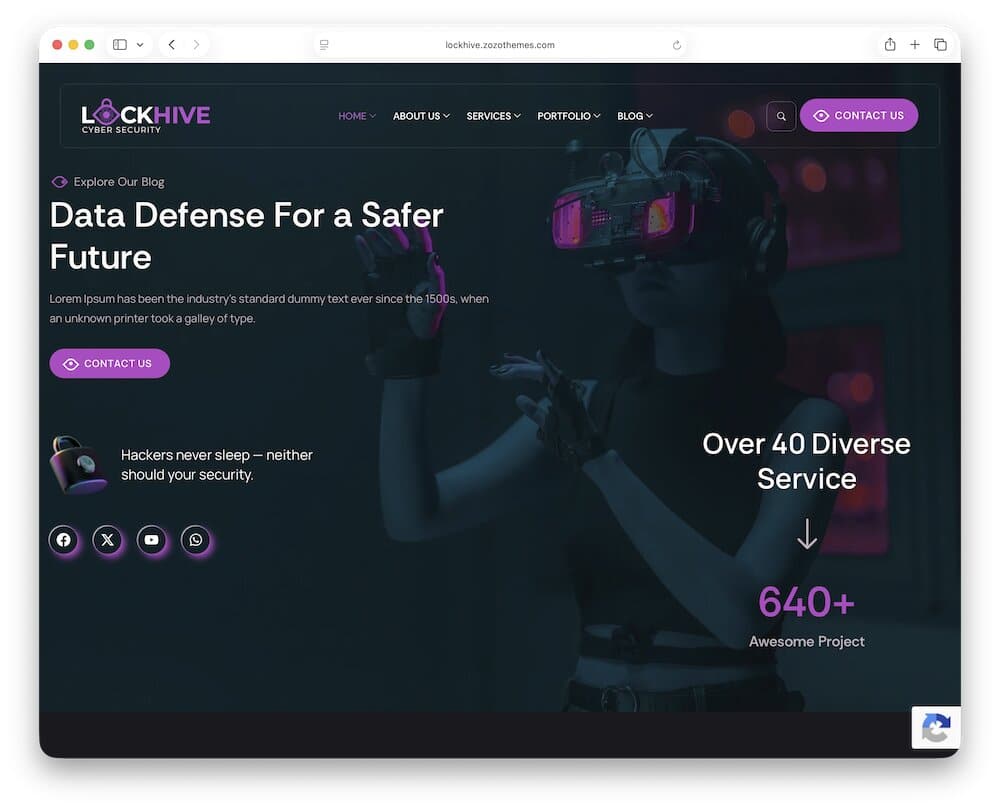
Lockhive is the one I’d reach for if your cybersecurity business leans heavily into data protection, privacy, compliance, and risk management.
The layout toolkit is strong too.
You get Elementor, pricing tables, timelines, charts, testimonials, FAQs, service blocks, portfolios, events, galleries, and custom contact elements.
That makes it easy to explain things like compliance audits, privacy consulting, endpoint protection, cloud security, penetration testing, or digital forensics without cramming everything into one page.
WooCommerce is supported, so you can also sell consulting packages, digital security tools, or fixed-price services directly from the site.
Moreover, WPML and RTL support help if you work with international clients.
What I like most is the trust-building potential.
Pricing, testimonials, case-study style portfolios, charts, timelines, and compliance-focused pages give you plenty of ways to show expertise instead of just saying, “We keep your data safe.”
Much better.
4.1. Lockhive WordPress theme overview:
- Best for: Data-protection firms, privacy consultants, compliance specialists, IT security agencies, and network-security companies
- Page builder: Elementor
- Business focus: Data protection, GDPR, privacy, compliance, endpoint security, cloud security, and digital forensics
- Why I like it: It gives privacy- and compliance-focused firms the right mix of service pages, proof, pricing, and trust-building content without drifting into generic IT territory.
- Price: $59
5. Cyberx – Best For Cloud Security & Enterprise Solutions
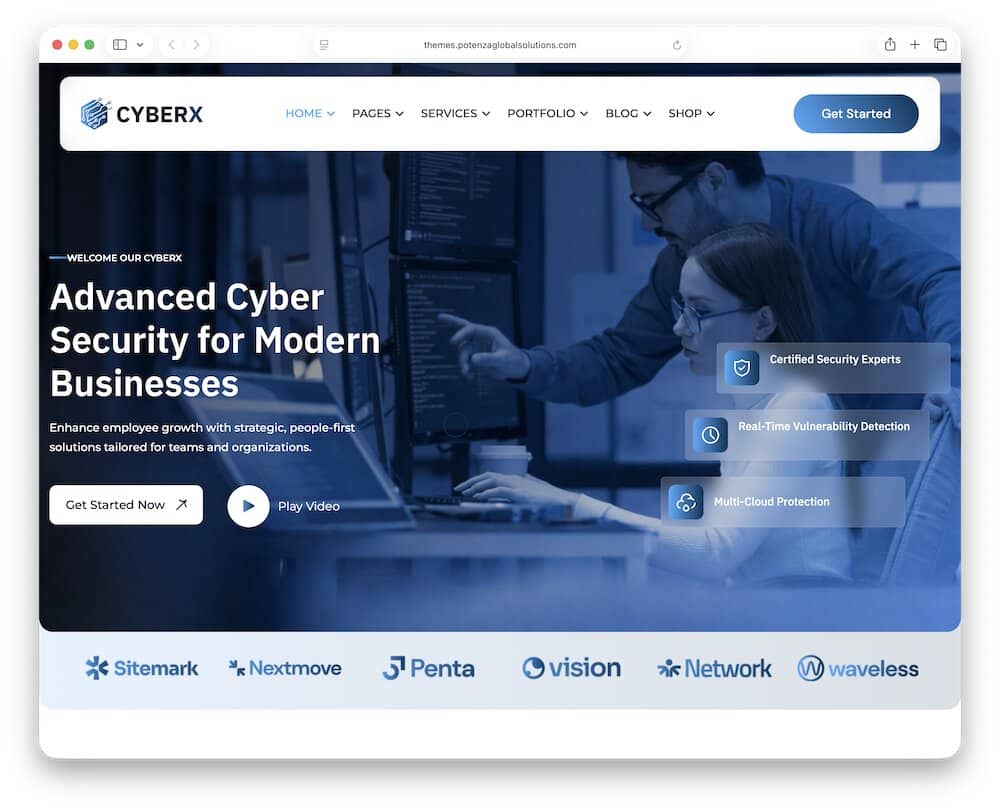
Cyberx is comes in handy when your cybersecurity offer sounds more like cloud protection, threat analysis, enterprise security, and managed services than a small local consultancy.
You get two main demos and over 35 inner pages, giving you pretty much everything for presenting your services, portfolios, pricing, team members, case studies, and industry-specific content without bloating the homepage.
That’s practical if you need separate pages for things like cloud security, threat intelligence, managed protection, vulnerability management, or enterprise consulting.
The portfolio and case-study structure is another plus I really like.
Cybersecurity buyers want proof.
Showing previous projects, security outcomes, or industry-specific work is much more convincing than another “we protect your business” headline.
I also like that Cyberx doesn’t lean too hard into the stereotypical “hacker” look.
It still feels technical, but there’s enough business structure underneath to suit serious B2B buyers.
5.1. Cyberx WordPress theme overview:
- Best for: Cloud-security firms, enterprise cybersecurity companies, SaaS security providers, and managed service businesses
- Page builder: Elementor
- Business focus: Cloud protection, threat analysis, managed security, enterprise solutions, and cybersecurity consulting
- Why I like it: It gives larger B2B security firms the page depth and case-study structure they need without making the site look like a generic IT template.
- Price: $29
6. Cryptiva – Best FSE Cyber Security WordPress Theme
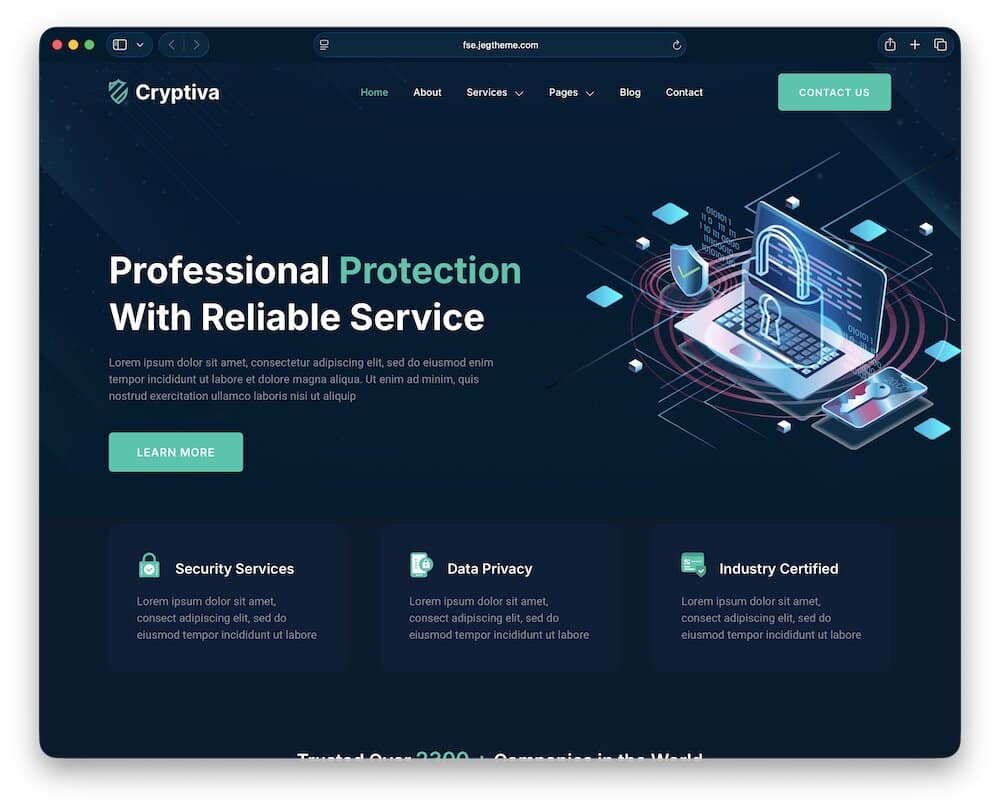
Cryptiva is for people who’d rather build with WordPress itself than stack another page builder on top.
It’s a Full Site Editing block theme powered by Gutenverse, so headers, footers, templates, archives, single posts, global styles, and page sections can all be edited directly inside the WordPress Block Editor.
That makes it very different from the Elementor-heavy themes above.
You still get prebuilt templates, one-click demo import, responsive layouts, and a template library, but the editing workflow stays much closer to native WordPress.
Gutenverse simply adds more advanced blocks and layout controls on top.
The business focus is still properly cybersecurity-specific.
Cryptiva targets cybersecurity companies, digital-security consultants, IT security firms, risk and compliance providers, data-security businesses, and network-security agencies.
So the theme doesn’t sacrifice niche relevance just to showcase the FSE setup.
Performance is another part of the pitch.
Its block-based structure stays lightweight, and you get more direct control over global templates without relying on a separate builder for every small change.
If you already like Elementor, there’s no reason to force yourself into FSE.
But if you want a more native WordPress workflow with site-wide block editing, Cryptiva is easily the most interesting option in this lineup.
6.1. Cryptiva WordPress theme overview:
- Best for: Cybersecurity companies, IT security firms, consultants, and WordPress users who prefer block editing
- Page builder: WordPress Block Editor + Gutenverse
- Business focus: Cybersecurity services, data security, network protection, privacy, risk management, and compliance
- Why I like it: It gives you a proper cybersecurity business theme without locking the entire site into Elementor or another traditional page builder.
- Price: $69
Best Cyber Security WordPress Themes Compared
| Theme | Best For | Page Builder | Security | Standout Strength | Price |
|---|---|---|---|---|---|
| Vaximo | Cybersecurity firms, consultants & training providers | Elementor | Cybersecurity services, web security, training & IT protection | Best all-around setup with service, training, ecommerce & multilingual support | $69 |
| Cyarb | Cybersecurity agencies, MSSPs & IT security consultants | Elementor | Pen testing, ethical hacking, managed security, privacy & data protection | Strong service-business structure for agencies and consultants | $59 |
| CyberGuard | Larger cybersecurity companies & multi-service firms | Elementor | Managed security, digital forensics, monitoring, privacy & compliance | Deep page structure with mega menus, pricing, team, reports & reusable content blocks | $49 |
| Lockhive | Data protection, privacy & compliance firms | Elementor | GDPR, privacy, risk, endpoint security, cloud security & digital forensics | Best fit for compliance-heavy businesses that need strong trust-building content | $59 |
| Cyberx | Cloud security, SaaS & enterprise providers | Elementor | Cloud protection, threat analysis, managed security & enterprise solutions | Strong B2B structure with case studies, portfolios & 35+ inner pages | $39 |
| Cryptiva | Cybersecurity firms that prefer native WordPress editing | Block Editor + Gutenverse | Data security, network protection, privacy, risk & compliance | Only FSE/block-based option in the roundup | $69 |
What A Cybersecurity Company Website Actually Needs
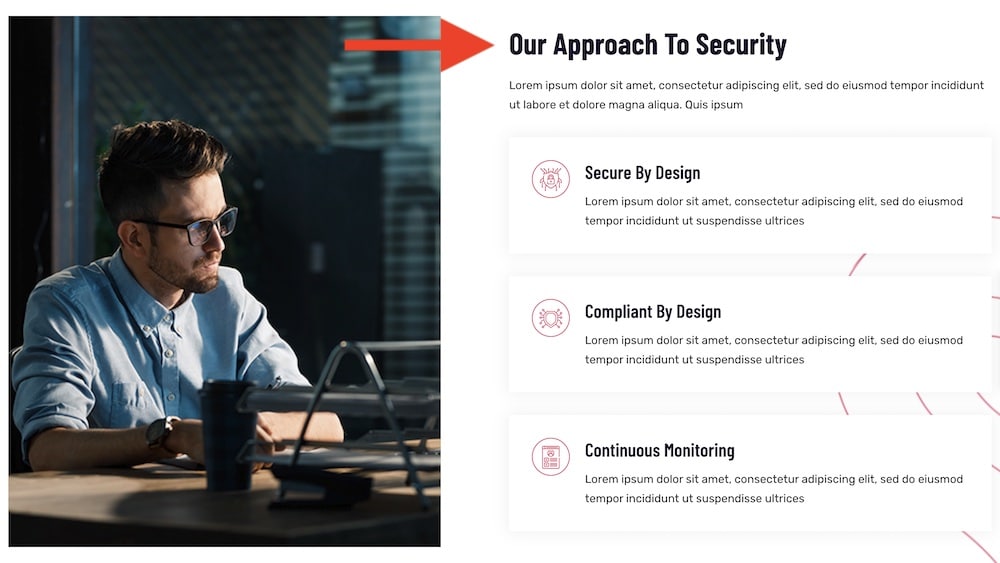
Here’s what I’d make sure the site includes:
- Clear service pages: Separate penetration testing, managed security, cloud protection, incident response, vulnerability assessments, compliance, and other services.
- A strong consultation CTA: Make it obvious how someone can request an assessment, book a call, or talk to a security expert. (If your theme’s built-in form is too basic, one of these WordPress contact form plugins can help you create more detailed assessment, consultation, or quote forms.)
- Case studies: Show real problems, what you did, and the result. Proof beats “industry-leading protection” every time.
- Certifications and credentials: Display relevant certifications, partner badges, compliance expertise, or recognized security qualifications.
- Team profiles: Introduce the people behind the work.
- Industries served: Finance, healthcare, ecommerce, SaaS, government, manufacturing — different sectors face different risks. Show that you understand them.
- Compliance expertise: If you work with GDPR, ISO 27001, PCI DSS, HIPAA, SOC 2, or other standards, make that visible.
- Client logos and testimonials: Strong social proof helps, especially when potential clients are comparing several providers. (If you want more control over how client feedback appears, these WordPress testimonial plugins can help you build dedicated review sections, grids, and sliders.)
- A clear security process: Explain what happens after someone gets in touch — discovery, assessment, testing, reporting, remediation, monitoring, or ongoing support.
- Pricing guidance: You don’t need to publish every enterprise rate, but fixed-price audits, packages, or starting prices can make smaller services easier to buy.
- Useful resources: Security guides, threat reports, whitepapers, checklists, and blog content can show expertise without turning every page into a sales pitch.
- Fast mobile performance: Decision-makers will check your site from phones too. Slow pages and broken menus don’t exactly scream “technical competence.”
- Easy contact options: Email, phone, forms, consultation booking, and office details should all be simple to find.
- Clear privacy and security information: For this niche especially, sloppy privacy pages or missing policies look bad.
How To Explain Cybersecurity Services Without Losing The Visitor
Cybersecurity companies often lose people by explaining services the way they would to another security engineer.
That’s the problem.
Terms like EDR, SIEM, zero trust, SOC, attack surface management, and vulnerability assessment may be perfectly normal inside the industry, but not every decision-maker knows exactly what they mean.
So start with the outcome.
Instead of opening with “Endpoint Detection & Response,” explain that the service helps detect suspicious activity on company devices and stop threats before they spread.
Then introduce the technical term.
Same with penetration testing. Don’t just say you perform pen tests. Explain that you actively look for weaknesses before an attacker finds them.
Cloud security? Explain how you protect cloud environments, data, users, and access.
Incident response? Tell visitors what happens when something has already gone wrong and they need help containing the damage.
The order matters.
Problem first. Solution second. Technical detail third.
That keeps the page useful for both technical buyers and people who simply need to understand why the service matters.
Case Studies: One Of The Most Important Pages On The Site
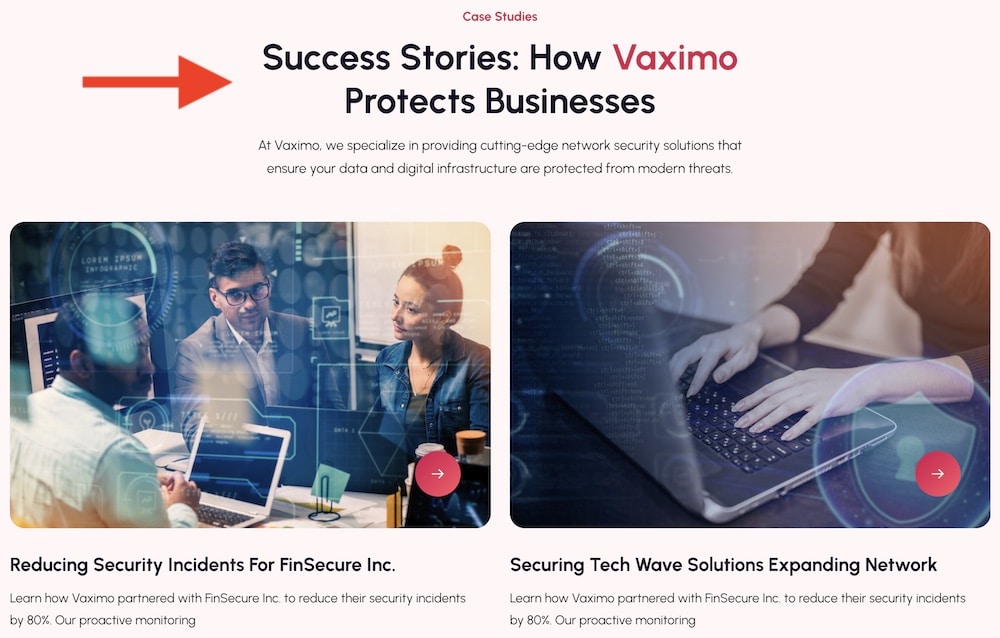
Cybersecurity is one of those industries where saying “we know what we’re doing” means very little.
Showing it means everything.
That’s why case studies can be one of the MOST VALUABLE parts of the website.
A strong case study should explain the client’s problem, the risk involved, what your team actually did, and what changed afterward. Keep it concrete.
Maybe you found critical vulnerabilities during a penetration test.
Maybe you helped a SaaS company improve cloud security.
Maybe you reduced response time, strengthened access controls, fixed compliance gaps, or helped contain an active incident.
That’s useful proof.
You don’t need to reveal sensitive details either.
If confidentiality matters, anonymize the client and focus on the type of company, the challenge, the process, and the outcome.
I’d also avoid turning case studies into technical novels.
The best ones are easy to scan and structured around a simple flow:
Problem → Risk → Action → Result
That format works for technical buyers, managers, and executives.
And if you can add measurable outcomes, even better.
Shorter detection time. Fewer critical findings. Faster remediation. Improved compliance posture.
Numbers help.
A cybersecurity company with strong case studies instantly looks more credible.
Cybersecurity Website Design: Professional Without Looking Generic
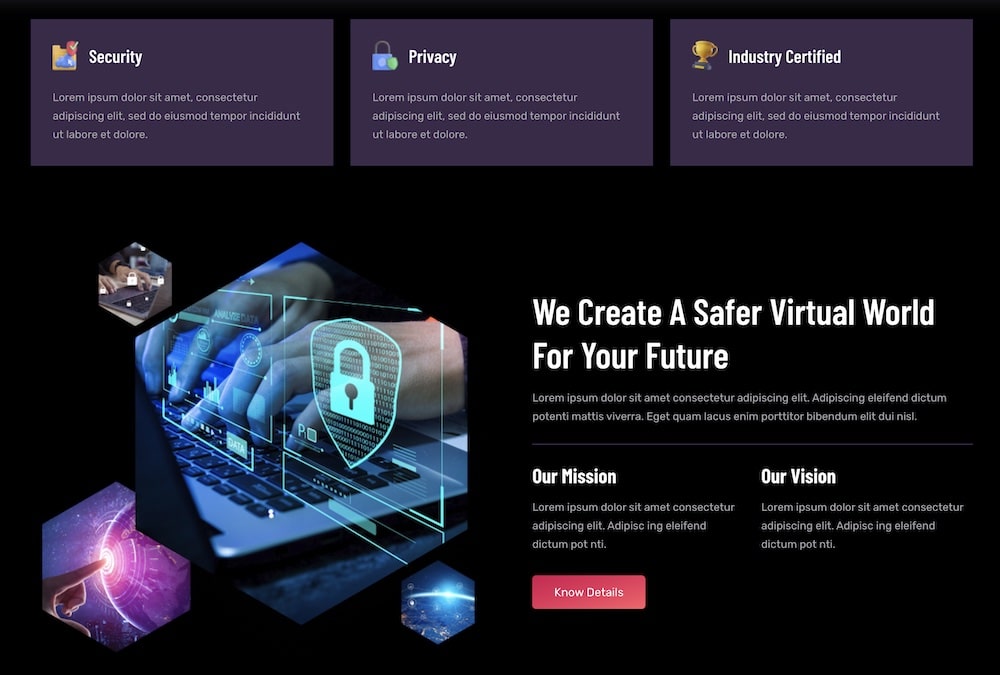
- Use dark mode carefully: Dark layouts can work very well in this niche, but contrast and readability still matter more than mood.
- Keep gradients under control: A subtle blue, purple, or green gradient can add depth. Covering every section in glowing effects gets old fast.
- Choose clean typography: Security companies already deal with complex topics. The design should make the content easier to read, not harder.
- Use real team photography: Security engineers, analysts, consultants, or office shots add far more credibility than another anonymous hooded hacker.
- Show dashboards and interfaces: If you have real monitoring screens, reports, analytics, or security tools, use them. They make the service easier to understand.
- Add diagrams where they help: Simple visuals for threat detection, cloud protection, zero trust, or incident response can explain more than another paragraph of jargon.
- Make trust signals visible: Certifications, partner logos, compliance badges, client names, and case studies should look like part of the design, not something buried near the footer.
- Keep service pages clean: One strong headline, a clear explanation, relevant proof, and a visible CTA usually work better than ten animated sections.
- Avoid cliché hacker imagery: Hoodies, green Matrix-style code, giant locks, and glowing fingerprints have been done to death.
- Let whitespace do some work: A little breathing room makes technical content easier to scan and gives the site a more confident, premium look.
- Keep CTAs obvious: “Book A Consultation,” “Request A Security Assessment,” or “Talk To An Expert” should stand out immediately.
Note: If you don’t need a cybersecurity-only design, my IT-Tech theme review covers a broader option with dedicated layouts for cybersecurity, cloud services, SaaS, and IT consulting.
Conclusion: Which Cyber Security WordPress Theme Should You Choose?
The best cyber security WordPress theme depends on what kind of security business you actually run.
If you want the strongest all-around option, Vaximo is the easiest place to start. It covers cybersecurity services, consulting, training, ecommerce, and multilingual setups without feeling too narrow.
Cyarb is a better fit for agencies, MSSPs, penetration testing firms, and IT security consultants that want a more focused service-business structure.
Go with CyberGuard if you need a deeper corporate site with lots of services, team pages, pricing, reports, resources, and more complex navigation.
Lockhive makes the most sense for privacy, compliance, GDPR, risk, and data-protection businesses.
For cloud security, SaaS protection, managed security, and enterprise-focused work, Cyberx is the stronger option.
And if you’d rather build with native WordPress blocks instead of Elementor, Cryptiva is the clear outlier here.
Before you buy, I’d check four things:
- How well the service pages match what you actually offer
- Whether case studies are easy to present
- How strong the consultation or lead-generation flow is
- Whether the editing setup fits the way you like to build
That matters more than picking the theme with the darkest demo and the most glowing code.
A strong cybersecurity site should make complex services easier to understand, show real expertise, and give visitors a clear reason to trust you.
That’s the real job.
FAQs About Cyber Security WordPress Themes
What is the best WordPress theme for a cybersecurity company?
For most cybersecurity businesses, Vaximo is the strongest all-around option. It works well for consulting, managed security, training, IT protection, and broader cyber services.
Can I build a cybersecurity website with WordPress?
Yes. WordPress works well for cybersecurity companies, consultants, MSSPs, SaaS providers, and IT security firms.
Is WordPress secure enough for a cybersecurity company?
It can be. The platform itself is widely used, but security depends heavily on your hosting, plugins, themes, user permissions, backups, updates, and overall setup.
Can I show penetration testing services on WordPress?
Yes. You can create dedicated pages for penetration testing, vulnerability assessments, ethical hacking, red teaming, cloud security, incident response, and other services.
Can I create cybersecurity case studies?
Yes, and I highly recommend it. Case studies are one of the best ways to show how you solved real security problems, reduced risk, improved compliance, or strengthened a client’s infrastructure.
Can I add consultation or quote forms?
Yes. You can add forms for security assessments, consultation requests, penetration testing enquiries, audits, managed security services, and custom enterprise work.
Can I sell cybersecurity courses or training?
Yes. Themes like Vaximo are particularly useful here because they support learning-management functionality, so you can offer security-awareness training, technical courses, or other educational programs.
Can I use WooCommerce for cybersecurity services?
Yes, you can use WooCommerce for fixed-price audits, consulting packages, digital products, training, subscriptions, or other security-related services.
Should a cybersecurity website show pricing?
Sometimes. Fixed-price audits, entry-level assessments, or standard packages can benefit from clear pricing. For penetration testing, managed security, SOC services, or enterprise work, Request A Quote usually makes more sense because the scope can vary a lot.
Can I use these themes for managed IT and cloud security services?
Yes. Several of the themes in this roundup work well for MSSPs, cloud-security companies, managed IT providers, network-security firms, SaaS protection, and broader enterprise-security services.