


Want customers to order food directly from your restaurant’s website instead of relying on third-party delivery platforms?
With the right WordPress food ordering plugin, you can turn your website into an online ordering system where customers browse your menu, customize meals, pay online, and choose between delivery and pickup.
And you don’t need to build anything from scratch.
Whether you run a pizza shop, takeaway restaurant, café, or a full-service restaurant, there’s a plugin that fits your setup and budget.

I’ve rounded up the best free and premium WordPress food ordering plugins, including WooCommerce-based solutions and standalone ordering systems.
I’ll also highlight the best plugins for delivery, pickup, menu customization, and order management, so you can find the right solution without testing a dozen options yourself.
Note: If you’re building your ordering system around WooCommerce, don’t miss our roundup of the best WooCommerce food ordering plugins for more specialized options.
We Based Our Best WP Food Ordering Plugin Selection On:
- Mobile performance
- User-friendly integration & customization
- Payment methods
- Easy order submission/cancel
- Notifications
- Reviews & ratings
- Delivery availability (distance limit)
Create a food menu, display your dishes, pricing, add extras, introduce special notes and offer instant online food ordering/delivery.
SO. EASY. SO QUICK.
This post covers:
- Best WordPress food ordering & delivery plugins
- Best free WordPress food ordering plugins
- FAQs about WordPress food ordering plugins
Friendly tip: If you build a website from scratch, we recommend using a food delivery WordPress theme instead. (Or check out the amazing Foodymat WordPress theme.)
(Note: If you look for practical WordPress restaurant plugins, we have a comprehensive list for you.)
Quick Picks: Best WordPress Food Ordering Plugins
Short on time? No problem. Whether you’re serving pizzas, preparing takeaway orders, or managing a busy restaurant, these are my top picks.
- Best overall: Orderable – A fantastic all-rounder with attractive food menus, WooCommerce checkout, and pickup and delivery scheduling. The free version is already useful, while Pro adds meal customization, tipping, and advanced ordering controls.
- Best free option: RestroPress – A surprisingly capable food ordering system that doesn’t require WooCommerce. Accept unlimited orders, manage delivery and pickup, and take online payments without paying per-order commissions.
- Best for advanced WooCommerce ordering: WooCommerce Food – Ideal for restaurants that want extensive menu customization, delivery restrictions, ordering time slots, and multi-location support.
- Best for kitchen and delivery management: FoodBook – Goes beyond accepting orders with dedicated kitchen and delivery-driver dashboards, order notifications, and tools for coordinating busy takeaway operations.
- Best for food ordering + table reservations: WPCafe – Combines restaurant menus, WooCommerce ordering, and table bookings. A particularly appealing choice for dine-in restaurants that also offer takeaway and delivery.
Best WordPress Food Ordering & Delivery Plugins
1. WooCommerce Food
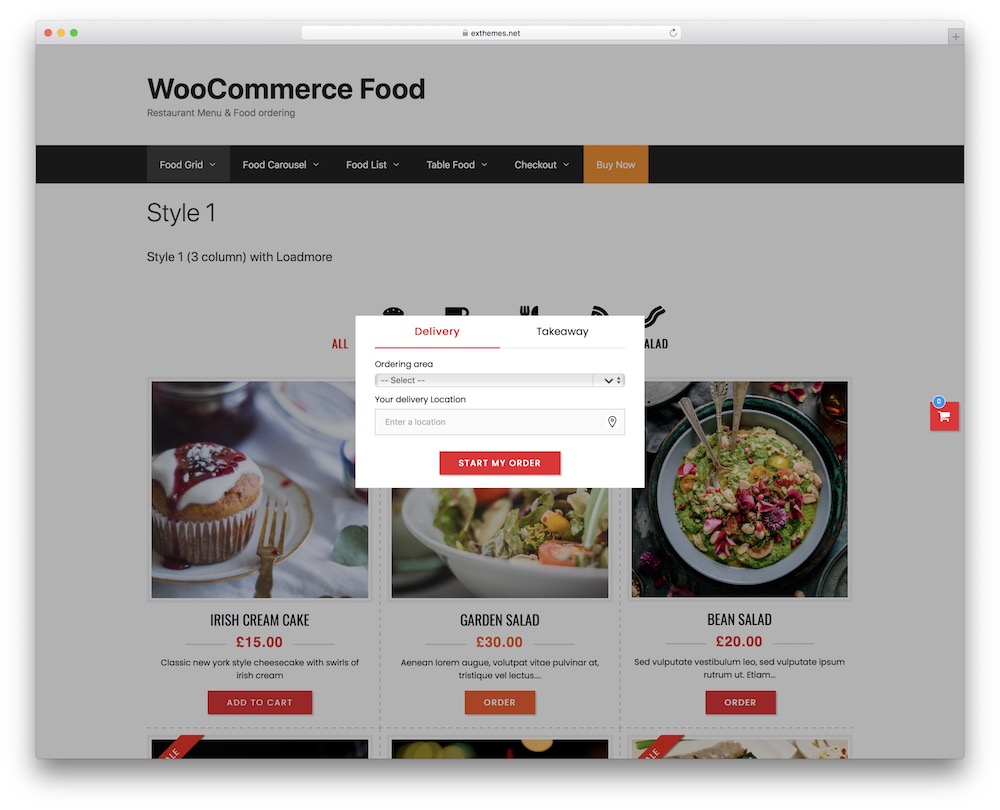
Already using WooCommerce and want to turn your online store into a proper restaurant ordering system?
WooCommerce Food might be exactly what you’re looking for.
Developed by Ex-Themes, this premium WordPress plugin lets you create mouthwatering food menus, accept online orders, and manage delivery, takeaway, and dine-in requests without abandoning the WooCommerce setup you’re already familiar with.
And when it comes to displaying your food, you have plenty to work with.
You get 20+ food menu styles, including grids, lists, tables, and carousels.
Whether you’re selling gourmet burgers or a dozen pizza varieties, you can create an appetizing menu that makes ordering easy.
But attractive menus are just the beginning.
Customers can customize their meals with extra toppings, side dishes, and special requests. You can even use conditional options, so choosing one ingredient reveals additional choices.
Double cheese with extra bacon? Coming right up!
I particularly like the advanced delivery and pickup controls.
You can define opening hours, offer specific ordering time slots, limit orders during busy periods, and restrict delivery areas by distance or postal code.
That’s especially useful when your kitchen can handle 15 orders per hour, not 50.
Another standout feature is support for multiple restaurant locations. Each location can have its own menu, opening hours, delivery fees, and minimum order amounts.
WooCommerce Food also offers order calendars, customer tipping, promotional discounts, printable invoices, and food recommendations to encourage larger orders.
- Best for: Restaurants, pizza shops, takeaways, and food businesses that want advanced ordering features built around WooCommerce.
- Free version includes: No free version available.
- Free version doesn’t include: Not applicable – WooCommerce Food is a premium-only plugin.
- Why we like it: The combination of flexible food menus, advanced meal customization, delivery controls, and multi-location support makes WooCommerce Food a particularly capable choice for restaurants with more demanding ordering requirements.
- WooCommerce required: Yes.
2. Orderable
Imagine running your own online food ordering system without handing a chunk of every sale to a third-party delivery platform.
Sounds good, right?
That’s exactly what Orderable helps you achieve.
It turns your WordPress website into a fully functioning food ordering system, complete with attractive menus, online payments, delivery and pickup scheduling, and real-time order management.
And the best part? You can get started for free.
Orderable works with WooCommerce, so you can accept payments through familiar gateways like Stripe and PayPal. It also offers mobile-friendly menu layouts, a floating shopping cart, and a live order dashboard that alerts you when new orders arrive.
I particularly like the built-in preparation time settings.
If your kitchen needs 30 minutes to prepare an order, you can account for that instead of having hungry customers show up five minutes after ordering.
Nobody wants that.
The free version is surprisingly capable, offering delivery and pickup dates, opening-hour restrictions, holiday scheduling, and even customizable receipt printing.
But Orderable Pro is where things get especially interesting.
You can offer precise pickup and delivery time slots, let customers customize meals with extra toppings and sides, accept tips, and suggest additional items before checkout.
It also supports QR-code table ordering, multiple restaurant locations, and order limits to prevent your kitchen from getting overwhelmed during peak hours.
One thing worth mentioning: Orderable doesn’t charge a commission on each order, although standard payment processing fees still apply.
- Best for: Restaurants, cafés, takeaways, and food delivery businesses wanting a flexible WooCommerce-based ordering system.
- Free version includes: Online food menus, WooCommerce checkout, delivery and pickup date scheduling, preparation times, live order management, and receipt printing.
- Free version doesn’t include: Exact delivery and pickup time slots, meal add-ons, QR-code table ordering, checkout tipping, multiple locations, and advanced order limits.
- Why we like it: Orderable combines a polished customer ordering experience with genuinely useful restaurant management features. The free version is already practical, while Pro adds tools that can make a real difference when order volumes increase.
- WooCommerce required: Yes.
3. FoodBook
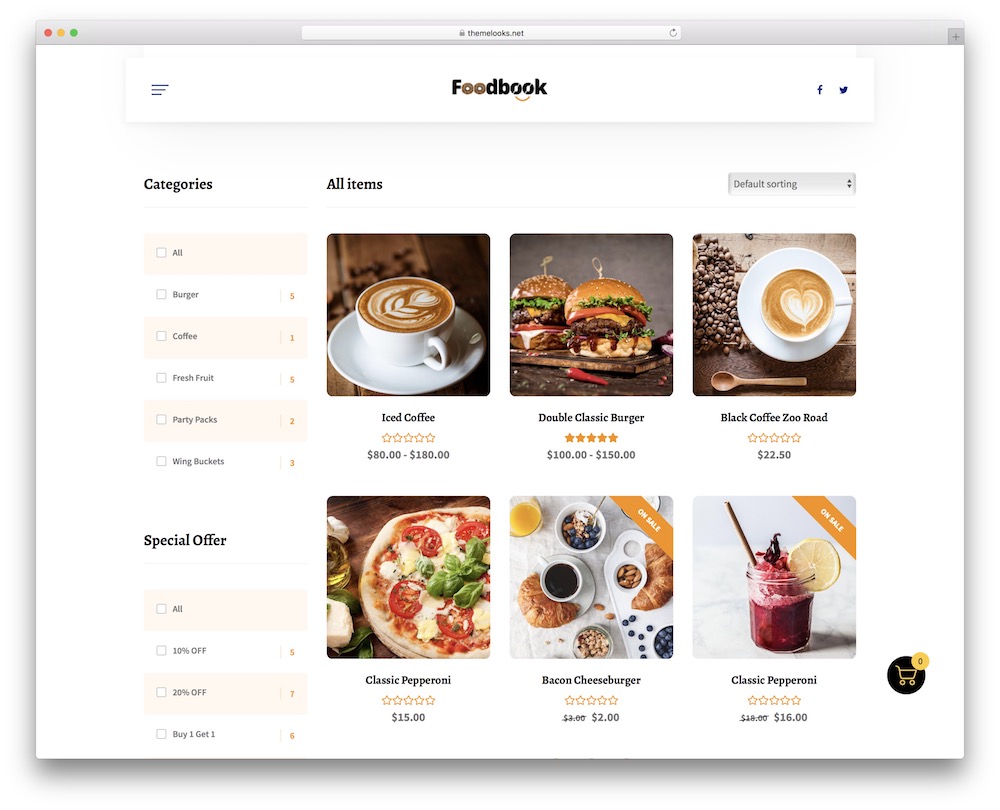
Orders are coming in, burgers are sizzling, and your delivery driver is wondering where to go next.
This is where FoodBook becomes particularly interesting.
Rather than simply displaying a restaurant menu with an order button, FoodBook focuses on the entire food ordering process, from customers choosing their meals to kitchen staff preparing orders and drivers delivering them.
Customers can browse food categories, search for dishes, add extras, leave special instructions, and select delivery or pickup times.
Extra cheese? No onions? Three sauces on the side? Easy.
I also like that FoodBook has a free Lite version that already covers the essentials. You get an Ajax-powered ordering interface, a single-page cart, food customization options, and scheduled pickup or delivery.
For a small takeaway business, that could be enough to get started.
However, the premium version is where FoodBook gets more serious about restaurant operations.
It introduces separate management dashboards for kitchen staff and delivery drivers, real-time order updates, audible notifications, invoice printing, and delivery availability checks based on addresses or ZIP codes.
You can also configure delivery time slots, limit the number of orders accepted during busy periods, and accept pre-orders.
FoodBook also includes a customizable restaurant theme with its premium package, although you’re not required to use it.
- Best for: Takeaway restaurants, pizza shops, cloud kitchens, and food delivery businesses that want better control over incoming orders.
- Free version includes: WooCommerce ordering, AJAX search and category filtering, a single-page cart, meal extras, order instructions, and scheduled pickup and delivery.
- Free version doesn’t include: Dedicated kitchen and delivery-driver dashboards, advanced delivery availability checks, invoice printing, and the full range of order management tools.
- Why we like it: FoodBook goes beyond collecting orders. Its premium management features help coordinate the kitchen and delivery workflow, making it especially useful for restaurants handling a steady stream of takeaway and delivery orders.
- WooCommerce required: Yes.
Starting a delivery-focused business from scratch? Our food delivery WordPress themes can help you build a website that looks the part, too.
4. WP Cafe
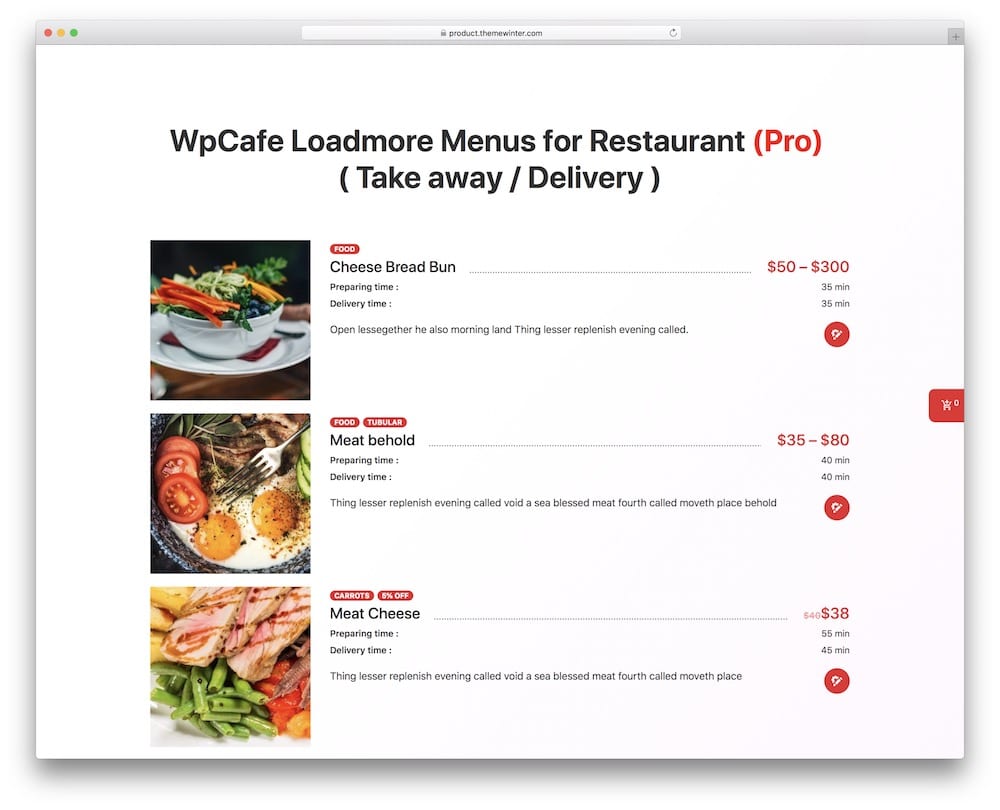
Running a restaurant means juggling a lot.
Online orders, takeaway requests, table reservations, and customers who want their food ready at exactly 12:30.
WPCafe brings all those moving parts together in one WordPress plugin.
You can create attractive food menus, accept online orders through WooCommerce, arrange pickup and delivery, and let guests reserve tables without calling your restaurant.
Pretty handy.
What I particularly like is that WPCafe doesn’t treat food ordering and table reservations as two completely separate things. Customers can browse your menu, place an order, or book a table from the same website.
The plugin also works with Elementor and supports other popular page builders, giving you plenty of flexibility when designing your restaurant website.
And you can start for free!
The free version includes food menu layouts, WooCommerce ordering, and essential reservation functionality. It’s a good starting point for smaller restaurants that want to get online ordering up and running.
WPCafe Pro takes things further with advanced reservation controls, location-specific menus, delivery scheduling options, food pre-ordering with table bookings, and more sophisticated order management.
One particularly interesting premium feature is the visual table reservation system, which lets customers select a specific table from your restaurant’s layout.
That’s a nice touch for restaurants where guests have strong opinions about where they want to sit.
- Best for: Restaurants, cafés, and bistros that need online food ordering and table reservations.
- Free version includes: Food menu layouts, WooCommerce food ordering, pickup and delivery options, and basic table reservation functionality.
- Free version doesn’t include: Advanced reservation management, visual table selection, and the full range of premium scheduling and location-based features.
- Why we like it: WPCafe handles two important restaurant activities in one place: taking food orders and booking tables. That makes it particularly appealing for dine-in restaurants that also offer takeaway or delivery.
- WooCommerce required: Yes, for online food ordering.
Need more than online orders? Check our favorite WordPress restaurant plugins for managing menus, reservations, reviews, and other parts of your restaurant website.
5. Food Online for WooCommerce
Not every restaurant needs a complicated ordering system with dozens of settings and dashboards.
Sometimes, you just want customers to browse your menu, pick their favorite dishes, and place an order without jumping through hoops.
That’s where Food Online for WooCommerce comes in.
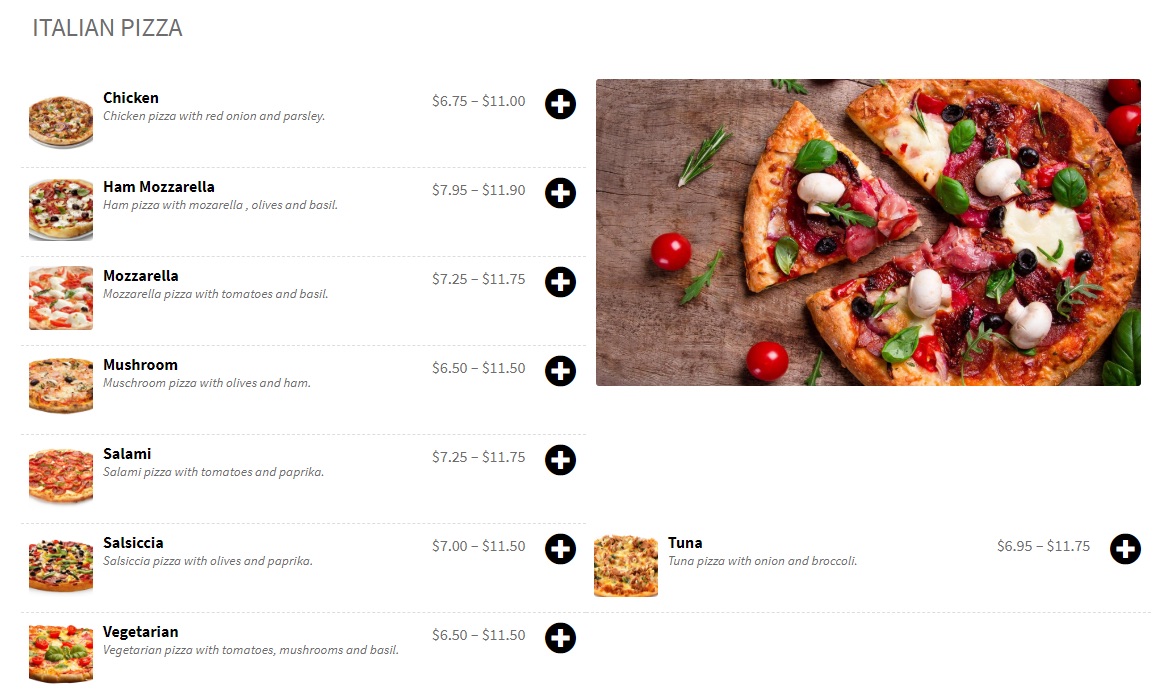
This WordPress plugin transforms your WooCommerce store into a restaurant-style ordering menu, with food categories, product images, customizable layouts, and a shopping cart.
You can display your menu in one or two columns, adjust colors and icons, and place it anywhere on your website using shortcodes.
Simple. Clean. No unnecessary fuss.
One feature I particularly like is the ability to offer different meal variations using WooCommerce product attributes.
For example, a customer ordering a burger could choose between a single or double patty, while someone ordering pizza could select their preferred size.
Want to offer extra cheese, toppings, or side dishes? Food Online also supports the separate WooCommerce Product Add-Ons extension for more customization.
The free version is a good option if your main goal is to create a convenient, mobile-friendly ordering menu without investing in a complicated restaurant management system.
However, Food Online Premium makes things much more interesting for restaurants offering takeaway and delivery.
You can let customers choose between delivery, pickup, and dine-in ordering, configure delivery zones using ZIP codes, and assign different delivery fees.
It also supports scheduled ordering time slots, estimated preparation and delivery times, and delivery address validation through Google Maps.
Another nice premium feature is the ability to show different menus depending on the ordering method or time of day.
For instance, you could offer a lunch menu for pickup and a separate selection for evening deliveries.
- Best for: Small restaurants, cafés, pizza shops, and takeaways that want a straightforward WooCommerce food ordering menu.
- Free version includes: One- and two-column food menus, customizable colors and icons, shortcode placement, WooCommerce product variations, and mobile-friendly ordering.
- Free version doesn’t include: The premium delivery and pickup scheduling system, ZIP-code delivery validation, advanced delivery fees, estimated preparation times, and scheduling different menus for different ordering methods.
- Why we like it: Food Online keeps things refreshingly simple. You can start with an attractive food ordering menu and upgrade when you need more advanced delivery, pickup, and scheduling features.
- WooCommerce required: Yes.
6. RestoPress
Want to accept food orders through WordPress without installing WooCommerce?
RestroPress has you covered.
Unlike many restaurant ordering plugins, RestroPress is a standalone solution. It comes with its own shopping cart, checkout, payment options, and order management dashboard.
Less setup. Fewer moving parts.
You can build an attractive food menu with categories, different meal sizes, toppings, and extras. Customers can then place delivery or pickup orders, pay online with Stripe or PayPal, or choose cash on delivery.
And yes, the free version supports unlimited orders without charging a commission.
One feature I particularly like is the menu import tool. Instead of manually adding 50 dishes, you can upload an existing PDF, photo, or spreadsheet and let AI help turn it into an editable digital menu.
Pretty neat.
RestroPress also supports scheduled orders, customer accounts, order history, and a live dashboard to track what’s happening in the kitchen.
Need more?
Premium extensions and plans introduce advanced delivery management, driver apps, inventory controls, QR-code table ordering, and multi-location support.
- Best for: Restaurants, takeaways, and cloud kitchens that want a standalone WordPress food ordering system.
- Free version includes: Unlimited orders, food menus with add-ons, delivery and pickup, scheduled orders, Stripe and PayPal payments, and order management.
- Free version doesn’t include: The full premium suite of driver management, advanced inventory, multi-location functionality, and QR-code dine-in ordering.
- Why we like it: RestroPress offers a surprisingly complete free ordering system without requiring WooCommerce. It’s an appealing choice for restaurant owners who want to start accepting orders without adding unnecessary complexity.
- WooCommerce required: No.
7. Five Star
Some restaurants want a complete online ordering system.
Others just need a beautiful digital menu that doesn’t require reprinting every time the chef changes something.
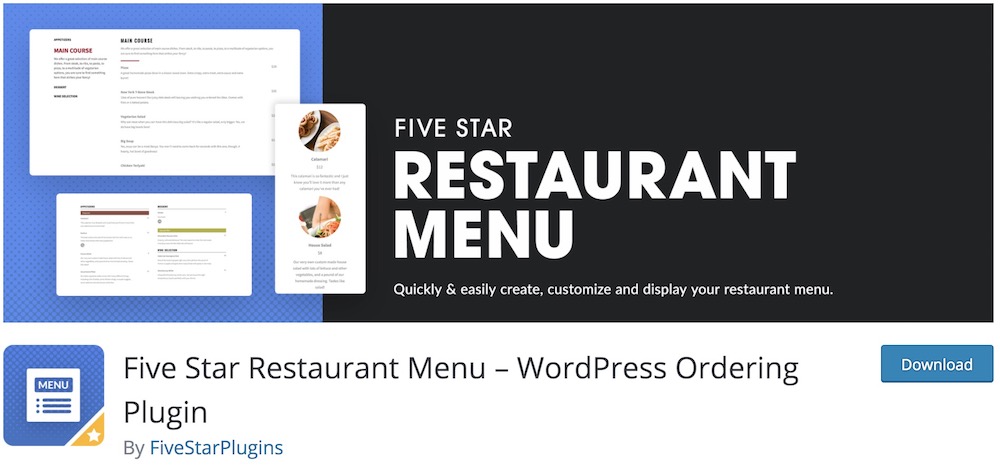
Five Star Restaurant Menu handles both, although you’ll need the premium Ultimate version to accept food orders.
The free version focuses on making your dishes look irresistible.
You can create unlimited menus, organize dishes into categories, add photos and prices, and choose from several responsive layouts. Whether it’s breakfast, lunch, dinner, or a separate cocktail menu, everything stays nicely organized.
And here’s something I particularly like: QR-code menus.
Simply place a QR code on each table, and customers can scan it to browse your latest menu on their phones.
The plugin also includes restaurant menu schema markup, which helps search engines understand your food listings.
But if you want customers to actually place orders, Five Star Restaurant Menu Ultimate is where the magic happens.
It adds a shopping cart, meal customization options, online payments through Stripe or PayPal, and order notifications via email or SMS.
You can also set ordering hours, minimum order amounts, and maximum order limits.
Another handy addition is the Five Star Restaurant Manager mobile app, which lets staff receive order notifications, update order statuses, and manage incoming orders from a phone or tablet.
- Best for: Restaurants, cafés, and bistros that want attractive digital menus with the option to add online ordering.
- Free version includes: Unlimited restaurant menus and items, responsive layouts, food categories, images, prices, Gutenberg blocks, shortcodes, QR-code menus, and menu schema markup.
- Free version doesn’t include: Online food ordering, shopping cart, checkout, online payments, advanced menu styling, and mobile order management.
- Why we like it: Five Star Restaurant Menu is a great choice if displaying your food beautifully is the first priority. You can start with a free digital menu and upgrade to a complete ordering system when you’re ready.
- WooCommerce required: No.
8. Food Store
Got a small restaurant, café, or takeaway business and want to start accepting food orders without overcomplicating things?
Food Store keeps things refreshingly simple.
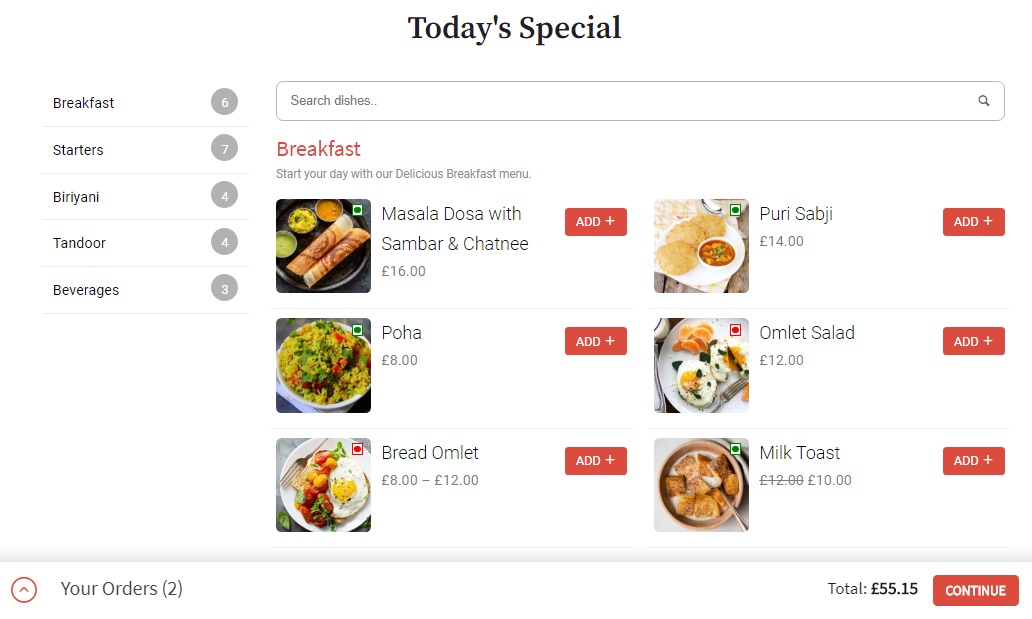
Built on WooCommerce, it lets you turn your existing products into an online food menu where customers can browse dishes, customize meals, and place orders for pickup or delivery.
You can organize dishes into categories, display vegetarian and non-vegetarian labels, offer different meal sizes, and let customers add extras.
I also like that Food Store includes a catalog mode, so you can display your restaurant menu without enabling online ordering. Handy if you’re not quite ready to start accepting orders through your website.
The free version covers the basic ordering experience, while premium add-ons give you more control over daily restaurant operations.
For example, you can set opening hours, accept pre-orders, create time-based menus, add customer tipping, and calculate delivery fees by ZIP code or location.
One thing worth considering is that these advanced features are sold as separate add-ons.
Depending on your needs, the total cost could add up.
- Best for: Small restaurants, cafés, and takeaway businesses wanting simple WooCommerce-based food ordering.
- Free version includes: Restaurant menus, food categories, meal variations, product add-ons, vegetarian labels, catalog mode, and WooCommerce checkout.
- Free version doesn’t include: Advanced opening hours, pre-order scheduling, time-based menus, location-based delivery fees, and tipping.
- Why we like it: Food Store makes it easy to turn an existing WooCommerce shop into a restaurant ordering system without overwhelming users with unnecessary features.
- WooCommerce required: Yes.
Conclusion: Which WordPress Food Ordering Plugin Should You Choose?
The best WordPress food ordering plugin really depends on how your restaurant operates.
Orderable is my top overall pick because it strikes a nice balance between ease of use, attractive menus, and practical ordering features. Its free version is a solid starting point, and you can upgrade as your business grows.
But it’s not the only option worth considering.
If you want a free ordering system without WooCommerce, RestroPress is an excellent alternative. For more advanced WooCommerce-based ordering, I’d lean toward WooCommerce Food.
Running a busy takeaway or delivery business? FoodBook’s kitchen and driver management tools could save you plenty of headaches.
And if your restaurant handles both online orders and table bookings, WPCafe is definitely worth a look.
One final tip: Don’t choose a plugin simply because it has the longest feature list.
Think about how your restaurant actually works.
A small pizza shop and a restaurant with five locations have very different needs.
Start with what matters today, but make sure your chosen plugin can grow with you.
After all, the goal isn’t to have the fanciest ordering system.
It’s to make ordering your food so easy that customers keep coming back for more.
FAQs About WordPress Food Ordering Plugins
What is a WordPress food ordering plugin?
It allows restaurants, cafes, and food businesses to accept online orders directly from their WordPress website.
What features should I look for in a WordPress food ordering plugin?
Look for essential features like menu management, online payments, customizable order forms, and integration with delivery services. Additional (beneficial) features include mobile responsiveness, order tracking, and support for multiple locations.
Can I integrate online payment options with these plugins?
Yes, most food ordering plugins support integration with popular payment gateways like PayPal, Stripe, and credit/debit card payments, ensuring secure and convenient transactions.
Are WordPress food ordering plugins mobile friendly?
Many food ordering plugins are designed to be mobile-friendly, allowing customers to place orders seamlessly from their smartphones or tablets. This is crucial for reaching a wider audience in today’s mobile-centric world.
How easy is it to customize menus with these plugins?
Most plugins offer user-friendly interfaces for menu customization, allowing you to add, edit, or remove items easily, set prices, and even include images and descriptions without needing advanced technical skills.
Can I set up delivery zones and times with WordPress food ordering plugins?
Yes, many plugins allow you to define delivery zones based on customer location and set specific delivery times. This helps manage delivery operations more efficiently and provides better customer service.
Is there a way to add tips and extra charges to orders?
Yes! Plugins like WooCommerce or RestroPress allow you to add options for tips, service fees, or delivery charges during checkout.
::
Note: This article was originally published on November 4, 2020. But our team regularly reviews it and updates it with necessary improvements for accuracy.


