


Selling through WooCommerce is one thing.
Selling online and at a physical counter?
That’s where things get interesting.
You need stock to stay in sync. Orders should land in the same system. Staff need a fast checkout screen.

Barcodes, receipts, cash, cards, discounts, refunds — all of it has to work without creating a second mess behind the scenes.
That’s exactly what the best WooCommerce POS plugins do.
Some focus on simple browser-based checkout. Others go much further with offline mode, multiple outlets, barcode scanners, receipt printers, Stripe or Square terminals, Tap to Pay, staff accounts, and restaurant workflows.
Different stores. Different setups.
Let’s find the one that fits your counter, your team, and how you sell.
This post covers:
- Quick Picks: Best WooCommerce POS Plugins
- Best WordPress Point Of Sale (POS) Plugins
- What Makes A Good WordPress POS Plugin?
- Online + In-Store Inventory Sync
- Do You Need Offline POS Mode?
- Which POS Hardware Should You Check For?
- WooCommerce POS Vs Standalone POS System
- Conclusion: Which WooCommerce POS Plugin Should You Choose?
- FAQs About WordPress POS Plugins
Quick Picks: Best WooCommerce POS Plugins
Here’s the short version:
- Vitepos – Best Overall: Great all-round choice for outlets, staff, barcode scanning, reports, and WooCommerce stock sync.
- OpenPOS – Best Premium POS: Strong for retail, restaurants, cafes, and salons with offline mode, multiple outlets, and hardware support.
- YITH Point Of Sale – Best Premium All-Rounder: Good for multiple stores, registers, staff accounts, and centralized inventory.
- WCPOS – Best Flexible Free/Core Option: A simple browser-based POS with WooCommerce sync and offline cart support.
- Oliver POS – Best For Mobile Selling: Ideal if you want to sell from phones, tablets, desktops, and physical locations.
- wePOS – Best For Dokan Stores: Best suited to Dokan and multi-vendor setups.
- FooSales – Best For Retail Hardware: Great for barcode scanners, receipt printers, Stripe, Square, and physical store workflows.
- Jovvie – Best For Tap To Pay: A modern option for Stripe Terminal, Tap to Pay, split payments, and multi-location selling.
Best WordPress Point Of Sale (POS) Plugins
1. Vitepos
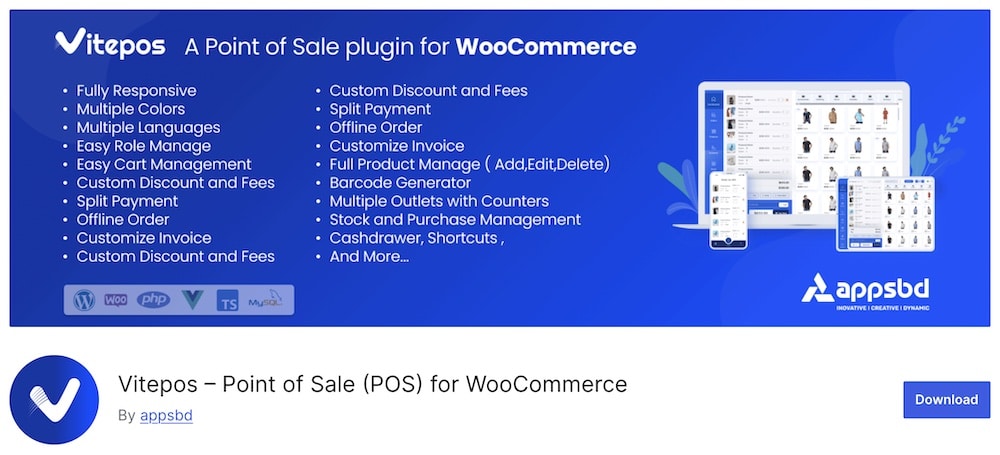
Vitepos is a strong all-rounder for turning WooCommerce into a proper in-store POS system.
You can manage multiple outlets, counters, cashiers, customers, inventory, invoices, and orders from one interface.
Barcode scanning works with dedicated scanners or a mobile camera, while stock updates sync back to WooCommerce in real time.
The interface is responsive too, so it works across desktop, tablet, and mobile.
Flexible.
Vitepos also supports cash drawers, held carts, custom invoices, discounts, tax by outlet, product creation from the POS, and role-based permissions.
- Best for: WooCommerce stores that want a modern, flexible POS for one or multiple locations
- Free version includes: Outlets, counters, cashiers, customer management, barcode scanning, WooCommerce stock sync, custom invoices, cash drawer tools, held carts, discounts, product creation, tax controls, and role management
- Pro adds: Split payments, offline order processing, extra themes, and additional advanced POS features
- Why we like it: It covers the core retail workflow without making the interface feel dated or overly complicated
- What I’d improve: Some useful features, especially split payments and offline order processing, are reserved for Pro
2. Openpos

OpenPOS is one of the more complete premium WooCommerce POS options for businesses that sell both online and in person.
It supports retail, restaurant, cafe, salon, and rental workflows, with unlimited cashiers, registers, and outlets on a single-site license.
Orders and inventory sync back to WooCommerce, while offline mode lets staff keep taking sales even if the connection drops.
Hardware support is another big strength.
You can work with barcode scanners, receipt and label printers, cash drawers, scales, customer displays, and card terminals from providers like Stripe and Square.
- Best for: Retailers, restaurants, cafes, salons, and other physical businesses using WooCommerce
- Includes: Offline selling, unlimited registers/cashiers/outlets, barcode scanning, receipts, stock sync, discounts, customer management, restaurant mode, rental mode, and broad hardware support
- Why we like it: It covers both classic retail and restaurant-style workflows without charging per register or cashier
- What I’d improve: The interface packs in a lot, so first-time setup can take longer than with simpler POS plugins
- Price: $74
Note: If you’re building the whole restaurant setup, these WordPress restaurant plugins cover menus, reservations, ordering, reviews, locations, and more.
3. YITH Point Of Sale For WooCommerce

YITH Point Of Sale is a polished choice if you want to turn WooCommerce into a proper in-store checkout system without adding separate POS software.
You can create unlimited stores and registers, assign cashiers, manage stock per location, customize receipts, and sync orders, customers, and inventory directly with WooCommerce.
The register is well equipped, too.
Cashiers can scan products, apply discounts or coupons, suspend carts, add customers, create products on the fly, and even split one order across multiple payment methods.
Useful.
- Best for: Multi-store retailers that want a polished WooCommerce-native POS
- Includes: Unlimited stores/registers, multiple cashiers, multi-stock, barcode support, split payments, suspended carts, custom receipts, reports, discounts, coupons, product creation, and detailed register statistics
- Why we like it: It gives you a lot of store-level control while keeping WooCommerce as the central system
- What I’d improve: There’s no true offline mode, and card payments still require a separate terminal rather than direct POS gateway processing
4. WCPOS
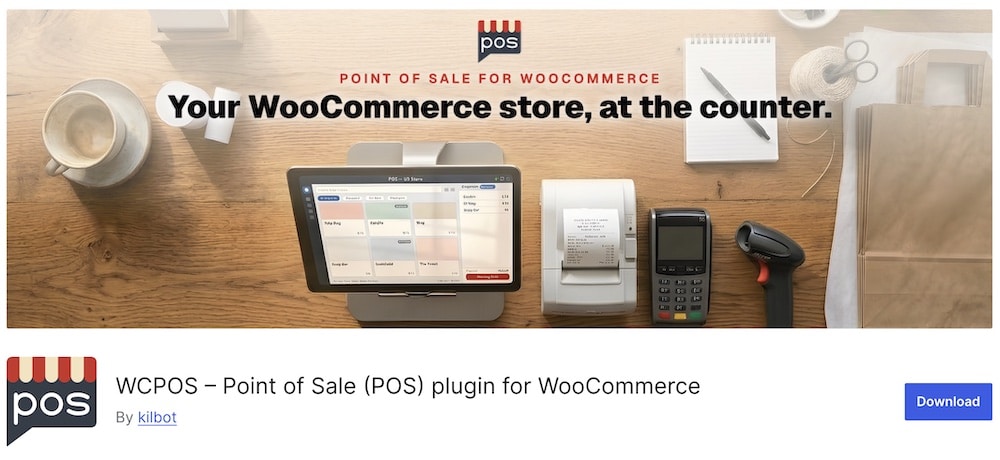
WCPOS keeps the setup pretty simple:
Same WooCommerce catalog. Same stock. Same prices. Just a much faster checkout screen for in-person sales.
You can run it in a browser or through native desktop, iOS, and Android apps, which makes it useful at a counter, on the road, or even over the phone.
If the connection drops, staff can still browse products and build the cart offline, then sync once the store is reachable again. Nice.
The plugin also supports receipt printing, barcode scanning, customer lookup, refunds, payment gateways, and local sync for larger catalogs.
Recent updates have focused heavily on sync reliability, printing, payment handling, and long-session stability.
- Best for: Stores that want a flexible WooCommerce POS across browser, desktop, and mobile
- Free version includes: Browser POS, desktop/mobile apps, offline product browsing and cart building, cash/card payments, WooCommerce sync, receipts, refunds, customer management, barcode support, and local product/order storage
- Pro adds: Extra payment integrations, advanced hardware and printer support, more checkout options, and deeper store controls
- Why we like it: It works across multiple devices and keeps the POS closely tied to WooCommerce instead of creating a separate retail system
- What I’d improve: The free/core setup is solid, but more advanced payment and hardware workflows push you toward Pro
5. Oliver POS

Oliver POS is a strong fit if you want to sell from multiple devices without breaking your WooCommerce workflow.
It works across iPhone, iPad, Android, desktop, and browser, while keeping products, customers, orders, and inventory synced with WooCommerce in real time.
That makes it useful for physical stores, pop-ups, events, or staff who need to sell away from the main counter.
The mobile side is especially handy.
You get barcode scanning, customer management, staff permissions, multiple outlets, Tap to Pay support, Stripe Terminal integration, and offline order handling when the connection gets flaky.
Flexible.
- Best for: Stores that want mobile selling plus WooCommerce sync across several devices
- Includes: iOS/Android apps, browser POS, real-time WooCommerce sync, barcode scanning, multi-outlet support, customer management, staff permissions, offline orders, Tap to Pay, and Stripe Terminal integration
- Why we like it: It gives you a lot of freedom to sell from phones, tablets, or desktops without creating a separate inventory system
- What I’d improve: The wider feature set can take a little time to configure if you only need a very basic countertop POS
6. wePOS

wePOS is a smart pick if your WooCommerce setup goes beyond a single store.
Its biggest advantage is Dokan compatibility, which makes it useful for multi-vendor marketplaces where different sellers need a fast POS interface tied into WooCommerce.
It also works well for regular stores that want barcode scanning, receipts, discounts, customer management, and real-time stock updates.
The 2026 rebuild gave it a much cleaner cashier experience too.
You now get multiple display modes, improved tax handling, fractional quantities, barcode support, better receipts, and stronger WooCommerce synchronization.
- Best for: Dokan marketplaces, multi-vendor stores, and WooCommerce retailers
- Includes: POS checkout, barcode scanning, receipts, discounts, taxes, customer management, fractional quantities, multiple display modes, product search, and WooCommerce stock/order sync
- Why we like it: Dokan support gives it a clear edge for marketplace-style setups
- What I’d improve: Its biggest strength is also its niche — if you don’t use Dokan or multi-vendor workflows, other POS plugins may offer a broader retail feature set
Note: If you’re still choosing the marketplace layer itself, these WooCommerce multi-vendor plugins cover Dokan, WC Vendors, WCFM, and other strong options.
7. FooSales Point of Sale

FooSales is built for stores that want WooCommerce on the front end and proper retail hardware at the counter.
It works through web, iPad, and Android apps, with real-time sync of products, orders, customers, and stock.
Barcode scanners, receipt printers, cash drawers, and card terminals all fit into the workflow, so it feels much closer to a traditional retail POS than a simple browser checkout.
Stripe and Square support are big selling points too.
You also get split payments, refunds, staff PINs, discounts, customer profiles, offline order capture, and detailed POS reports.
- Best for: Retail stores that rely on hardware, Stripe, or Square
- Includes: Web/iOS/Android POS, WooCommerce sync, barcode scanners, receipt printers, cash drawers, Stripe, Square, split payments, refunds, staff PINs, offline orders, discounts, customer management, and reporting
- Why we like it: It bridges WooCommerce with real-world retail hardware better than most lightweight POS plugins
- What I’d improve: The setup is more involved if you only need a basic cash-and-card checkout
8. Jovvie
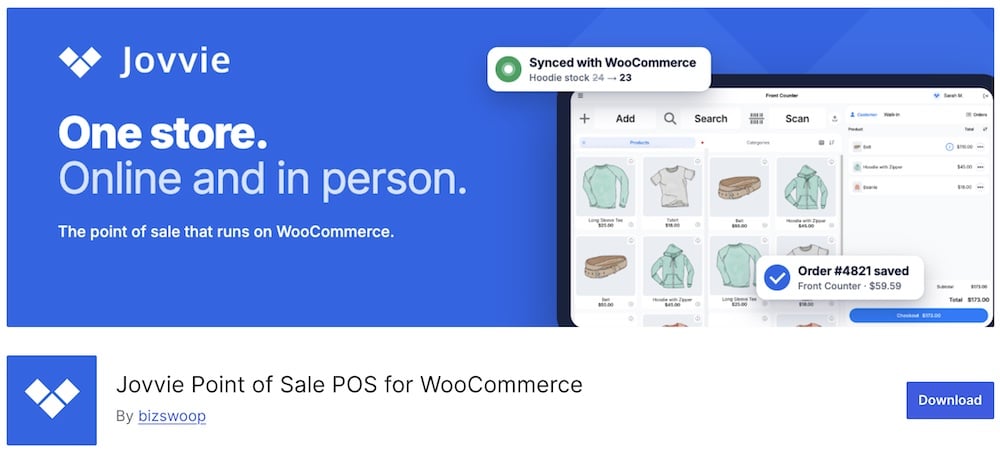
Jovvie is a modern WooCommerce POS built around fast checkout and flexible payments.
It works directly with your WooCommerce products, customers, orders, and inventory, while adding Stripe Terminal, Tap to Pay, Apple Pay, Google Pay, split payments, tips, refunds, and multi-location support.
That’s especially appealing if you want to sell from a phone or tablet without building a complicated hardware setup.
There’s plenty for staff too.
You can use employee PINs, barcode scanning, custom order statuses, cash management, receipts, product variations, and station-level payment settings.
Recent updates have also focused heavily on checkout speed, Stripe reliability, refunds, and multi-currency support.
- Best for: Stores that want modern Stripe-based payments and Tap to Pay
- Includes: Stripe Terminal, Tap to Pay, Apple Pay, Google Pay, split payments, tips, barcode scanning, employee PINs, receipts, refunds, cash management, multiple locations, and WooCommerce sync
- Why we like it: It gives WooCommerce a very modern in-person payment workflow without forcing you into a traditional counter-only setup
- What I’d improve: The free plan is limited to the first 25 orders, so serious stores will hit the paid tier quickly
What Makes A Good WordPress POS Plugin?
With the many needs of merchants comes the need for many features that a POS system needs to handle.
But it all begins with a plugin that’s easy to activate and install and regularly updated to keep up with the latest WordPress versions and bug fixes. (We also have an in-depth tutorial on how to install a WordPress plugin.)
Moreover, a good POS plugin won’t slow down your website but rather keep it running flawlessly as if nothing happened. (This is a big one!)
Also, every top-notch plugin comes with extensive documentation and support (in the case of premium ones), so you never need to worry about getting help.
It’s also essential that the plugin allows you to control inventory, scan products, add discounts, manage multiple carts, etc.
But remember, every plugin is unique and comes with a set of exclusive features, that’s why we added seven of them, so there’s something for everyone.
Online + In-Store Inventory Sync
This is one of the biggest reasons to use a WooCommerce POS plugin in the first place.
Your online store and physical shop should share the same stock numbers.
No guessing. No double-selling.
When someone buys an item in-store, the quantity should update in WooCommerce right away.
And when someone orders online, your POS should see that change too.
Good inventory sync helps prevent:
- Selling products that are already out of stock
- Staff checking the wrong inventory numbers
- Manual stock adjustments
- Overselling popular products
- Separate online and offline inventory lists
- Confusion across multiple store locations
- For multi-store setups, this gets even more important.
You may need separate stock levels for each outlet while still keeping WooCommerce as the central system.
That’s where stronger POS plugins earn their keep.
Do You Need Offline POS Mode?
Not every store needs it.
But if your internet connection is unreliable, offline mode can save you from a very awkward checkout line.
It lets staff keep adding products, building carts, and sometimes even completing orders when the connection drops.
That’s especially useful for:
- Pop-up shops
- Markets and events
- Mobile sellers
- Stores with weak Wi-Fi
- Temporary retail locations
- Busy counters where downtime is expensive
The important part is what “offline” actually means.
Some POS plugins only let you browse products and build the cart offline, then require a connection before payment or final sync.
Others can store completed orders locally and push them to WooCommerce once the connection returns.
Big difference.
So if offline selling matters to you, check exactly what the plugin supports before choosing it.
Which POS Hardware Should You Check For?
A POS plugin is only half the setup.
The other half is the hardware sitting on the counter.
Before choosing a WooCommerce POS plugin, check whether it supports the equipment you actually plan to use.
That can include:
- Barcode scanners: Great for faster product lookup and checkout.
- Receipt printers: Useful for physical stores, cafes, restaurants, and any business where customers expect printed receipts.
- Cash drawers: Important if you still accept cash and want the drawer tied into the checkout workflow.
- Card terminals: Check compatibility with Stripe Terminal, Square, or whatever payment provider you use.
- Tap to Pay: Handy if you want to accept contactless payments directly on a compatible phone or tablet.
- Label printers: Useful for product labels, barcodes, shelf pricing, and stock management.
- Customer displays: Let shoppers see prices, totals, and payment information during checkout.
- Scales: Important for stores selling products by weight.
- Kitchen printers: A must for restaurants and cafes that need orders sent straight to the kitchen.
The catch?
Not every POS plugin supports every device.
Some work with almost any standard USB or Bluetooth hardware. Others require specific printers, terminals, or payment integrations.
Check compatibility both ways.
WooCommerce POS Vs Standalone POS System
Both can work well.
WooCommerce POS
A WooCommerce POS plugin keeps your online and in-store sales inside the same ecosystem.
That usually means:
- Shared products
- Shared customers
- Shared inventory
- Shared orders
- One WordPress dashboard
- Fewer separate systems to manage
It’s a great fit if WooCommerce is already the heart of your business.
The main advantage?
Less duplication.
Standalone POS System
A standalone POS runs as its own platform.
Think separate software for checkout, inventory, staff, reports, and payments.
These systems can be more powerful for complex retail operations, especially when you need:
- Advanced warehouse tools
- Deep staff management
- Enterprise reporting
- Complex multi-location setups
- Specialized hardware
- Industry-specific workflows
The downside is integration.
You may need connectors, apps, or middleware to keep WooCommerce products and stock synced properly.
Conclusion: Which WooCommerce POS Plugin Should You Choose?
The best WooCommerce POS plugin depends on how you actually sell.
For most stores, Vitepos is my top all-round pick. It covers outlets, cashiers, barcode scanning, stock sync, reports, and a modern checkout workflow without feeling overbuilt.
If you want a more established premium option, OpenPOS is a strong fit for retail, restaurants, cafes, and salons.
Prefer a polished WooCommerce-native setup?
Go with YITH Point Of Sale.
For browser, desktop, and mobile flexibility, WCPOS and Oliver POS both make sense.
If you run Dokan or a multi-vendor marketplace, wePOS is the specialist choice.
Need deeper hardware support?
FooSales is the one I’d look at for barcode scanners, printers, Stripe, Square, and traditional retail setups.
And if modern payments matter most, Jovvie stands out with Tap to Pay and Stripe Terminal.
In short, pick based on your real checkout workflow.
Single store. Multiple outlets. Mobile selling. Hardware. Offline mode. Restaurants. Marketplace.
Once you know which of those matters most, the right POS plugin becomes much easier to spot.
FAQs About WordPress POS Plugins
What are WordPress POS (Point of Sale) plugins?
WordPress POS plugins integrate point of sale functionality into your WordPress site, particularly useful for WooCommerce stores.
Why do I need a POS plugin for my WooCommerce store?
If you sell both online and in a physical location, a POS plugin helps you manage sales, inventory, and customer data in one system.
Can POS plugins sync with online inventory?
Yes, most WordPress POS plugins can synchronize with your online inventory. This means when a sale is made in your physical store, the inventory levels are updated in real-time on your website, ensuring accurate stock.
Do these plugins support hardware integration?
Many WordPress POS plugins support integration with retail hardware like barcode scanners, receipt printers, and cash drawers. This allows for a more efficient and professional setup for physical store operations.
Are WordPress POS plugins suitable for different types of businesses?
WordPress POS plugins are versatile and suitable for various types of businesses, including retail stores, cafes, and restaurants.
Can I Process Various Payment Methods with POS Plugins?
Yes, WordPress POS plugins typically support various payment methods, including cash, credit/debit cards, and sometimes even mobile payments.
How do WordPress POS plugins integrate with WooCommerce?
Most WordPress POS plugins seamlessly integrate with WooCommerce by accessing the same product catalog, customer information, and order history. This real-time integration ensures that any sales made through the POS system immediately reflect in your online store’s inventory.
::
Note: This article was originally published on April 7, 2022. But our team regularly reviews it and updates it with necessary improvements for accuracy.