

Adding audio to WordPress is easy. Choosing the right player is where things get more interesting.
Some plugins are built for simple MP3 playback, while others are better for music playlists, podcasts, radio streams, downloads, or selling audio through WooCommerce.
We compared the best free WordPress audio player plugins based on playback features, ease of use, customization, playlist support, integrations, and what you actually get in the free version.
Below, you’ll find our favorite options for different types of audio websites, so you can quickly pick the one that fits your setup best.

This post covers:
- Best free WordPress audio & music player plugins
- Do you even need an audio player plugin?
- How we tested these free WordPress audio player plugins
- Conclusion: Which audio player plugin should you choose?
- FAQs about WordPress audio player plugins
Before you continue, you may also want to check our guide on installing a WordPress plugin for beginners.
Best Free WordPress Audio & Music Player Plugins
Not everyone is satisfied with WordPress’s default audio player and the possible integration via a shortcode.
That’s when these plugins come into play.
Take WordPress music TO THE NEXT LEVEL.
| Plugin | Best For | Playlists | Podcasts | WooCommerce | Standout Free Feature |
|---|---|---|---|---|---|
| AudioIgniter | Best overall | Yes | Yes | Yes | Unlimited playlists & tracks |
| HTML5 Audio Player | Podcasts & general playback | Yes | Yes | No | Podcast RSS importing |
| MP3 Audio Player | Musicians & advanced audio sites | Yes | Yes | Limited | Waveform player + unlimited playlists |
| Music Player for WooCommerce | Selling music & audio | Yes | No | Yes | Audio previews on WooCommerce products |
| Music Player for Elementor | Elementor websites | Yes | Yes | Limited | Audio widgets inside Elementor |
| Compact WP Audio Player | Lightweight MP3 playback | No | Basic audio only | No | Tiny shortcode-based player |
| CP Media Player | Audio + video websites | Yes | No | No | Handles audio and video in one plugin |
| PowerPress | Podcast publishing | Yes | Yes | No | Complete podcast publishing system |
1. AudioIgniter
AudioIgniter is one of the strongest free WordPress audio players if you want to publish music playlists, podcast episodes, radio streams, or downloadable tracks without complicating the setup.
Its biggest advantage is flexibility.
You can create unlimited playlists with unlimited tracks, use either a full or simplified player layout, show or hide track details, add cover artwork, display artist names, and control how much of the playlist is visible.
It also pulls ID3 tag information automatically from MP3 files, which can save quite a bit of manual work.
AudioIgniter works with Gutenberg, Elementor, and Visual Composer. Plus, you can embed players with shortcodes as well.
It also supports radio streaming and a long list of podcast and streaming services, including Acast, Amazon S3, Castbox, Icecast, Podbean, Shoutcast, and Libsyn.
I especially like the built-in Buy Track and Download URL fields.
They let you turn the player into more than just a listening tool, while WooCommerce integration gives musicians another way to sell individual tracks.
The free version already covers the essentials well, but advanced playback controls such as shuffle, playback speed, lyrics, fixed-position players, track analytics, and the ability to remember the listener’s last position require AudioIgniter Pro.
- Best for: Music playlists, podcasts, radio streams, and general-purpose audio playback
- Free version includes: Unlimited playlists and tracks, radio streaming, download and buy links, ID3 tag extraction, responsive players, and Gutenberg/Elementor support
- Free version doesn’t include: Shuffle, playback-rate controls, lyrics, fixed-position players, advanced track controls, and playlist/track analytics
- Why we like it: It gives you a genuinely useful playlist system for free without forcing you into a complicated interface
- Active installations: 10,000+
2. HTML5 Audio Player
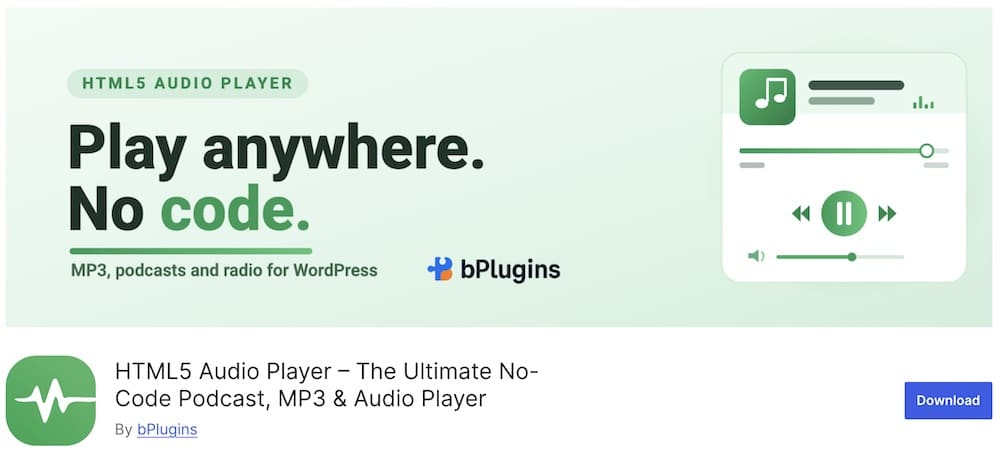
HTML5 Audio Player has grown into much more than a basic MP3 player.
It now covers podcasts, playlists, live streams, SoundCloud audio, Google Drive files, and lossless FLAC playback.
One of the biggest improvements is the free Audio Playlist Player.
You can build playlists, import podcast episodes from an RSS feed, and add subscribe buttons for Spotify, Apple Podcasts, Amazon Music, YouTube Podcasts, or a custom RSS feed.
That makes it extra useful for podcasters who want more than WordPress’s default Audio block.
The free version also includes several player skins, responsive playback, Gutenberg support, HLS live streaming, SoundCloud and Google Drive support.
Moreover, you can also customize things like width, border radius, thumbnails, titles, and artist details. It supports MP3, OGG, and FLAC files too.
I also like that the plugin is being actively developed.
Recent updates added unlimited podcast RSS episode fetching, a SoundCloud-style waveform for free users, HLS streaming, lazy loading, and podcast subscribe links.
- Best for: Podcasts, playlists, live audio streams, and general-purpose audio playback
- Free version includes: Audio playlists, podcast RSS importing, podcast subscribe links, multiple skins, SoundCloud and Google Drive playback, HLS streaming, FLAC support, and Gutenberg integration
- Free version doesn’t include: Playback speed controls, skip forward/rewind buttons, podcast search and filtering, premium playlist layouts, track history, advanced color controls, and several radio-streaming features
- Why we like it: The free version now includes an unusually broad mix of podcast, playlist, waveform, and streaming tools
- Active installations: 10,000+
3. MP3 Audi Player By Sonaar
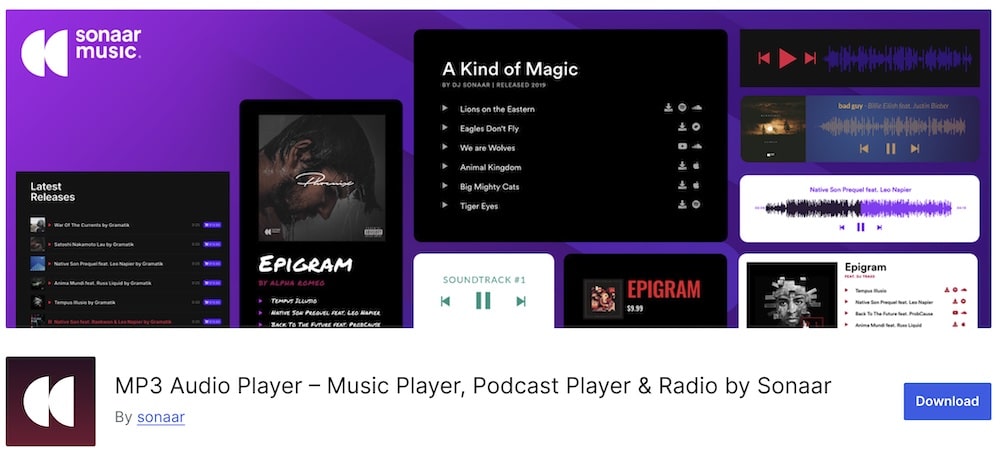
Sonaar is one of the most feature-packed free audio players in this roundup.
The free version lets you create unlimited playlists, albums, and podcast players, then embed them through Gutenberg, Elementor, or shortcodes.
It supports MP3, M4A, FLAC, podcast RSS feeds, radio streams, and multiple streaming platforms. This makes it go beyond a simple one-track player.
One feature I really like is the real-time waveform display.
It gives the player a more polished, modern look, and you can also add download buttons, custom call-to-action links, album artwork, social links, and track metadata pulled automatically from ID3 tags.
Podcasters get particularly good value from the free version.
You can import episodes from major podcast distributors, work with multiple podcast feeds, and add subscribe buttons without upgrading immediately.
Note: Live Icecast and other public audio streams are supported too.
The main reason to upgrade is if you need the more advanced listening and monetization tools.
Pro adds things like a sticky player, continuous playback, advanced WooCommerce selling features, track search and filters, favorites, audio previews, playback speed controls, statistics, and deeper styling options.
- Best for: Musicians, podcasters, radio stations, and sites with large audio libraries
- Free version includes: Unlimited playlists and tracks, podcast RSS importing, waveform players, download and CTA buttons, radio streaming, ID3 metadata, Elementor/Gutenberg support, and multiple podcast feeds
- Free version doesn’t include: Sticky and continuous players, advanced WooCommerce selling tools, favorites, search and filtering, playback-speed controls, advanced analytics, and several premium customization features
- Why we like it: It gives creators an unusually powerful mix of music, podcast, playlist, and streaming tools without making the free version feel stripped down
- Active installations: 20,000+
4. Music Player for WooCommerce
Music Player for WooCommerce is a more specialized option than the other general-purpose players.
It’s built for selling audio through WooCommerce.
This makes it handy for musicians, producers, sample creators, audiobook sellers, and other stores where customers should be able to preview audio before buying.
The free version can automatically place players on WooCommerce product and shop pages, supports MP3, WAV, WMA, and OGA, and also works with M3U/M3U8 playlists.
You can choose from multiple player skins, decide where players appear, enable sequential playback or looping, and even show a visualizer.
I also like how broadly it works with page builders and multivendor setups.
There are dedicated integrations for Gutenberg, Elementor, Divi, Beaver Builder, and SiteOrigin. And it also supports Dokan, WCFM Marketplace, WC Vendors, and MultivendorX.
That gives it a very different role from a simple embedded audio player.
The main limitation is audio protection.
Secure playback, truncated demo files, custom demo files, and purchased-only playlists are reserved for the commercial version.
So the free plugin is excellent for adding previews to products, but Pro makes more sense when protecting the original audio files is essential.
- Best for: WooCommerce stores selling music, samples, audiobooks, and other audio products
- Free version includes: WooCommerce product players, playlists, multiple skins, MP3/WAV/WMA/OGA support, visualizer, Gutenberg and page-builder integrations, and multivendor compatibility
- Free version doesn’t include: Secure audio protection, truncated preview files, separate demo files, and purchased-only playlists
- Why we like it: It connects audio previews directly to WooCommerce products instead of treating playback as a separate part of the store
- Active installations: 1,000+
5. Music Player for Elementor
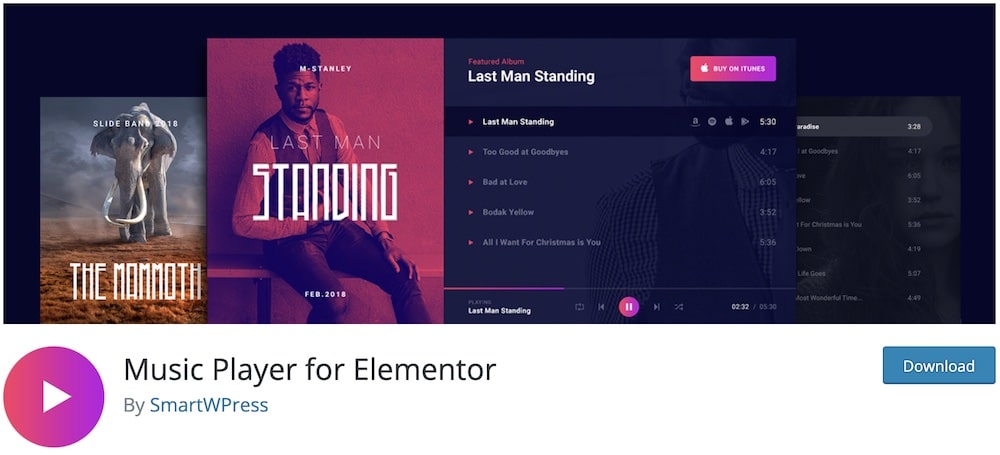
Music Player for Elementor is a very natural fit if you already build your pages with Elementor.
The free version includes two dedicated Elementor audio widgets and supports unlimited songs in a playlist.
You can add album artwork, background images, promo text, external store links, YouTube and SoundCloud links, plus custom purchase links for individual tracks.
There’s also support for Elementor dynamic tags and ACF/SCF fields – useful if your audio URLs come from custom content.
Design control is another strong point.
You can adjust player colors, hover states, playlist spacing, cover images, and control bar positioning directly in Elementor.
The plugin also includes importable music-player templates, so you don’t necessarily have to style every player from scratch.
I particularly like it for artists, DJs, labels, podcasters, and digital-product sites that want the player to feel visually integrated with the rest of the page.
The Pro version mainly adds more advanced playback, selling, and styling tools, and premium templates.
- Best for: Elementor users who want stylish music, playlist, or podcast players
- Free version includes: Two Elementor audio widgets, unlimited playlist songs, cover/background images, custom purchase and promo links, responsive controls, dynamic tag support, and template import
- Free version doesn’t include: Shuffle/repeat, autoplay, playback-speed controls, direct WooCommerce Add to Cart integration, streaming-platform links, premium templates, and advanced styling options
- Why we like it: It gives Elementor users a polished audio player they can build and customize visually without switching to a separate interface
- Active installations: 10,000+
6. Compact WP Player
Compact WP Audio Player is for people who want something tiny, simple, and dependable.
The plugin embeds MP3 or OGG audio via a shortcode and uses a very compact player that takes up little space on the page.
It’s responsive, works across major browsers and devices, and supports both autoplay and looping.
That simplicity is exactly what I like most about it.
You can use it for a quick music sample, podcast clip, spoken-word file, or audio preview without adding a large interface or lots of controls.
It can also automatically choose between MP3 and OGG versions depending on the device.
Just keep in mind that this is intentionally a basic player.
If you need playlists, waveform displays, advanced styling, analytics, or continuous playback across pages, one of the more feature-rich plugins on this list will be a better fit.
- Best for: Simple MP3 playback, audio previews, and sites that want a minimal player
- Free version includes: MP3 and OGG playback, responsive player, shortcode embedding, autoplay, looping, podcast/audio previews, and cross-device support
- Free version doesn’t include: Playlists, waveform displays, advanced analytics, continuous site-wide playback, or extensive design controls
- Why we like it: It does one job very well without adding unnecessary complexity or taking over the page
- Active installations: 20,000+
7. CP Media Player
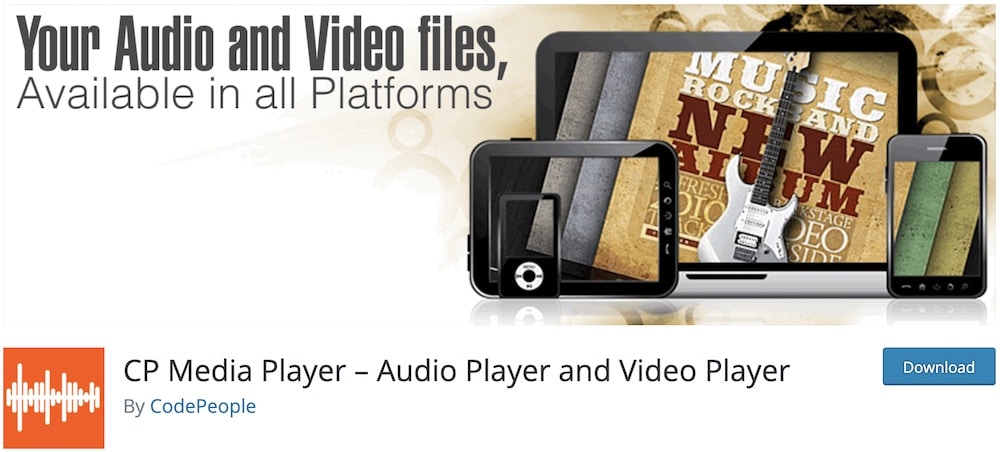
CP Media Player earns its spot because it handles both audio and video in one lightweight plugin. No need for two plugins!
For audio, it supports MP3, M4A, WAV, and OGG files, while the same player system can also handle MP4 and WebM video.
You can publish players inside posts and pages, place them directly in templates, or embed them through supported editors (Gutenberg or Elementor).
The playlist support is especially effective.
You can build regular playlists or even associate a directory with the player so it automatically loads the media.
Downloads are supported as well, and several skins help you better match the player to the rest of your site.
I’d choose this one when your site mixes music, spoken audio, and video content.
It’s broader than the dedicated audio plugins above, but that broader media support is exactly what makes it epic.
The Pro version is mainly aimed at monetization and extra presentation options.
It adds features such as selling files through PayPal, sales reports, and access to additional skins.
- Best for: Websites that need both audio and video playback
- Free version includes: MP3, M4A, WAV, OGG, MP4 and WebM playback, playlists, downloads, multiple skins, responsive players, and Gutenberg/Elementor integration
- Free version doesn’t include: PayPal file sales, sales reports, and the full collection of premium skins
- Why we like it: It covers audio and video from one plugin while still giving you playlists and downloads for free
- Active installations: 3,000+
8. PowerPress (Best For Podcast Publishing)
PowerPress is the most podcast-focused option in this roundup, and that’s exactly why it deserves a spot.
Instead of acting like a generic audio player with a few podcast extras, it helps you publish, manage, and distribute one or multiple podcasts directly from WordPress.
You can connect episodes to major platforms while keeping your WordPress site at the center of the publishing workflow.
The plugin includes several player options, a playlist player to show multiple episodes, and flexible placement above or below your content.
You also get podcast import and migration tools, subscribe pages and widgets, category podcasting, podcast channels, transcripts, chapters, funding, and live functionality.
I especially like that PowerPress can handle multiple podcasts on a single site.
That’s great for networks, publishers, and creators who manage more than a single show.
One thing to understand is that some of the deeper hosting, statistics, transcript, and media management features are tied to Blubrry Podcast Hosting rather than to the standalone free plugin.
PowerPress itself remains free and open source, but the broader Blubrry ecosystem is where you unlock more advanced hosting tools and reporting.
- Best for: Podcasters, podcast networks, and sites publishing multiple shows
- Free version includes: Audio and video players, playlist player, podcast RSS feeds, podcast import/migration, subscribe tools, multiple podcast management, Podcasting 2.0 support, and shortcode placement
- Free version doesn’t include: Blubrry-hosting-only features such as deeper hosting management, advanced statistics, automated transcripts, and media mastering
- Why we like it: It’s a complete podcast publishing system rather than just an embedded audio player
- Active installations: 20,000+
Note: If podcasting is your main focus, compare our favorite WordPress podcast plugins for more publishing and distribution tools.
GET YOUR POWERPRESS PLUGIN NOW!Starting a podcast website from scratch? You may also want to explore our best podcast WordPress themes.
Do You Even Need An Audio Player Plugin?
Not always.
WordPress Gutenberg already includes a built-in Audio block, which is perfectly fine if you only need to add a single MP3 or other audio file to a page or post.
You can upload the file, insert the Audio block, and let visitors play it directly on your site.
The screenshots below show how simple the process is.
A dedicated audio player plugin starts making more sense when you need features such as:
- Playlists with multiple tracks
- Podcast episodes or RSS feeds
- Download buttons
- Music or audio sales
- WooCommerce integration
- Streaming or internet radio
- Waveform-style players
- Sticky or floating players
- More control over colors and player design
- Advanced playback controls
So if you only publish the occasional audio clip, the default WordPress player may be all you need.
But if audio is an important part of your website, a dedicated plugin offers far more control and usually delivers a better experience for your listeners.
How To Add An Audio To WordPress With Gutenberg
First, open the Gutenberg Block editor – either on your page or post.
Second, click the “+” button to add a new block.
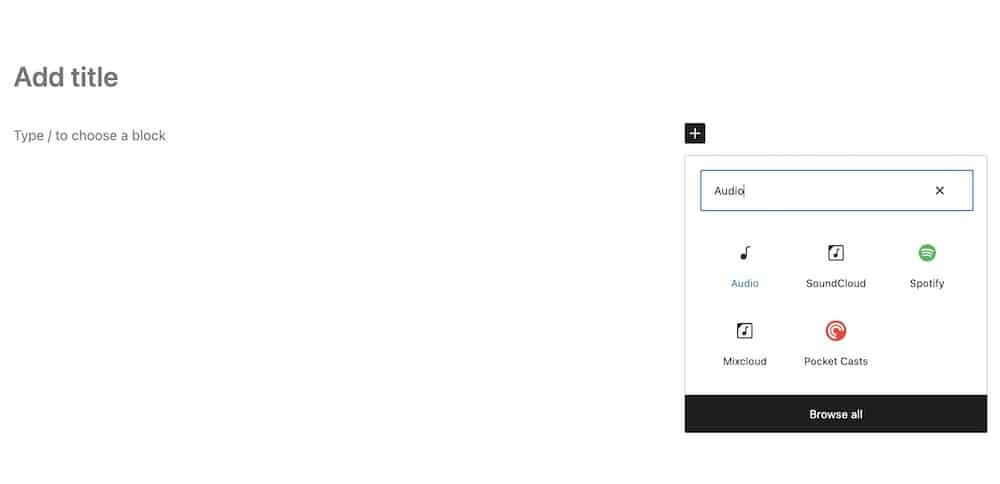
Third, type “Audio” in the search and select the block.
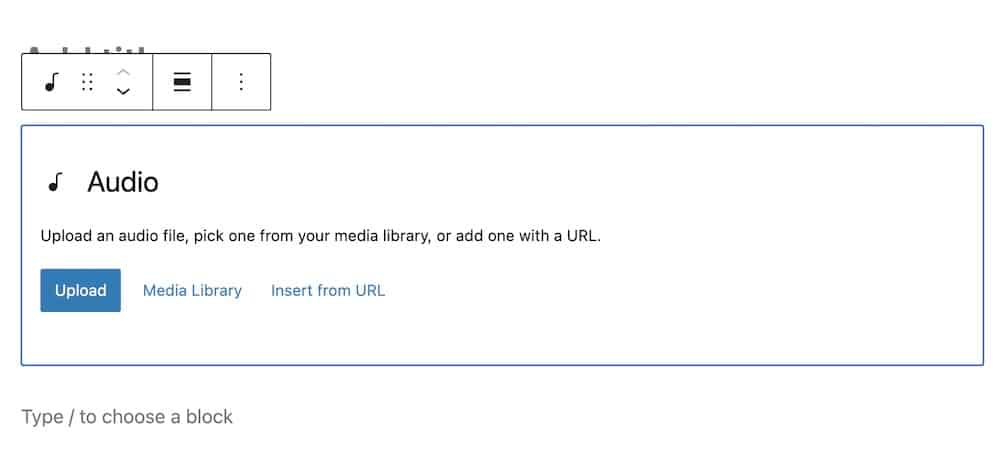
Fourth, upload your audio file and adjust settings, like autoplay or loop.
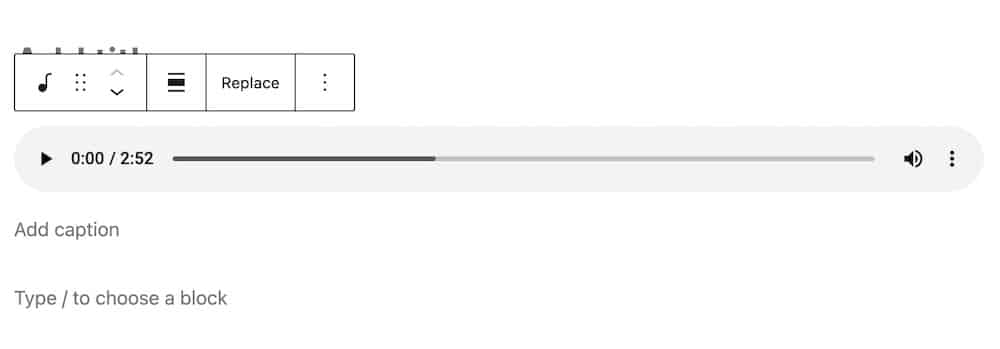
Fifth, that’s it!
How We Tested These Free WordPress Audio Player Plugins
We compared these plugins based on their usefulness in real WordPress setups, not just on how many features they list on the plugin page.
The main things we looked at were:
- Ease of installation and setup
- Audio format support
- Playlist functionality
- Podcast and RSS support
- Mobile responsiveness
- Player design and customization
- Gutenberg and page-builder compatibility
- Download and purchase options
- WooCommerce integration
- Streaming and radio support
- Free vs premium limitations
- Plugin maintenance and active development
We also considered the type of website each plugin suits best.
A musician selling tracks needs very different features from a podcaster, radio station, WooCommerce store, or someone who simply wants to embed an occasional MP3.
That’s why we focused on both what each free version actually includes and where each plugin makes the most sense.
Conclusion: Which Audio Player Plugin Should You Choose?
The best choice depends on what kind of audio experience you want to create.
For the strongest all-around option, AudioIgniter is my favorite.
It handles unlimited playlists and tracks, supports music, podcasts, and radio streams, and offers plenty of useful features without immediately pushing you toward Pro.
If you want something more advanced for music or podcast-heavy sites, MP3 Audio Player by Sonaar is a better fit thanks to its waveform player, large-playlist support, and creator-focused tools.
HTML5 Audio Player is a great middle ground for podcasts, playlists, and general playback, while Music Player for WooCommerce is the obvious choice if you want customers to preview and buy audio products.
For Elementor users, Music Player for Elementor keeps everything inside the page builder.
Compact WP Audio Player is better if you only need a tiny, lightweight player, while CP Media Player makes sense when your site mixes audio and video.
And if podcasting is the main focus, PowerPress is the most complete publishing solution in the roundup.
The key is to avoid choosing the plugin with the longest feature list.
Pick the one that matches how you actually publish, sell, or stream audio on your WordPress site.
FAQs About WordPress Audio Player Plugins
Do I need an audio player plugin in WordPress?
Not always.
WordPress already includes a built-in Audio block that works well for simple MP3 playback. A plugin becomes more useful when you need playlists, podcast feeds, downloads, streaming, WooCommerce integration, waveform players, or more design control.
Can I create playlists in WordPress?
Yes. Plugins such as AudioIgniter, HTML5 Audio Player, Sonaar, CP Media Player, and PowerPress support playlists.
This is much more convenient than embedding individual audio files one at a time.
Can I add an MP3 player to WordPress?
Yes. You can upload an MP3 using WordPress’s built-in Audio block or use a dedicated plugin for more features.
Plugins are the better option if you need playlists, custom player designs, download buttons, streaming, or advanced playback controls.
Can I use a WordPress audio player for podcasts?
Yes. Several plugins in this roundup support podcast playback.
PowerPress is the strongest choice if you need a complete podcast publishing system, while HTML5 Audio Player and Sonaar are useful for podcast playlists and RSS-based playback.
Can I sell music or audio files through WordPress?
Yes.
Music Player for WooCommerce is specifically built for stores that want customers to preview audio before purchasing it. Other plugins, including AudioIgniter and Sonaar, can also work with WooCommerce depending on the setup and features you need.
Can WordPress audio players stream live radio?
Some can.
For example, AudioIgniter and Sonaar support radio and external audio streams. Always check which streaming formats and services a plugin supports before choosing it.
Are WordPress audio player plugins mobile-friendly?
Most modern audio player plugins are responsive and work across phones, tablets, and desktops.
Still, I recommend testing the plugin demo on mobile before installing it, especially if playlists or larger player interfaces are important to your site.
Can I customize how the audio player looks?
Usually, yes.
Customization varies by plugin, but common options include colors, player layouts, artwork, track information, controls, and playlist styling. Plugins built for Elementor generally offer particularly convenient visual customization.
::
Note: This article was originally published on July 18, 2021. But our team regularly reviews it and updates it with necessary improvements for accuracy.