


Selling online with WordPress can be as simple or as complex as you want.
You can build a traditional product store, sell digital downloads, create subscriptions, run a membership site, or even launch a multi-vendor marketplace.
The tricky part is choosing the right eCommerce plugin.
WooCommerce is still the obvious choice for many stores, but it’s no longer the only serious option.

Plugins like SureCart, Easy Digital Downloads, Ecwid, and WP EasyCart all approach eCommerce differently.
And that matters.
Some are better for physical products. Others shine with digital goods, subscriptions, memberships, or multichannel selling.
So instead of filling this roundup with random WooCommerce add-ons, I focused on the plugins that can actually power the core of an online business.
Let’s find the one that fits what you want to sell.
Are you installing a WP plugin for the first time? Then read our guide on how to install a WordPress plugin successfully.
This post covers:
- Quick Picks
- Best WordPress Ecommerce Plugins
- What To Look For In A WordPress eCommerce Plugin
- WooCommerce Vs SureCart
- Selling Physical Vs Digital Products
- Do You Need A WordPress eCommerce Plugin Or A Hosted Platform?
- Can WordPress Handle A Large eCommerce Store?
- Conclusion: Which WordPress eCommerce Plugin Should You Choose?
- FAQs About WordPress eCommerce Plugins
Quick Picks
Here are my top WordPress eCommerce plugin picks:
- WooCommerce — Best Overall: The strongest all-round choice for most physical and mixed-product stores.
- SureCart — Best WooCommerce Alternative: A cleaner option for products, subscriptions, services, and digital sales.
- Easy Digital Downloads — Best For Digital Products: Built specifically for downloads, software, and other digital goods.
- Ecwid — Best For Multichannel Selling: Great if you want to sell across WordPress, social platforms, marketplaces, and more.
- WP EasyCart — Best All-In-One Alternative: A straightforward store builder with payments, shipping, taxes, and order management built in.
- Dokan — Best For Multi-Vendor Marketplaces: The one to pick if you want multiple sellers running their own storefronts.
- MemberPress — Best For Memberships & Subscriptions: Best suited to recurring memberships, gated content, courses, and subscription-based businesses.
Best WordPress Ecommerce Plugins
1. WooCommerce
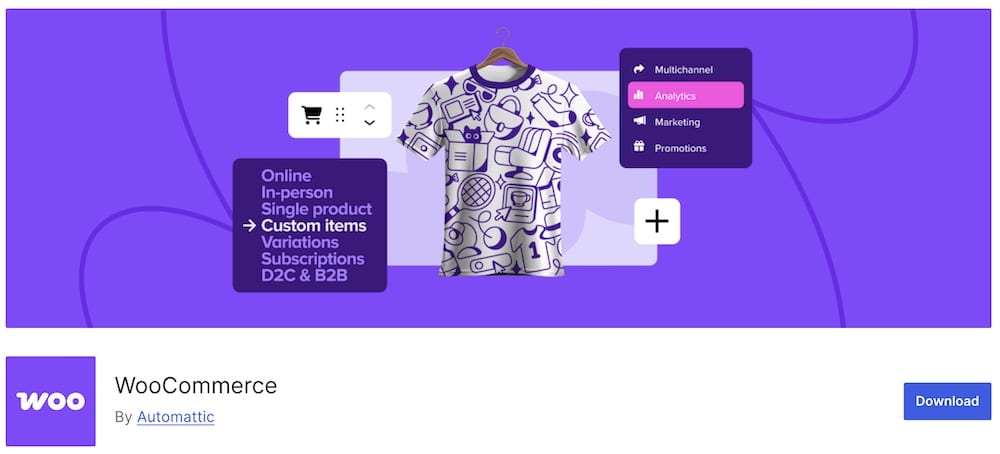
WooCommerce is still the obvious starting point for most WordPress stores.
It can handle physical products, digital downloads, variations, affiliate products, and custom product setups.
You also get full control over products, checkout, orders, taxes, shipping, and store data.
Its biggest strength is flexibility.
You can keep the store simple or expand it with payment gateways, subscriptions, bookings, memberships, advanced shipping, product add-ons, marketplaces, and thousands of other extensions.
That huge ecosystem is also the downside.
A basic store is easy enough. A more advanced WooCommerce setup can quickly turn into a stack of extra plugins.
Still, for most physical or mixed-product stores, it remains the safest all-round choice.
- Best for: Most WordPress eCommerce stores
- Free version includes: Products, cart, checkout, orders, shipping, taxes, variations, digital goods, affiliate products, and store management
- Why we like it: Massive ecosystem, huge flexibility, and full ownership of your store data
- What I’d improve: Advanced stores often need several extra plugins
You can also expand the store without immediately spending money using some of these free WooCommerce plugins.
2. SureCart
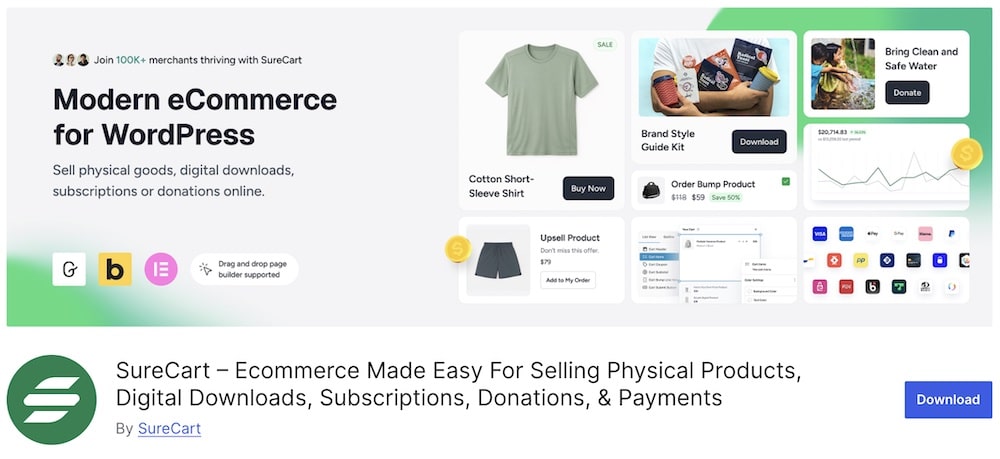
SureCart is the eCommerce plugin I’d check first if WooCommerce feels like more than you need.
It handles physical products, digital downloads, services, subscriptions, donations, and one-time payments from one setup.
You also get built-in checkout customization, coupons, order bumps, upsells, abandoned cart recovery, software licensing, taxes, and a customer dashboard.
The big difference is how it works.
SureCart uses a cloud-based eCommerce engine for payments, subscriptions, taxes, and checkout processing.
That keeps more of the heavy lifting away from your WordPress database.
I also like that the free plan is genuinely useful. You can create unlimited products and sell subscriptions without immediately stacking extra add-ons.
The trade-off?
It doesn’t have the same enormous extension ecosystem as WooCommerce.
- Best for: Stores that want a simpler WooCommerce alternative
- Free version includes: Unlimited products, subscriptions, flexible checkout, coupons, digital delivery, payments, and core selling tools
- Why we like it: Lots of useful features are built in from the start
- What I’d improve: The ecosystem is still smaller than WooCommerce
3. Easy Digital Downloads
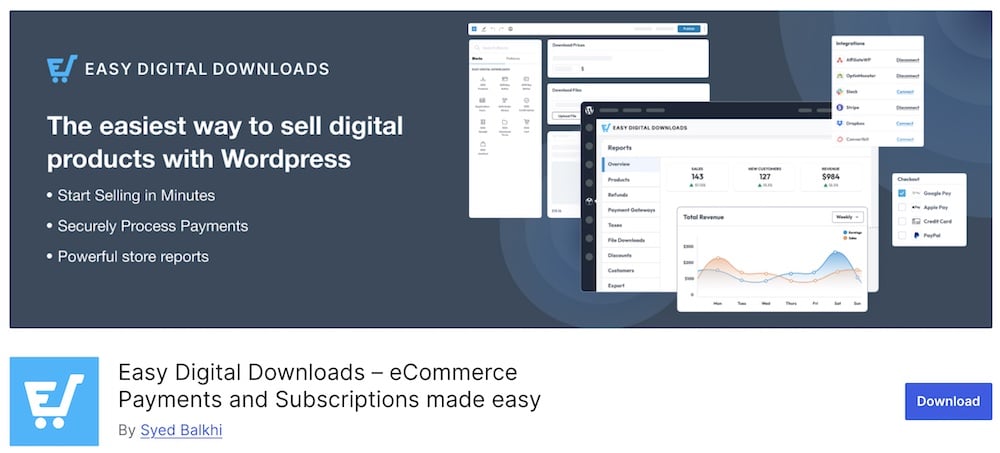
Easy Digital Downloads does one thing extremely well:
It helps you sell digital products without turning WordPress into a giant general-purpose store.
You can sell ebooks, software, templates, music, photos, videos, courses, and pretty much any downloadable file.
The free version already gives you a cart, checkout, Stripe and PayPal payments, customer management, reports, discount codes, secure download links, and unlimited products.
Pro adds the stuff more advanced digital businesses will care about, including subscriptions, software licensing, content restriction, abandoned cart recovery, invoices, EU VAT tools, commissions, and frontend submissions.
That makes EDD a much cleaner choice than WooCommerce if you’re not selling physical products.
- Best for: Digital downloads, software, templates, ebooks, and similar products
- Free version includes: Unlimited products, cart, checkout, payments, reports, discounts, customer management, and secure downloads
- Pro adds: Subscriptions, licensing, memberships, abandoned cart recovery, invoices, VAT tools, commissions, and more
- Why we like it: It stays focused on digital selling instead of trying to do everything
- What I’d improve: Many of the more advanced revenue tools require Pro
4. Ecwid

Ecwid is a smart choice if WordPress is only one part of where you sell.
You can run the store on your site, then connect the same products, customers, orders, and inventory with channels like Facebook, Instagram, Amazon, eBay, and Google Shopping.
That multichannel angle is the big reason to use it.
Ecwid also handles payments, shipping, taxes, mobile store management, and POS-style selling from its own hosted eCommerce system.
Your store data is hosted by Ecwid rather than directly inside WordPress.
That takes some maintenance pressure off WordPress, but it also means you’re relying more heavily on an external platform.
- Best for: Stores selling across multiple channels
- Includes: Product management, checkout, payments, shipping, taxes, mobile apps, social selling, and multichannel inventory sync
- Why we like it: You can manage several sales channels from one place
- What I’d improve: It’s less WordPress-native than WooCommerce or EDD
If physical retail is important too, check out these WordPress POS plugins for connecting online and in-store sales.
5. WP EasyCart
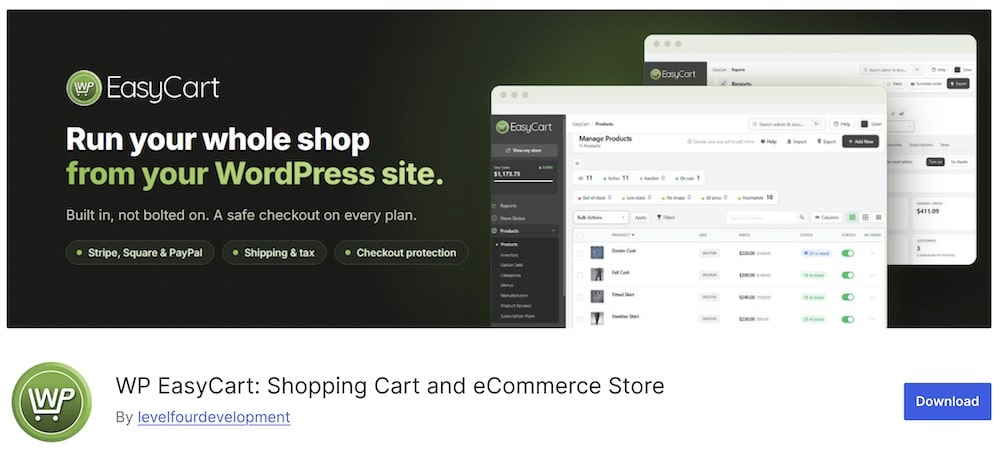
WP EasyCart is a good pick if you want more eCommerce features built in from the start.
The plugin handles products, checkout, orders, shipping, taxes, reports, and stock management.
You also get support for Stripe, Square, PayPal, Apple Pay, and Google Pay.
The free version supports unlimited products and orders, which is a nice bonus.
Pro adds subscriptions, digital downloads, gift cards, live shipping rates, coupons, abandoned cart emails, invoices, refunds, and more payment gateways.
That makes WP EasyCart appealing if you’d rather avoid stitching together a long list of extra extensions.
- Best for: Stores that want an all-in-one WooCommerce alternative
- Free version includes: Unlimited products and orders, checkout, shipping, taxes, reports, stock tracking, and major payment gateways
- Pro adds: Subscriptions, digital downloads, gift cards, live shipping rates, coupons, abandoned cart recovery, invoices, and more
- Why we like it: A lot of core store functionality is already built in
- What I’d improve: The ecosystem is much smaller than WooCommerce
6. Dokan
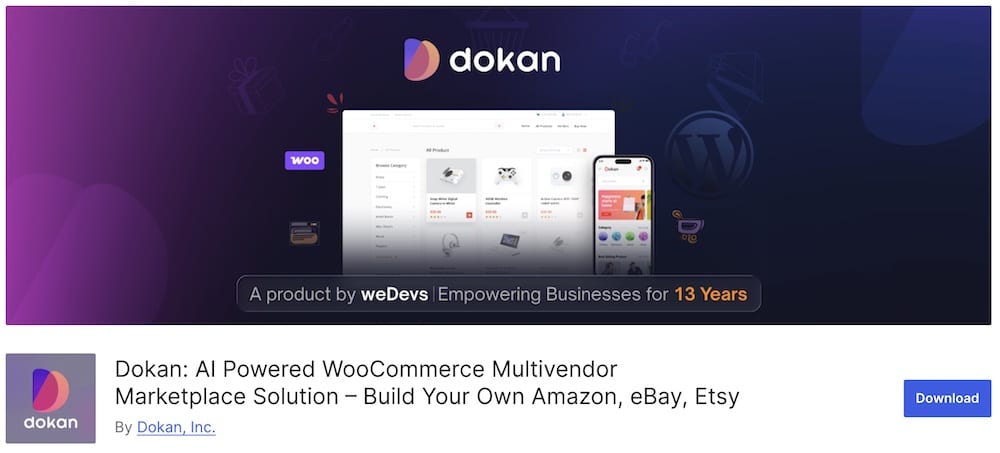
Dokan is the pick when you don’t want to run the store alone.
It turns WooCommerce into a marketplace where multiple vendors can sell through their own storefronts.
Each seller gets a frontend dashboard for products, orders, earnings, and withdrawals, while you control commissions and marketplace rules.
It supports physical products, digital downloads, bookings, auctions, and subscriptions, so you can build everything from a niche marketplace to something much larger.
The free version covers the basics.
Pro adds more advanced shipping, analytics, vendor tools, payment options, and marketplace modules.
- Best for: Multi-vendor WooCommerce marketplaces
- Free version includes: Vendor stores, frontend dashboards, commissions, product management, orders, and withdrawals
- Why we like it: Vendors can manage most of their store without entering WordPress admin
- What I’d improve: More advanced marketplace features require Pro
If you’re building a marketplace, I’d also compare the best WooCommerce multi-vendor plugins before choosing your setup.
7. MemberPress

Choose MemberPress if your eCommerce business revolves around recurring access rather than a traditional product catalog.
You can sell memberships, subscriptions, courses, coaching programs, gated content, communities, and digital downloads from one setup.
It also supports content dripping, customizable checkout pages, coupons, order bumps, and recurring billing.
Payments work with options like Stripe, PayPal, Square, Apple Pay, Google Pay, and more.
I especially like it for creators and service businesses that want predictable recurring revenue without building everything around WooCommerce.
- Best for: Memberships, subscriptions, courses, coaching, and gated content
- Includes: Recurring billing, paywalls, digital downloads, coupons, checkout customization, courses, and communities
- Why we like it: Membership tools and payments are built around the same core system
- What I’d improve: It’s a premium-only solution, so there’s no free WordPress.org version to test first
If memberships are the main focus of your site, compare the best WordPress membership plugins before choosing your setup.
What To Look For In A WordPress eCommerce Plugin
The best eCommerce plugin depends on what you actually plan to sell.
Don’t just compare feature counts.
Focus on these things:
- Product type: Physical goods, digital downloads, subscriptions, memberships, services, or marketplace products all need different tools.
- Payments: Check which gateways are supported and whether subscriptions or recurring payments are included.
- Shipping: Important for physical stores. Look at rates, zones, labels, and carrier integrations.
- Checkout: A simple, fast checkout can make a big difference.
- Extensions: Make sure you can add features later without rebuilding the whole store.
- Ease of use: Some plugins are much easier to manage day to day than others.
- Costs: Free plugins can become expensive once you add premium extensions, payment tools, and integrations.
The right plugin should handle what you need now while leaving enough room to grow later.
WooCommerce Vs SureCart
WooCommerce and SureCart can both power a serious WordPress store, but they take very different approaches.
WooCommerce is the better choice if you want maximum flexibility.
It has a huge extension ecosystem and works especially well for physical products, complex shipping, custom product types, and stores that need lots of integrations.
SureCart is cleaner and more streamlined.
It handles things like subscriptions, digital products, checkout optimization, taxes, and recurring payments with fewer extra plugins.
So which one should you choose?
Go with WooCommerce if you want deep customization and don’t mind building the store piece by piece.
Choose SureCart if you want a simpler setup with more features included from the start.
For most traditional online stores, WooCommerce is still the safer pick.
For subscriptions, digital products, or a leaner setup, SureCart can be the more attractive option.
Selling Physical Vs Digital Products
Physical and digital products need very different eCommerce setups.
With physical products, you usually need:
- Shipping rates
- Inventory tracking
- Product variations
- Taxes
- Returns
- Delivery options
That’s where WooCommerce is especially strong.
Digital products are simpler in some ways because you don’t have to manage shipping or stock.
Instead, you need things like:
- Secure file delivery
- Download limits
- Licensing
- Subscriptions
- Customer access
- VAT handling
For that, Easy Digital Downloads or SureCart can make more sense.
Do You Need A WordPress eCommerce Plugin Or A Hosted Platform?
This mostly comes down to control vs convenience.
A WordPress eCommerce plugin gives you more control over your site, design, data, and extensions.
That’s a strong fit if you want:
- Full ownership of the store
- More customization
- WordPress integrations
- Flexible hosting choices
- Room to build something unique
A hosted platform handles more of the technical side for you.
The platform manages hosting, security, updates, and much of the store infrastructure.
That can make setup easier, but you usually give up some flexibility.
Can WordPress Handle A Large eCommerce Store?
Yes.
WordPress can handle a large eCommerce store, but the setup matters a lot.
The plugin itself is only one piece.
You also need:
- Fast hosting
- Good caching
- Optimized images
- A lightweight theme
- A clean database
- Reliable payment and shipping integrations
WooCommerce, in particular, can scale well when the site is properly optimized.
Problems usually start when the store gets overloaded with heavy plugins, poor hosting, giant images, or badly coded custom features.
So the question isn’t really:
“Can WordPress handle a big store?”
It can.
The better question is whether the hosting, theme, plugins, and overall setup are built to handle the traffic and product catalog you’re aiming for.
Conclusion: Which WordPress eCommerce Plugin Should You Choose?
For most stores, WooCommerce is still the safest choice.
It has the biggest ecosystem, the most integrations, and enough flexibility to handle everything from a small shop to a large online store.
Want something leaner?
SureCart is the first alternative I’d check.
For digital products, Easy Digital Downloads keeps things focused and clean.
If you sell across multiple channels, Ecwid makes more sense.
WP EasyCart is a solid all-in-one option if you want fewer extra extensions.
Building a marketplace?
Go with Dokan.
And for memberships, subscriptions, courses, or gated content, MemberPress is the strongest fit.
The main thing is to match the plugin to what you actually sell.
FAQs About WordPress eCommerce Plugins
What are WordPress eCommerce plugins?
WordPress eCommerce plugins transform your WordPress site into a fully functional online store. They enable functionalities like product listings, shopping carts, checkout processes, and payment processing, essential for conducting online sales.
What are the best WordPress eCommerce plugins?
Popular options include WooCommerce, Easy Digital Downloads (EDD), Ecwid, WP EasyCart, and BigCommerce for WordPress.
Can these plugins handle different types of products?
Yes, most WordPress eCommerce plugins are versatile enough to handle various types of products, including physical goods, digital downloads, and even services. They offer features to manage different product variations, pricing models, and shipping options.
Do eCommerce plugins support multiple payment gateways?
WordPress eCommerce plugins typically support a range of payment gateways, such as PayPal, Stripe, credit cards, and sometimes even bank transfers or COD (Cash on Delivery).
Are these plugins compatible with global shipping & tax regulations?
Many eCommerce plugins offer compatibility with global shipping options and can be configured to comply with different tax regulations. They include settings for international shipping rates, tax calculations, and VAT handling, important for international sales.
Can I track sales & inventory with eCommerce plugins?
Yes, WordPress eCommerce plugins often include comprehensive tools for tracking sales, generating reports, and managing inventory. These features are essential for keeping track of your store’s performance and ensuring adequate stock levels.
Can I use WordPress eCommerce plugins to sell digital products or services?
Yes. Many eCommerce plugins are designed to handle digital products, services, and even subscriptions. For example, Easy Digital Downloads specializes in selling digital goods, offering features like secure file delivery and customer account management. WooCommerce also supports digital products and can be extended with plugins to manage memberships or recurring payments.
::
Note: This article was originally published on April 20, 2022. But our team regularly reviews it and updates it with necessary improvements for accuracy.