


Adding a map to WordPress can be simple or surprisingly advanced.
You might only need to show one business location.
But you could also want multiple markers, an interactive world map, a store locator, a floor plan or even a custom SVG map.
That’s where the right WordPress map plugin makes a big difference.

I compared the best free and premium options for different use cases, not just basic Google Maps embeds.
Some plugins are ideal for everyday location maps. Others are better for interactive regions, OpenStreetMap, image maps, directories or large groups of locations.
So instead of picking the plugin with the longest feature list, focus on what you actually need your map to do.
Quick tip: If you only want to display one address, a simple map setup may be enough. But for filters, multiple locations, custom markers or interactive elements, a dedicated plugin is usually worth it.
Let’s find the best WordPress map plugin for your website.
This post covers:
- Quick Picks: Best WordPress Map Plugins
- Best WordPress Map Plugins (Free & Premium)
- Which Type Of WordPress Map Do You Need?
- What To Look For In A WordPress Map Plugin
- What Is An Interactive WordPress Map?
- Conclusion: Which WordPress Map Plugin Should You Choose?
- FAQs About WordPress Map Plugins
Quick Picks: Best WordPress Map Plugins
Short on time? These are the map plugins I’d check first:
- Best Overall: WP Go Maps
- Best Interactive Maps: Interactive Geo Maps
- Best Advanced Mapping: WP Maps Pro
- Best Store Locator: WP Store Locator
- Best Image Maps: Image Map Pro
- Best Easy All-Rounder: MapPress
- Best Free Multi-Location Maps: WP Maps
- Best OpenStreetMap Option: Leaflet Map
- Best Location Directory Maps: Progress Map
- Best Floor Plans & Custom Maps: Mapplic
Best WordPress Map Plugins (Free & Premium)
| Plugin | Best For | Free Version | Interactive Maps | Multiple Locations | Store Locator | Custom/Image Maps | OpenStreetMap |
|---|---|---|---|---|---|---|---|
| WP Go Maps | Best overall | Yes | Yes | Yes | Yes | No | Yes |
| Interactive Geo Maps | Interactive world & regional maps | Yes | Yes | Yes | No | Yes | No |
| WP Maps Pro | Advanced mapping features | No | Yes | Yes | Yes | No | Yes |
| WP Store Locator | Store & business locations | Yes | Yes | Yes | Yes | No | No |
| Image Map Pro | Interactive images & diagrams | No | Yes | Yes | No | Yes | No |
| MapPress | Easy all-round mapping | Yes | Yes | Yes | No | No | Yes |
| WP Maps | Free multi-location maps | Yes | Yes | Yes | Yes | No | Yes |
| Leaflet Map | OpenStreetMap & lightweight maps | Yes | Yes | Yes | No | No | Yes |
| Progress Map | Location directories | No | Yes | Yes | Yes | No | No |
| Mapplic | Floor plans & custom maps | No | Yes | Yes | No | Yes | No |
1. WP Go Maps – Best Overall
Next in our list and one of our favorite free map plugins is WP Go Maps. With excellent reviews and 400k+ active installs, the plugin needs no introduction.
With this plugin, you can create and customize maps with countless markers to show locations, routes, delivery locations, or anything else. (No programming knowledge is required.)
The free version also includes a map widget feature, different map types (terrain or satellite), themes, and more.
This WordPress map plugin is a reliable choice for those with little experience creating maps.
WP Go Maps WP plugin features:
- 300,000+ active installations
- 4.8/5 ratings
- Helpful demos
- Easy-to-use
- Map widget functionality
2. Interactive Geo Maps – Best Interactive Maps
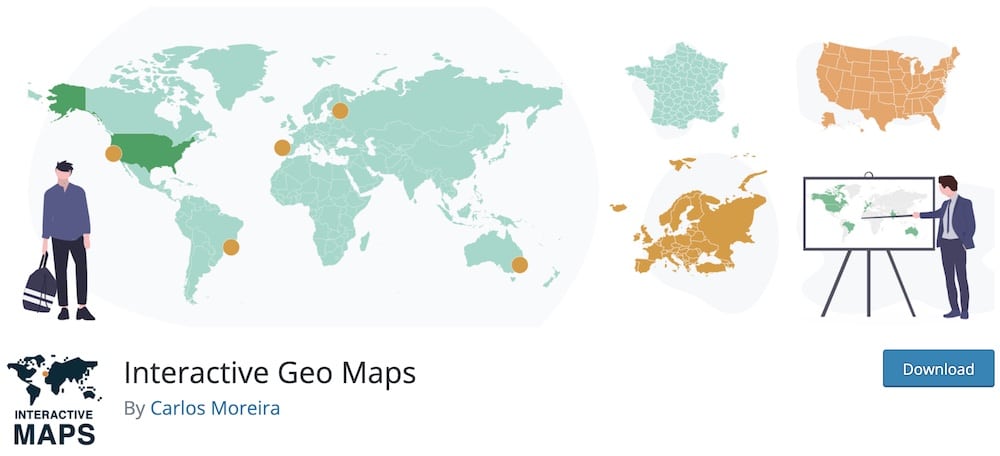
Moving on to our selection of free map plugins, we have Interactive Geo Maps.
The plugin offers a wide range of maps, including world maps divided into continents, countries, regions, states, etc.
If you have a map project and want to showcase visited countries or statistical maps, this is the best solution.
Also, you can create countless maps, exclude some regions and add colors to markers. And the best thing is that all the maps we created are responsive and fast loading.
Interactive Geo Maps WP plugin features:
- 40,000+ active installations
- 4.8/5 ratings
- More than 250 vector maps
- Create unlimited maps
- Custom click actions
3. Advanced Google Maps – Best Advanced Mapping
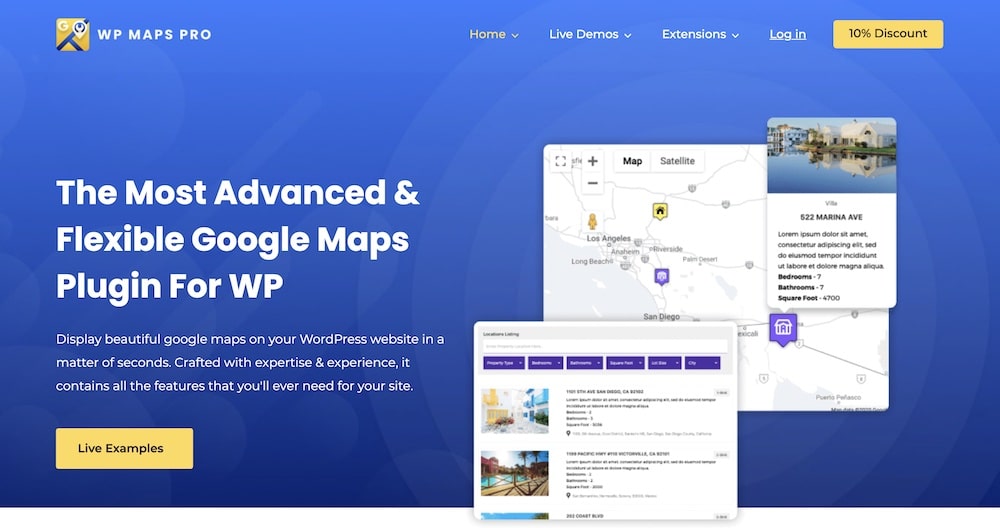
Our first choice is the latest Advanced Google Maps plugin. This is one of the most popular premium plugins with excellent reviews.
This Google Maps WordPress plugin takes all the vital information from various sources and allows you to create filters and customize numerous plugin fields.
It shows different places on the map, multiple routes and allows you to refine locations by categories.
In a few words, Advanced Google Maps is the best tool for those who need a fully responsive and powerful plugin.
We used it multiple times and will use it multiple times more.
Advanced Google Maps WP plugin features:
- 15,800+ sales
- 4.6/5 ratings
- Fully-customizable map WP widget
- Great support
- Price: $59 (may vary)
4. WP Store Locator – Best Store Locator
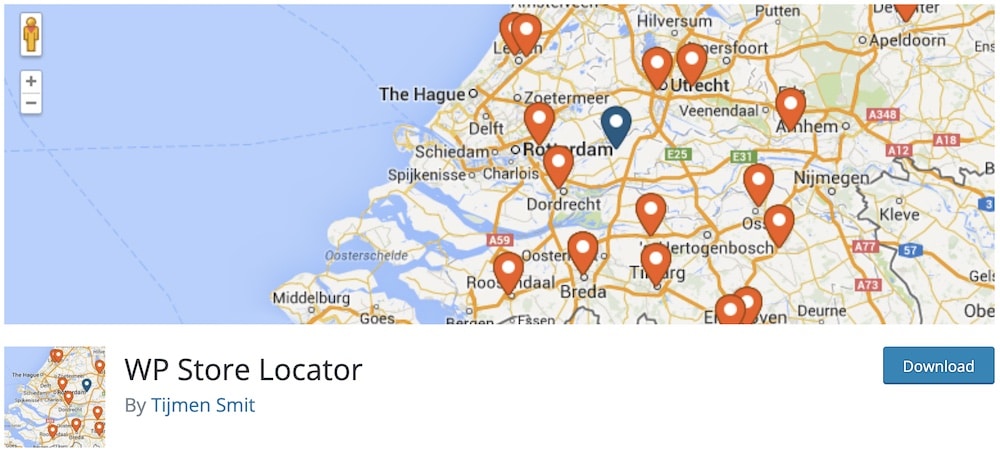
WP Store Locator is one of the most popular map plugins. It is an easy-to-use plugin that uses an advanced system to help you add more than one store location to your map.
When you use the plugin, you get directions to the store you want to visit. You can also add additional details about the store like phone, email, URL, etc.
(It supports distances in km or miles.)
This free WordPress map plugin includes almost 50 filters so that you can customize the look of the plugin accordingly. And finally, it offers multilingual support.
WP Store Locator WP plugin features:
- 50,000+ active installations
- 4.8/5 ratings
- Almost 50 appearance filters
- Limit max. results
- Practical filtering
5. Image Map Pro – Best Image Maps
Next on our list is Image Map Pro, one of our most popular map plugins. It offers more than just the basic map features used by beginners.
Aside from creating and displaying a simple map, Image Map Pro can help you with numerous tasks: Creating polygon shapes, customizing the style of your plugin, using animations and image backgrounds, playing with multiple layers, and much more.
This premium WordPress map plugin is (highly!) recommended for advanced users who want to create detailed maps on their websites.
Image Map Pro WP plugin features:
- 21,600+ sales
- 4.4/5 ratings
- Supports custom shapes
- Compatible with Gutenberg
- Price: $49 (may vary)
6. MapPress – Best Easy All-Rounder
MapPress is a beginner-friendly and responsive plugin that we used on three occasions.
What’s cool, you can use the plugin directly from the Gutenberg editor. You can also find instructions on installing and activating the map plugin on the developer’s website.
It’s EASY.
We enjoyed using the pop-up map editor during our testing. Creating a map with MapPress is a piece of cake.
MapPress is the perfect free WordPress map plugin for anyone looking for an easy-to-use map creator for blogs and websites.
MapPress WP plugin features:
- 30,000+ active installations
- 4.6/5 ratings
- Compatible with Multisite installs
- Works with WPML plugin
- Create maps with PHP
7. WP Maps – Best Free Multi-Location Maps
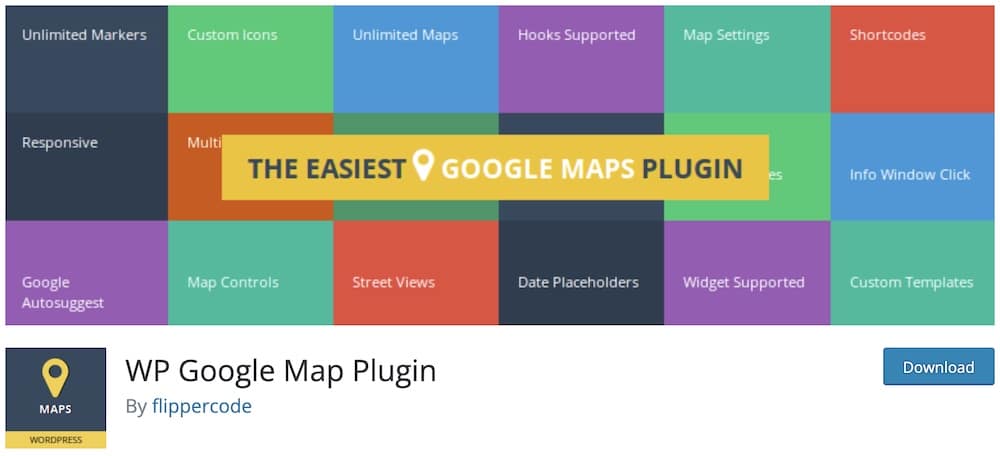
WP Maps includes many customizable features such as a large collection of markers, map fonts, 4 map types, draggable maps, saving different paths, etc.
You can also view real-time traffic and get a street view with this free WordPress map plugin.
It is a fully responsive map plugin that we tested on major browsers to ensure its reliability. Go map building like a champ now.
WP Maps Plugin WP plugin features:
- 60,000+ active installations
- 4.2/5 ratings
- Supports street view
- Edit map size
- Drag-and-drop builder
8. Leaflet Map – Best OpenStreetMap/Leaflet Option
Last but not least, we have Leaflet Map by Bozdoz, a very reliable free map plugin. This plugin is ideal if you want to create a mobile-friendly interactive map.
With a few simple steps, you can create your map, add numerous markers, pop-ups, images and any shapes to showcase places.
You will get instructions on how to use this free map plugin. All users will quickly get the most out of it (guarantee!).
Leaflet Map WP plugin features:
- 30,000+ active installations
- 5/5 ratings
- Quick address lookup
- Easy zooming
- Flawless shortcode integration
9. Progress Map – Best Location Directory Maps
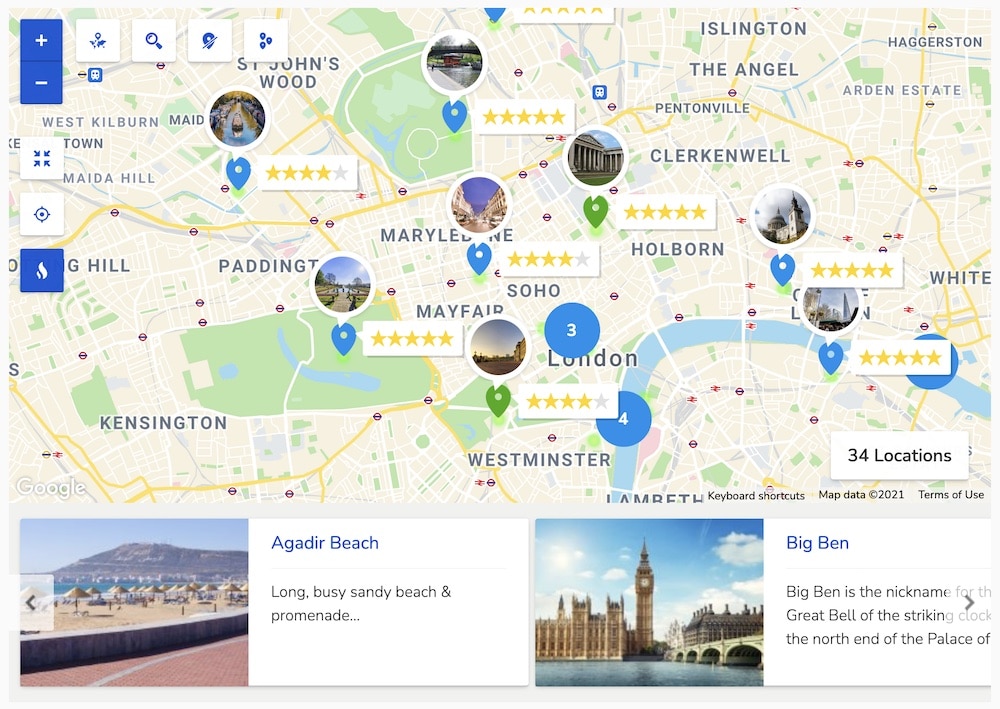
Codespacing has created a reliable and easy-to-use map plugin.
If your website contains any listings like restaurants, hotels, shops or anything else, then you definitely need it.
With Progress Map, you can easily provide your customers with essential information and navigate them to the places listed. You can display places as markers or carousels.
We could add numerous locations in just a few seconds during our testing. All we had to do was add the coordinates of the locations.
Also, it’s important to note that you have no limitations regarding how many locations you add with Progress Map.
Progress Map WP plugin features:
- 6,300+ sales
- 4.4/5 ratings
- User-friendly
- Marker & Carousel display
- Price: $114 (may vary)
10. Mapplic – Best Floor Plans & Custom Maps
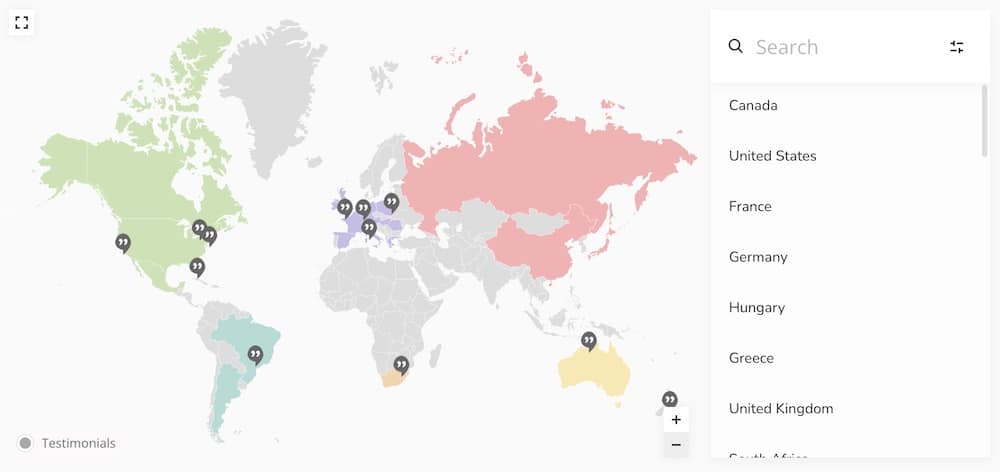
Mapplic is a powerful map plugin. You can easily turn an image or vector graphic into a fully responsive and interactive map with the details you want to share with your customers.
You can use it to build floor plans, like airports and hospitals, temporary maps, festivals and camps, and even moving vessels like catamarans.
The best part is that this WordPress map plugin is a multipurpose tool that works for anything you want.
Mapplic WP plugin features:
- 13,300+ sales
- 4.5/5 ratings
- 6-months (free) support
- Works on any device
- Price: $189 (may vary)
Which Type Of WordPress Map Do You Need?
Not every website needs the same kind of map.
Before choosing a plugin, think about what visitors actually need to do with it. That usually narrows the options pretty quickly.
Standard Location Map
This is the simplest setup.
Use it when you only need to show a business, office, restaurant, hotel, venue or another physical location.
A basic map with a marker, address and directions is usually enough.
Multiple-Location Map
This works better when you have several stores, offices, properties or other locations to display.
Look for features such as:
- Multiple markers
- Marker clustering
- Categories
- Search and filtering
- Custom marker icons
- Location popups
This is especially useful for directories and larger businesses.
Interactive Map
An interactive map lets visitors click, hover, zoom or explore different regions.
It works well for:
- Countries
- States
- Travel destinations
- Statistics
- Service areas
- Global businesses
Plugins like Interactive Geo Maps are much better suited to this than a standard location map plugin.
World Map
A world map is ideal when you want to display information across countries or continents.
You can use one for international offices, travel content, sales regions, visitor statistics or global projects.
The best plugins let you color regions, add tooltips and link individual countries to different pages.
Store Locator
If visitors need to find the closest business location, use a dedicated store locator.
These usually include:
- Location search
- Distance calculations
- Directions
- Filters
- Multiple stores
- Nearby results
For this job, a specialized plugin like WP Store Locator usually makes more sense than a basic map tool.
Image Map
Not every map needs to be geographical.
An image map lets you turn almost any image into something interactive.
Think:
- Floor plans
- Product diagrams
- Seating charts
- Building layouts
- Campus maps
- Event spaces
You can add clickable hotspots, labels, tooltips and links to specific areas.
Custom SVG Map
This is useful when you want complete control over the shape and structure of the map.
You can create custom regions, buildings, territories or illustrations that standard mapping services simply can’t provide.
It’s one of the better choices for highly specific projects.
OpenStreetMap Map
You don’t have to rely on Google Maps.
OpenStreetMap is a popular alternative, especially if you want more flexibility or prefer an open mapping platform.
Plugins based on Leaflet or OpenStreetMap can be a great option for custom projects, multiple markers and lightweight map setups.
My Advice
Start with the map’s purpose, not the plugin.
If you only need one address, keep things simple.
But if you want filters, multiple locations, interactive regions, floor plans or advanced styling, choose a plugin built specifically for that job.
You’ll get a cleaner setup and avoid paying for features you’ll never use.
What To Look For In A WordPress Map Plugin
The best WordPress map plugin isn’t necessarily the one with the most features.
It’s the one that matches your project without adding unnecessary complexity.
Here’s what I’d check before installing one:
- Map provider: Decide whether you want Google Maps, OpenStreetMap, Mapbox or another platform. This can affect flexibility, API requirements and long-term costs.
- Multiple locations: If you need to show several stores, offices, properties or destinations, make sure the plugin supports unlimited or high-volume markers.
- Interactive features: Look for clickable markers, tooltips, hover effects, zooming, regions and other interactions if visitors need to explore the map.
- Search and filtering: This is especially important for store locators, directories and location-heavy websites.
- Custom markers: Branded icons and different marker styles can make complex maps much easier to understand.
- Map styling: Check whether you can customize colors, controls, zoom levels, labels and other visual details to match your website.
- Responsive design: Your map should remain easy to use on phones and tablets, not just desktop screens.
- Gutenberg and page builder support: Blocks, shortcodes and Elementor widgets can make embedding and editing maps much quicker.
- API requirements: Some map services require an API key, billing account or usage-based fees. Check this before committing to a plugin.
- Free version limitations: Check whether essential features like multiple markers, filters or custom styles are locked behind the premium version.
What Is An Interactive WordPress Map?
An interactive WordPress map does more than simply show a location.
Visitors can click, hover, zoom, filter or explore different areas to reveal extra information.
Depending on the plugin, an interactive map can include:
- Clickable countries, states or regions
- Custom markers and icons
- Hover effects and tooltips
- Popups with text, images or links
- Zoom and pan controls
- Search and filtering
- Multiple locations
- Custom colors and highlighted areas
- Links to pages, products or external websites
This makes interactive maps especially useful for travel sites, directories, international businesses, statistics, service areas, real estate and location-heavy websites.
They can also work with non-geographical content.
For example, you could turn a floor plan, seating chart, campus layout or product image into a clickable map with hotspots.
That’s why choosing the right plugin matters.
Conclusion: Which WordPress Map Plugin Should You Choose?
The best WordPress map plugin depends on what you want visitors to do with the map.
For a flexible all-round option, WP Go Maps is a strong place to start. It covers most everyday needs, including custom markers, multiple locations and several map providers.
If you want visitors to explore countries, states or regions, Interactive Geo Maps is the better choice.
For store locations, WP Store Locator makes more sense because it focuses specifically on helping users find nearby businesses.
Need something more visual? Image Map Pro and Mapplic are much better suited to floor plans, custom layouts, diagrams and other non-standard maps.
And if you prefer an open-source mapping setup, Leaflet Map is worth considering.
My advice is simple:
Don’t choose the plugin with the longest feature list.
Choose the one that matches your exact use case, works with your preferred map provider and gives you enough control without making the setup unnecessarily complicated.
For most users, WP Go Maps is the safest overall pick. But for more specialized projects, one of the focused alternatives above will usually do a better job.
FAQs About WordPress Map Plugins
What is the best WordPress map plugin?
For most users, WP Go Maps is one of the strongest all-round choices because it handles common mapping needs without unnecessarily complicated setup.
But the best option depends on the project.
For example, Interactive Geo Maps is better for clickable countries and regions, WP Store Locator is stronger for business locations, and Image Map Pro is better for custom images and floor plans.
What is the best free WordPress map plugin?
WP Go Maps, Interactive Geo Maps, MapPress, WP Store Locator, WP Maps and Leaflet Map all offer free versions.
What is the best interactive map plugin for WordPress?
Interactive Geo Maps is one of the strongest options for interactive countries, states and regions.
Can I create an interactive map in WordPress?
Yes.
Interactive WordPress map plugins can add clickable markers, regions, hover effects, tooltips, popups, filters and zoom controls.
Can WordPress map plugins show multiple locations?
Yes.
Many WordPress map plugins let you display multiple stores, offices, properties, destinations or other locations on one map.
Useful features to look for include:
- Multiple markers
- Marker clustering
- Categories
- Search and filtering
- Custom icons
- Location popups
- Directions
- Nearby-location search
What is the best WordPress world map plugin?
Interactive Geo Maps is a strong choice for world maps, countries, continents and regional data.
Can You Add A Map To A WordPress Widget Area?
Yes.
Depending on the plugin and theme, you can add a map to sidebars, footers and other widget areas using a block, shortcode or dedicated map widget.
Can I create a custom map in WordPress?
Yes.
You can customize markers, colors, regions, labels and map styles with many WordPress map plugins.
Can I use OpenStreetMap instead of Google Maps?
Yes.
Several WordPress map plugins support OpenStreetMap, often through Leaflet.
Do WordPress map plugins require a Google Maps API key?
Not all of them.
Plugins that rely on Google Maps may require an API key and Google Cloud billing setup.
OpenStreetMap and Leaflet-based plugins can provide alternatives that don’t depend on the Google Maps API.
Can I add custom markers to a WordPress map?
Yes.
Most advanced map plugins let you change marker icons, colors and labels.
Will a WordPress map plugin slow down my website?
It can, if the plugin loads many scripts or displays many locations.
To reduce the impact, look for efficient loading, marker clustering and other performance-focused features.
Do I need a plugin just to show one location?
Probably not.
If you only want to show one address, a basic map embed may be enough.
::
Note: This article was originally published on October 28, 2021. But our team regularly reviews it and updates it with necessary improvements for accuracy.