


If you have several physical locations, making visitors dig through a contact page to find the nearest one is a bad experience.
A WordPress store locator fixes that.
Customers can search by city, postcode or current location, compare nearby stores, check opening hours and get directions without bouncing around your site.
But store locator plugins vary a lot.

Some are built for simple business locations.
Others add radius search, filters, geolocation, categories, bulk imports and support for hundreds of stores.
I compared the strongest free and premium options for different setups, from small local businesses to large multi-location networks.
Quick tip: If you only need to display one address, a regular map plugin may be enough. A dedicated store locator makes more sense when visitors need to actively search for the nearest or most relevant location.
Let’s find the right one for your website.
Post structure:
- Quick Picks: Best WordPress Store Locator Plugins
- Best store locator plugins for WordPress
- What To Look For In A WordPress Store Locator Plugin
- Do You Need Google Maps For A Store Locator?
- How To Make A Store Locator More Useful For Customers
- Conclusion: Which WordPress Store Locator Plugin Should You Choose?
- FAQs about WordPress store locator plugins
Quick Picks: Best WordPress Store Locator Plugins
Need the short version? These are the store locator plugins I’d check first:
- Best Overall: Agile Store Locator
- Best Free Option: WP Store Locator
- Best Map + Store Locator Combo: WP Go Maps
- Best Advanced Mapping: WP Maps Pro
- Best Premium Store Locator: Super Store Finder
- Best Lightweight Option: Locatoraid
- Best For Store Directories: HivePress + Geolocation
- Best Modular & Expandable Option: Store Locator Plus
Best WordPress Store Locator Plugins
1. Agile Store Locator – Best Overall

Agile Store Locator is one of the most complete WordPress store locator plugins I’ve checked. Especially if you want something that can grow with your business.
The free version is already surprisingly capable.
You can add unlimited locations, let visitors search by address, ZIP code or current location, show the nearest stores, organize locations into categories and customize the map and store list.
It also supports MapLibre with OpenStreetMap out of the box, so you can launch a working locator without a Google Maps API key.
Plus, it supports Google Maps, Mapbox, Geoapify and MapTiler.
I also like that individual locations can have their own detail pages, business hours, logos, galleries, custom fields and CTA buttons.
That makes Agile useful for more than dropping a few pins on a map.
Moreover, upgrade to Pro and things get much more advanced.
You unlock radius search, extra filters, CSV import/export, scheduled syncing, multiple premium layouts, analytics, search widgets, store registration forms and deeper integrations.
- Best for: Businesses that want a flexible store locator that can scale from a simple free setup to a much more advanced location network
- Free version includes: Unlimited stores, nearest-location search, current-location detection, categories, business hours, custom fields, SEO-friendly location pages, multiple map providers, marker clustering and customization
- Free version doesn’t include: Radius search, advanced filters, CSV import/export, analytics, premium templates, registration forms and some advanced integrations
- Why we like it: It gives you a genuinely useful free locator while leaving plenty of room to expand later without switching plugins
- Active installations: 10,000+
- Pro price: $149 for a regular CodeCanyon license
2. WP Store Locator – Best Free Option
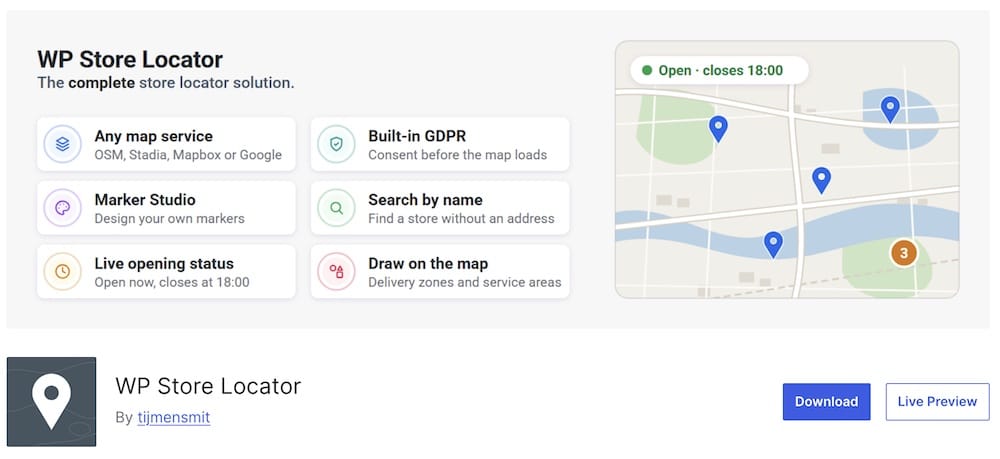
WP Store Locator is one of the best choices if you want a proper store finder without jumping straight into a premium plugin.
The free version covers the essentials really well.
Visitors can search by address, postcode, city, state, country or store name, use their current location, filter by radius or category and sort results by distance or other location data.
You can also show unlimited locations and organize them with custom fields, categories and different marker styles. Nice!
I also like that you’re no longer locked into Google Maps.
WP Store Locator now supports OpenStreetMap, Mapbox, Stadia Maps and Google Maps. Also, switching provider doesn’t mean rebuilding your locations from scratch.
OpenStreetMap can also be used without a Google Maps API key, which makes setup much simpler.
If you need more later, there’s a paid add-on bundle for CSV import/export, search widgets and statistics.
- Best for: Businesses that want a capable free store locator with strong search and filtering
- Free version includes: Unlimited locations, radius search, geolocation, category filters, custom markers, custom fields, opening hours, multiple map providers and store-name search
- Free version doesn’t include: CSV management, search widgets and statistics from the premium add-on bundle
- Why we like it: The free version is genuinely useful and now supports several map providers instead of tying you to Google Maps
- Active installations: 40,000+
3. WP Go Maps – Best Map + Store Locator Combo
WP Go Maps is a great pick if you want more than a basic store locator.
It gives you the locator tools you need, but it also doubles as a full mapping plugin. Handy.
The free version contains a basic store locator, visual map editor, unlimited maps, multiple markers and support for several map engines
You can use Google Maps, Leaflet/OpenStreetMap and other supported providers, so you’re not boxed into one ecosystem.
For simple business locations, that may be enough.
But Pro is where things get much more interesting.
You can add proximity search, visitor geolocation, category filtering, distance displays, custom locator layouts and richer marker listings.
There’s also support for directions, custom fields, WooCommerce, ACF and WPML.
I especially like the flexibility here.
You can start with a straightforward “find our nearest store” setup and later turn the same plugin into something much more advanced without rebuilding everything from scratch.
- Best for: Businesses that want a store locator plus a broader mapping toolkit
- Free version includes: Basic store locator, unlimited maps, multiple markers, visual map editor, radius controls and multiple map engines
- Free version doesn’t include: Advanced proximity search, geolocation, category filtering, richer marker listings and several deeper locator controls
- Why we like it: You’re getting much more than a store locator, which makes it especially useful if your mapping needs may grow later
- Active installations: 300,000+
- Pro price: $19+
4. WP MAPS PRO – Best Advanced Mapping
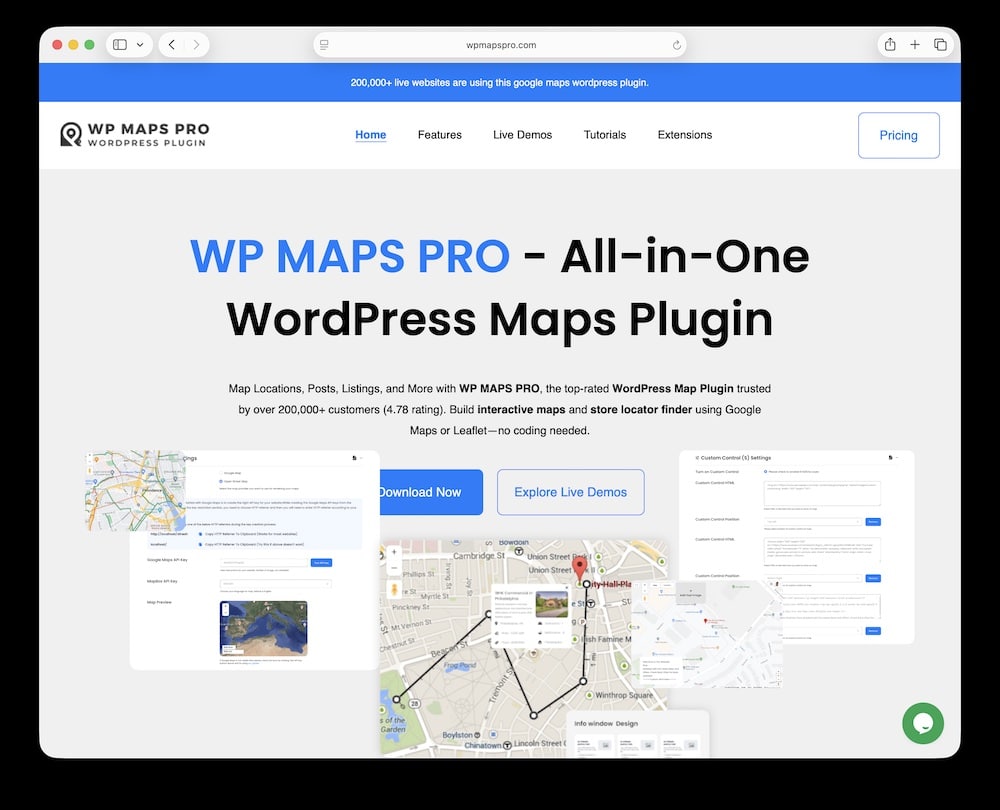
WP Maps Pro is the one I’d look at when a basic “find our nearest store” setup starts feeling too limited.
It can handle unlimited locations, advanced filtering, radius search, directions, marker clustering, CSV/JSON imports and even dynamic content such as posts, pages or custom post types.
Now that’s a strong fit for franchises, dealer networks, service centers, real estate directories and other location-heavy websites.
The filtering is one of its biggest strengths.
You can let visitors narrow results by categories, taxonomies, custom fields or distance, then display locations in list or grid layouts.
Dense maps are easier to manage too, thanks to marker clustering and bulk importing. Much better than adding hundreds of pins manually.
There’s also plenty of room to get creative.
WP Maps Pro includes 25+ infowindow designs, custom SVG markers, map skins, routes, polygons and other shapes, plus support for KML, KMZ and GeoJSON layers.
Serious stuff.
And besides Google Maps, the plugin also supports Leaflet/OpenStreetMap, which is useful if you want another mapping option.
- Best for: Large store networks, directories and businesses that need advanced filters and mapping controls
- Key features: Unlimited locations, radius search, directions, custom filters, marker clustering, CSV/JSON imports, dynamic content mapping, routes, custom markers and multiple map providers
- What I’d improve: The feature list is huge, which can be overkill if you only need a simple locator for a few stores
- Why we like it: It gives you much more control than a basic store locator and can comfortably handle larger, more complicated location databases
- Price: From $39/year for up to three sites, with a $59 lifetime single-site option also available
5. Super Store Finder – Best Premium Store Locator

Super Store Finder is solid if you want a polished WordPress store locator without paying enterprise-level money.
For $29, you get a proper Google Maps-powered locator with geolocation, directions, store filtering, regions, tags/categories, custom labels and responsive layouts.
It also comes with a strong admin area where you can manage locations, tweak colors and styles, change captions, and fine-tune the map. No code digging necessary!
The setup is pleasantly straightforward.
You can add stores, organize them by region or category, customize the info windows and let visitors quickly find the nearest location.
It also supports Street View and multiple layout options, giving you more freedom than a basic locator.
Another plus is compatibility.
Super Store Finder works with Elementor, Elementor Pro, WPBakery, Visual Composer, WooCommerce and WPML, so it should slot into most common WordPress setups without much drama.
- Best for: Businesses that want a polished premium store locator without a huge upfront cost
- Key features: Geolocation, directions, regions, categories/tags, customizable styles, multiple layouts, Street View, responsive design and page-builder compatibility
- What I’d improve: It relies heavily on Google Maps, so it’s not the best pick if you specifically want OpenStreetMap or another provider
- Why we like it: It hits a sweet spot between affordability and functionality, especially for users who want a ready-to-go premium locator without an overwhelming setup
- Price: $29 for a regular license, including future updates and six months of support
6. Locatoraid – Best Lightweight Option

Locatoraid is a great option if you want a clean store locator without piling on dozens of advanced features you may never use.
It focuses on the essentials: add your locations, let visitors search for the nearest one, show results on a map and keep the whole setup easy to manage.
Simple. Effective.
The free version is already fully functional and includes location search, responsive layouts, customizable map presentation, shortcode controls and REST API access.
You also get dedicated Gutenberg blocks for the locator map and search form, which makes placing everything on a page effortless.
I also like how flexible the front-end layout is.
You can display the map and results side by side or stack them vertically, adjust the default search area and filter results by country, state or city.
Need more later? Pro adds CSV import/export, location categories, up to 20 custom fields and custom map icons.
That makes it much easier to manage larger location lists without turning the plugin into something bloated.
One thing to know: Locatoraid relies on Google Maps, so you’ll need an API key during setup.
- Best for: Small to medium businesses that want a lightweight, no-fuss store locator
- Free version includes: Location search, responsive map/results layouts, shortcode controls, Gutenberg blocks, REST API access and location filtering
- Free version doesn’t include: CSV import/export, categories/products, custom fields and custom map icons
- Why we like it: It keeps the setup refreshingly simple while still giving you enough control for a proper business locator
- Active installations: 1,000+
- Pro price: $59 for one site with one year of updates; optional renewal starts at $22/year
7. HivePress + Geolocation Extension – Best For Store Directories

HivePress makes the most sense when your “store locator” is really becoming a full directory.
Think local businesses, branches, dealers, service providers, franchise locations or any setup where each location deserves its own profile instead of just a marker on a map.
The core HivePress plugin handles the directory side: listings, categories, custom fields, search, user submissions and individual listing pages.
Add the free Geolocation extension, and visitors can search listings by location and browse nearby results on a map.
HivePress currently supports both Google Maps and Mapbox for geolocation.
That opens up a lot of possibilities.
You can build separate pages for cities, states and countries, let users submit their own locations and then expand things with other HivePress extensions for reviews, favorites, messaging, paid listings, claimable business profiles and more.
In other words, this can grow far beyond a basic “find the nearest store” tool.
The tradeoff? If all you need is a simple map with 10 company branches, HivePress is probably too much.
- Best for: Store, dealer and business directories with detailed location profiles
- Free version includes: Listings, categories, custom fields, user submissions, search, individual listing pages and location search with the free Geolocation extension
- Free version doesn’t include: Features such as paid listings, claimable profiles, bookings and some other advanced extensions
- Why we like it: It turns store locations into proper directory listings instead of limiting you to pins on a map
- Active installations: 10,000+ for HivePress; the Geolocation extension has 6,000+ active installations
8. Store Locator Plus – Best Modular & Expandable Option
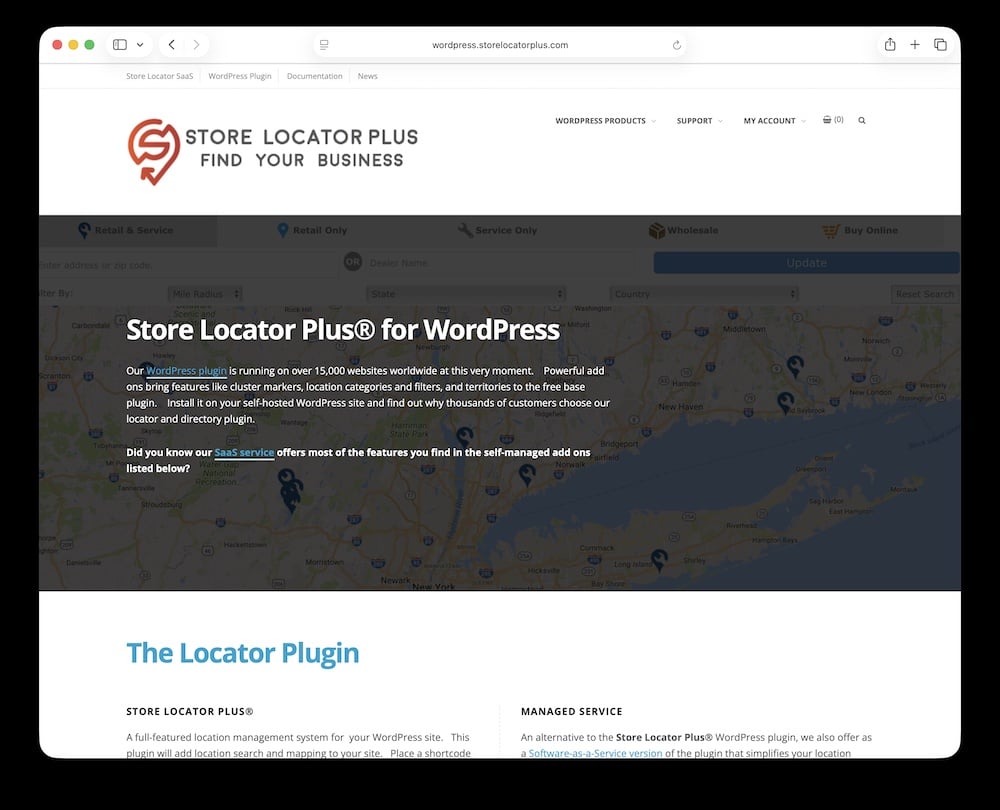
If you like building your setup piece by piece instead of paying for a giant feature bundle upfront, Store Locator Plus comes in super handy.
The free base plugin gives you the core locator experience: location management, a search form, Google Maps integration and a results list that you can drop onto any page with a shortcode.
Clean start.
Then you expand only when you actually need more.
For example, the Power add-on brings in CSV import/export, location categories and SEO-friendly location or directory pages.
The Experience add-on focuses more on design and front-end behavior, including search layout, map styling, result presentation and widgets.
And if you want the full package, the Premier subscription adds things like marker clustering, search-when-map-moves, pagination, territories, WooCommerce integration and priority support.
That modular approach is the main reason I like it.
- Best for: Businesses that want a modular locator they can expand over time
- Free version includes: Location management, search form, Google Maps, location listings and shortcode placement
- Free version doesn’t include: Bulk CSV tools, advanced styling, categories, SEO directory pages, clustering, pagination and other premium extras
- Why we like it: You can start lean and only add the features your business actually needs
- Active websites: 15,000+ according to the developer
- Premium pricing: Add-ons currently start around $100, while Premier costs $275/year
What To Look For In A WordPress Store Locator Plugin
Here’s what I’d check before choosing one:
- Radius search: Let visitors search within a specific distance from their city, postcode or current location.
- Geolocation: A simple “Use my location” option can save users a bunch of typing, especially on mobile.
- Multiple locations: Make sure the plugin can comfortably handle your current store count.
- Search and filtering: Categories, services, brands or store types can make a huge difference when you have lots of locations.
- Distance sorting: Showing the nearest results first is far more useful than making visitors figure it out themselves.
- Directions: Ideally, users should be able to jump straight from your locator to driving or walking directions.
- Store details: Opening hours, phone numbers, email addresses, websites, available services and other practical info should be easy to add.
- Map provider: Google Maps is popular, but some plugins also support OpenStreetMap, Mapbox or other providers.
- Custom markers: Different marker icons or colors help visitors quickly identify different location types.
- Bulk import: If you manage dozens or hundreds of stores, CSV import/export can save you a serious amount of time.
- Mobile usability: A locator that looks great on desktop but turns into a mess on a phone isn’t much use. Mobile matters. A lot.
- Performance: Hundreds of pins, filters and scripts can get heavy. Look for clustering, efficient loading and a plugin that doesn’t turn the page into a brick.
- Page builder compatibility: Elementor, Gutenberg and shortcode support can make placement and customization much easier.
My advice is simple: pick the locator based on how customers will use it, not on how long the feature list is.
Do You Need Google Maps For A Store Locator?
Nope. Not anymore.
Google Maps is still one of the most popular choices for WordPress store locators, but it’s far from your only option.
Depending on the plugin, you can also use mapping providers such as OpenStreetMap, Mapbox, MapLibre, Geoapify or MapTiler.
That matters for a few reasons.
Google Maps may require an API key and billing setup, while some alternatives are easier to launch or give you more control over the map style and provider.
OpenStreetMap-based setups are especially appealing if you want a more open mapping option without relying entirely on Google.
That said, Google Maps still has plenty going for it:
- Familiar design
- Strong address data
- Reliable directions
- Good geolocation
- Wide compatibility with WordPress plugins
So I wouldn’t avoid it just to be different.
The better question is: Which map provider works best with your locator plugin and business needs?
How To Make A Store Locator More Useful For Customers
- Show opening hours: Nobody wants to drive across town only to find a closed door.
- Add a “Use my location” option: This is especially handy on mobile and saves users from typing an address.
- Sort stores by distance: Put the closest locations first. Simple, but incredibly useful.
- Include directions: Make it easy to jump straight into navigation with one click.
- Add phone numbers: A tap-to-call button can be very helpful for mobile users.
- Show available services: If locations offer different products, repairs, pickup options or other services, make that clear.
- Use filters: Let visitors narrow results by store type, service, brand, category or whatever matters for your business.
- Add clear store details: Address, email, website, opening hours and contact information should be easy to scan.
- Use recognizable markers: Different colors or icons can quickly separate branches, dealers, warehouses or service centers.
- Keep the search box obvious: Don’t hide it above, below or beside a massive map. Searching should be the first thing users notice.
- Make mobile a priority: Many people search for nearby locations while they’re already out. Buttons, filters and maps need to work smoothly on a smaller screen.
- Avoid unnecessary clutter: You don’t need every feature switched on. Too many controls can make a simple task harder.
Conclusion: Which WordPress Store Locator Plugin Should You Choose?
For most businesses, Agile Store Locator is my favorite overall pick.
It gives you a strong free starting point, then plenty of room to expand with better filters, radius search, imports, analytics and more.
If you want to stay free, WP Store Locator is hard to beat. It covers the essentials really well and supports multiple map providers, which gives you extra flexibility.
For a broader mapping toolkit, WP Go Maps makes more sense. It’s a good option if you need store locating now but may want more advanced map features later.
And for larger or more complex location networks, WP Maps Pro is the one I’d look at first. Its filtering, bulk imports, dynamic content and advanced mapping controls make it much better suited to bigger setups.
There are also some more specialized picks:
- Super Store Finder for an affordable premium locator
- Locatoraid for a lightweight, straightforward setup
- HivePress + Geolocation for full business or dealer directories
- Store Locator Plus if you like a modular system that you can expand over time
My advice?
Don’t overbuy.
A small business with five locations probably doesn’t need a giant mapping system with dozens of advanced controls.
But if you’re managing franchises, dealers or hundreds of stores, better filtering, imports and location management will save you a lot of headaches.
So again, for most users, I’d start with Agile Store Locator or WP Store Locator and go from there.
FAQs About WordPress Store Locator Plugins
What is a store locator plugin & how does it work?
A store locator plugin allows customers to find your business’s physical locations on a map. It typically works by entering an address or ZIP code, and the plugin displays nearby stores using integrated mapping services like Google Maps.
Can I customize the appearance of the map in store locator plugins?
Yes, many store locator plugins offer customization options such as changing map colors, adding custom markers, and altering the layout to match your website’s design and branding.
Are WordPress store locator plugins responsive on mobile devices?
Most modern store locator plugins are designed to be responsive, ensuring that the map and search functionality work smoothly on various devices, including smartphones and tablets.
How does geolocation feature work in these plugins?
Geolocation features in store locator plugins use the customer’s IP address or GPS data (with their permission) to automatically detect and display the nearest store locations to their current position.
Can I add custom fields or information for each store location?
Yes, many plugins allow you to add custom fields to each store location. This can include additional information like store hours, contact details, promotional messages, or specific services offered at each location.
Do WordPress store locator plugins work with Google Maps?
Yes, many use Google Maps for location data and visual display, but some offer alternatives like OpenStreetMap.
Can I add multiple store locations with these plugins?
Yes, almost all store locator plugins support multiple locations with customizable details like address, phone, and hours.
::
Note: This article was originally published on November 6, 2020. But our team regularly reviews it and updates it with necessary improvements for accuracy.