


Your WordPress header and footer do a lot more than sit at the top and bottom of your website.
They can handle navigation, contact details, social links, CTAs, tracking scripts, custom code, and plenty more.
The tricky part is choosing the right plugin.
Some WordPress header and footer plugins are built for visual design, letting you create custom layouts without coding.

Others are better for adding Google Analytics, Meta Pixel, CSS, JavaScript, and other snippets safely.
I tested and compared the most useful options for both jobs.
So whether you want to build a completely custom footer with Elementor, insert tracking code into your header, remove annoying theme credits, or simply gain more control over these areas, you’ll find a solid option below.
Quick tip: Don’t install a heavy visual builder if all you need is a place to paste a script.
And if you want to design a full footer from scratch, a simple code-injection plugin won’t be enough.
Let’s find the right WordPress header and footer plugin for your setup.
This post covers:
- How We Tested WordPress Header & Footer Plugins
- Quick Picks
- Best Free & Premium WordPress Header & Footer Plugins
- What Can You Add To A WordPress Footer?
- Do You Even Need A Footer Plugin
- Conclusion: Which WordPress Footer Plugin Should You Choose?
- FAQs About WordPress Header & Footer Plugins
How We Tested WordPress Header & Footer Plugins
Not every header and footer plugin does the same job, so I didn’t compare them as if they were identical.
Some are built for visual design, while others focus on code insertion, tracking scripts or small footer tweaks.
Here’s what I paid the most attention to:
- Ease of setup: How quickly can you install the plugin, understand the settings, and start using it?
- Header and footer controls: Does it let you build, edit, or manage these areas without unnecessary complexity?
- Code insertion options: Can you safely add scripts, CSS, JavaScript, HTML or tracking codes without editing theme files?
- Visual customization: For builder plugins, I checked how much control you get over layouts, menus, widgets, logos, buttons, and other elements.
- Display conditions: I looked for options to show specific headers, footers or snippets only on selected pages, posts or devices.
- Elementor compatibility: This matters a lot for visual builders, especially if you already use Elementor for the rest of your website.
- Free version usefulness: I prefer plugins that give you enough functionality to actually get something done before pushing you toward Pro.
- Performance: A header or footer plugin shouldn’t add unnecessary weight to your website, particularly if you only need a simple feature.
- Updates and maintenance: I checked whether the plugin is actively maintained and keeps up with current WordPress versions.
- User feedback: Ratings, reviews and active installations also helped me spot long-term reliability issues or recurring complaints.
Most importantly, I focused on real-world usefulness.
A plugin doesn’t need 100 features to make this roundup.
It needs to solve its main job well, stay easy to use and give you a good reason to keep it installed.
Quick Picks:
- Best Overall: Elementor Header & Footer Builder
- Best For Custom Code: WPCode
- Best For Analytics & Tracking Scripts: Head, Footer & Post Injections
- Best For Conditional Code Placement: Header Footer Code Manager
- Best For Removing Footer Credits: Remove Footer Credit
- Best Premium Elementor Builder: WPDaddy
Don’t forget to check how to install a WordPress plugin if you’re doing it for the first time.
Best Free & Premium WordPress Header & Footer Plugins & Builders
| Plugin | Best For | Visual Header/Footer Builder | Code Injection | Elementor Support | Free Version |
|---|---|---|---|---|---|
| Elementor Header & Footer Builder | Visual header & footer design | Yes | No | Yes | Yes |
| WPCode | Adding scripts & custom code | No | Yes | No | Yes |
| Head, Footer & Post Injections | Analytics, pixels & tracking scripts | No | Yes | No | Yes |
| Header Footer Code Manager | Conditional code placement | No | Yes | No | Yes |
| WPDaddy | Premium Elementor footer building | Yes | No | Yes | No |
| Remove Footer Credit | Removing/replacing footer credits | No | No | No | Yes |
1. Elementor Header & Footer Builder – Best Overall Visual Builder
Elementor Header & Footer Builder is our first free pick and could not be any other.
This plugin is one of the most famous free footer plugins on the market and for GOOD reasons.
You can create unlimited footer and header designs using Elementor templates and systems.
Plus, you can also build (custom) templates with Elementor and place it anywhere on your websites via a simple shortcode.
In short, this is a top-notch pick for developers and website owners familiar with shortcodes and using Elementor as their primary page builder.
And that’s every beginner and pro!
EHFB plugin features:
- 2+ million active installations
- 5/5 ratings
- Works with blocks
- Build-in widgets (search, WooCommerce menu, image, etc.)
- Great support
2. WPCode – Insert Headers And Footers – Best For Header And Footer Code
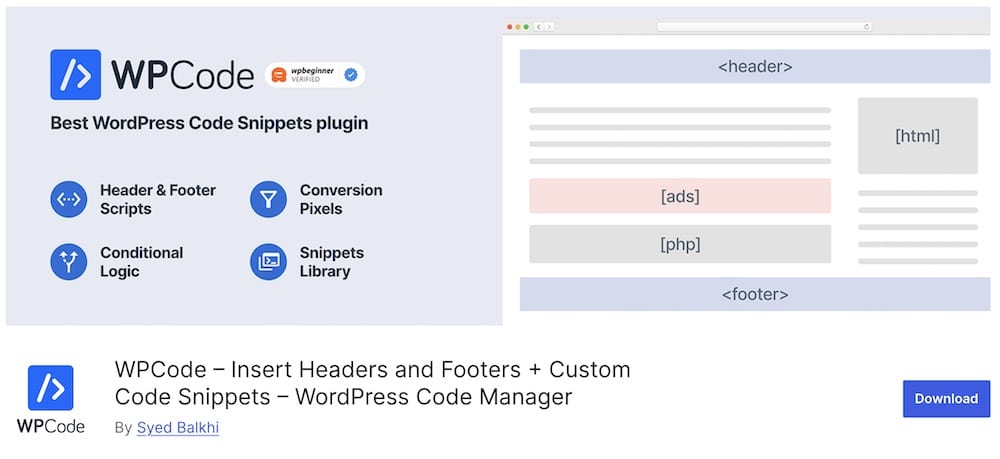
WPCode is one of the easiest ways to add custom code to your WordPress header and footer without touching your theme files.
You might know it by its old name, Insert Headers and Footers by WPBeginner.
It has since grown into a much more complete code snippets plugin, with 3+ million active installations.
I particularly like WPCode for adding things such as Google Analytics, Meta Pixel, custom CSS, JavaScript, HTML and other tracking or verification scripts.
Everything stays neatly inside the WordPress dashboard, so you don’t need to edit functions.php and risk losing your changes after switching or updating a theme.
And it goes well beyond basic header and footer insertion.
You can create unlimited snippets, use automatic insertion rules, add snippets manually with shortcodes and control where certain code runs. The built-in validation is another nice touch because it helps catch PHP errors before they cause trouble.
Just keep in mind that WPCode isn’t a visual header or footer builder.
If you want to design footer columns, menus, logos and layouts, an Elementor-focused builder is a better choice.
WPCode plugin features:
- 3+ million active installations
- 4.9/5 ratings
- Easy to set up
- User-friendly interface
- Saves footer codes even if you change the theme
3. Head, Footer & Post Injections – Best For Tracking Scripts

This is the best solution if you’d like to insert and manage any code in your footer and header, even inject it into post.
So simple.
With Head, Footer and Post Injections you will get a centralized overview of all the codes.
Additionally, you can insert a CUSTOM script to start a behavior on your website.
We also like the fantastic mobile footer version and AMP support, so everyone enjoys the ultimate performance on any device.
If you need to quickly insert footer and header codes for services like Google Analytics and Facebook Pixel, this plugin is the best way to go.
HFPI plugin features:
- 300,000+ active installations
- 4.9/5 ratings
- Compatible with AMP
- Insert injections via shortcodes
- You don’t lose codes if you change the theme
4. WPDaddy – Best Premium Elementor Option

If you are looking for a footer plugin that works exclusively with Elementor, WPDaddy is the one for you.
This plugin is a front-end, drag and drop footer builder that offers endless possibilities.
First of all, WPDaddy is fully optimized for WooCommerce and compatible with any WordPress theme.
Besides, the drag & drop system is SUPER-EASY to learn and will help you create a unique footer in just a few clicks.
The plugin is also optimized for best performance and won’t affect your site’s load speed.
WPDaddy plugin features:
- 60+ sales
- 4.8/5 ratings
- Quick WP widget management
- Lifetime updates
- Price: $29 (may vary)
5. Header Footer Code Manager – Best For Advanced Code Placement
The Header Footer Code Manager is another powerful plugin to insert custom codes in your site’s footer area.
To start, this free WordPress footer plugin allows you to add any code you want not only to footer or header sections of your site but to any page or post via a simple shortcode.
So versatile!
This free footer manager plugin is a great choice for those who want to insert a CTA or an ad to more visible locations on their website.
HFCM plugin features:
- 600,000+ active installations
- 4.9/5 ratings
- Unlimited number of scripts & styles
- 8 different page display options
- Works with WordPress Multisite installs
6. Remove Footer Credit – Best For Removing Footer Credits

Don’t want to have footer credit? NO PROBLEM! This plugin sorts things out for you in a few clicks.
This free WordPress footer plugin will allow you to remove the footer credit without touching the code of your website.
Additionally, you can insert your custom credit information if you want.
So straightforward. So powerful. GO!
Remove Footer Credit plugin features:
- 70,000+ active installations
- 4.8/5 ratings
- Great support
- Easily customizable
- No need to modify footer.php code
What Can You Add To A WordPress Footer?
A WordPress footer can be much more useful than a simple copyright line.
It’s one of the best places to add helpful links, business details, trust elements and secondary navigation without cluttering the main content area.
Depending on your website, you can add:
- Navigation menus: Great for important pages that don’t need space in the main menu.
- Contact information: Add your email, phone number, address or business hours.
- Social media icons: Give visitors an easy way to find your other channels.
- Copyright notice: Keep your ownership details clear and professional.
- Newsletter signup form: A footer is a natural place to collect email subscribers.
- Recent or popular posts: Useful for blogs that want to keep readers exploring.
- Product or category links: Handy for WooCommerce stores with large catalogs.
- Call-to-action buttons: Promote a quote request, consultation, free trial or another key action.
- Trust badges: Add payment icons, certifications, memberships or other credibility signals.
- Custom HTML: Useful for banners, badges, embedded elements and other custom content.
- Legal links: Privacy Policy, Terms & Conditions, Cookie Policy and similar pages often belong here.
- Widgets: Depending on your theme or plugin, you can add text, menus, forms, images and other WordPress widgets.
Do You Even Need A Footer Plugin?
Not always.
Modern WordPress themes, block themes and page builders already give you plenty of control over the footer.
In many cases, you can edit the layout, add widgets, change colors and update copyright text without installing anything extra.
A dedicated footer plugin becomes useful when your current setup feels too limited.
You may want one if:
- Your theme has basic footer options: Some themes only let you change a few colors, columns or text fields.
- You want a completely custom layout: A visual builder plugin gives you more freedom over menus, logos, forms, buttons and other elements.
- You use Elementor: A compatible header and footer builder can help you create these sections visually and reuse them across your site.
- You need to add scripts or tracking code: Tools like WPCode are much safer than manually editing theme files.
- You want advanced display conditions: For example, showing one footer on landing pages and another across your blog.
- You need a specific fix: Removing theme credits or inserting a small snippet doesn’t require rebuilding the entire footer.
My advice is simple: don’t install a footer plugin just because you can.
Conclusion: Which WordPress Footer Plugin Should You Choose?
The best WordPress footer plugin depends on what you actually want to change.
If your goal is visual customization, go with a dedicated header and footer builder that lets you create layouts, menus, buttons and other elements without coding.
If you mainly need to insert scripts, tracking codes or custom snippets, a tool like WPCode is the better choice. It keeps everything organized and saves you from editing theme files manually.
For more advanced code placement, Header Footer Code Manager is also a strong option, especially if you want better control over where certain snippets appear.
And if your only goal is something small, like removing the default theme credit, you definitely don’t need a full builder.
My advice is to keep it simple.
Choose the plugin that solves your specific problem and avoid adding extra features you’ll never use.
A lightweight, focused setup is usually better than installing the most powerful plugin just because it can do more.
For most users, I’d start with a visual header/footer builder for design or WPCode for code insertion.
Those two use cases cover the majority of what people actually need.
FAQs About WordPress Header & Footer Plugins
What is the best WordPress header and footer plugin?
It depends on what you want to do.
For visual customization, a dedicated header and footer builder is the better choice. If you mainly want to add scripts, tracking codes or custom snippets, WPCode is one of the easiest options.
What is the best free WordPress footer plugin?
There are several strong free options.
A visual builder is best if you want to design custom footer layouts, while tools like WPCode, Head, Footer & Post Injections and Header Footer Code Manager are better for inserting scripts and custom code.
Can I create a custom WordPress footer without coding?
Yes. Many modern themes and page builders let you customize the footer visually. And if your theme is too limited, a header and footer builder plugin can give you much more control over layouts, menus, logos, widgets, buttons and other elements.
Can I use Elementor to build a WordPress footer?
Yes. Elementor-compatible header and footer plugins let you design these areas visually using the same drag-and-drop workflow you use for pages.
How do I insert code into the WordPress header or footer?
The safest approach is to use a dedicated code-insertion plugin.
Tools like WPCode let you add JavaScript, CSS, tracking codes and other snippets without editing your theme files manually.
What happened to the Insert Headers and Footers plugin?
Insert Headers and Footers by WPBeginner became WPCode.
Do I need a plugin to edit my WordPress footer?
Not necessarily.
Your theme, Site Editor or page builder may already give you everything you need.
Can I add widgets to a WordPress footer?
Yes. Depending on your theme or footer builder, you can add navigation menus, text, contact details, social icons, forms, recent posts, images and other widgets.
Does WordPress have footer templates?
Yes, depending on your theme and setup.
Block themes can include footer template parts, while page builders and header/footer plugins may provide ready-made footer templates you can customize.
Can I remove “Powered by WordPress” from the footer?
Yes. Some themes let you change or remove the footer credit directly in their settings. If yours doesn’t, a plugin such as Remove Footer Credit can handle the job without editing theme files.
Will a footer plugin slow down WordPress?
A well-built plugin usually has a small impact, but every plugin adds something to your site.
That’s why I recommend choosing the simplest option that solves your problem.
::
Note: This article was originally published on March 20, 2022. But our team regularly reviews it and updates it with necessary improvements for accuracy.